How to Automate Marketing for a Small Business: A 2026 Playbook
11 min read · AstraLoop Studio
If you run a small business, marketing happens in fits and starts. An email when you remember to send one, a post when you have five free minutes, a quote that goes unanswered because nobody followed up with that contact. It's not laziness: you simply don't have the time or the dedicated person. The result is that you lose sales not because the product is bad, but because the right message never goes out at the right moment.
Automating marketing means exactly this: building mechanisms that send the right message, to the right person, at the right moment, without you having to press a button every time. You don't need a marketing department and you don't need software that costs thousands a month. You need the right order of priorities and a handful of well-built automations.
This guide gives you a concrete, step-by-step roadmap, built for people starting from zero or close to it. It begins with the basic flows that pay off immediately, and builds up to AI automations that decide on their own what to send to whom. You can switch on each step independently: do the first one, measure it, then move to the second.
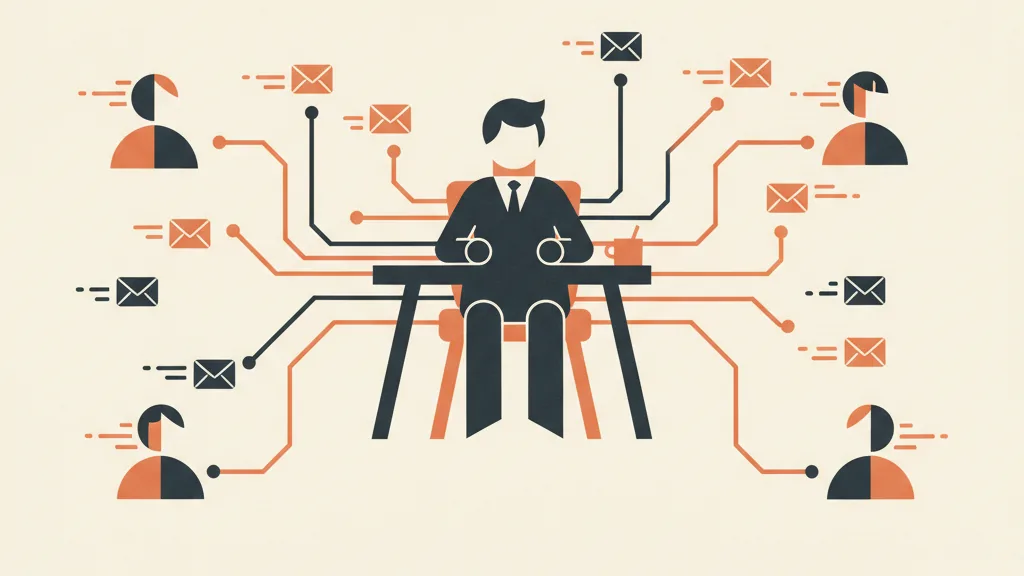
What "automating marketing" actually means
There's a lot of confusion around this term. Automating marketing doesn't mean "scheduling Instagram posts" (that's scheduling) and it doesn't mean "using AI to write copy" (that's writing assistance). Both are useful, but marginal.
Real marketing automation is a system of triggers and actions: when an event happens (someone signs up, abandons a cart, hasn't bought in 90 days, opens three emails but never clicks), a sequence of messages built for that exact situation fires automatically. The system works while you do something else. If you want the full picture of the concept, we covered it in our article on what marketing automation is and what it's for.
For a small business, this changes two things in a big way:
- You stop forgetting people. Every contact enters a path, even on the days you're buried in deliveries.
- The time you free up gets reinvested. Recurring sequences (welcome, follow-up, reminders) run on their own, so you can focus on things that genuinely need a human.
The underlying rule: automate what's repetitive and predictable, keep human what requires judgment. You write the complex quote yourself; the system sends the "did you see the quote?" reminder.
Before you automate: two things you need in place
Automating without solid foundations just multiplies the chaos. Before any step, you need two basics.
1. One single place where your contacts live
If your customers are scattered across your inbox, a spreadsheet, business cards in a drawer, and WhatsApp DMs, no automation will work. You need a central database, even a minimal one. It can start as a simple CRM or even a well-structured spreadsheet, but it has to be a single one and it has to be your source of truth. If you're weighing up the tool, read our guide on custom CRMs for small businesses: it explains when something built around your own processes beats a generic off-the-shelf system.
2. A way to collect consent
In Italy and the EU, GDPR applies. You can only send commercial emails and messages to people who've given valid, informed consent (or with whom you have an active contractual relationship, within certain limits). Before you automate sending, make sure your sign-up forms collect consent explicitly and that you keep a record of when and how it was given. This isn't red tape for its own sake: it's what keeps you out of trouble with fines and complaints to the data protection authority. Practical guidance, not legal advice: if you have doubts about specific cases, get advice from whoever handles your privacy compliance.
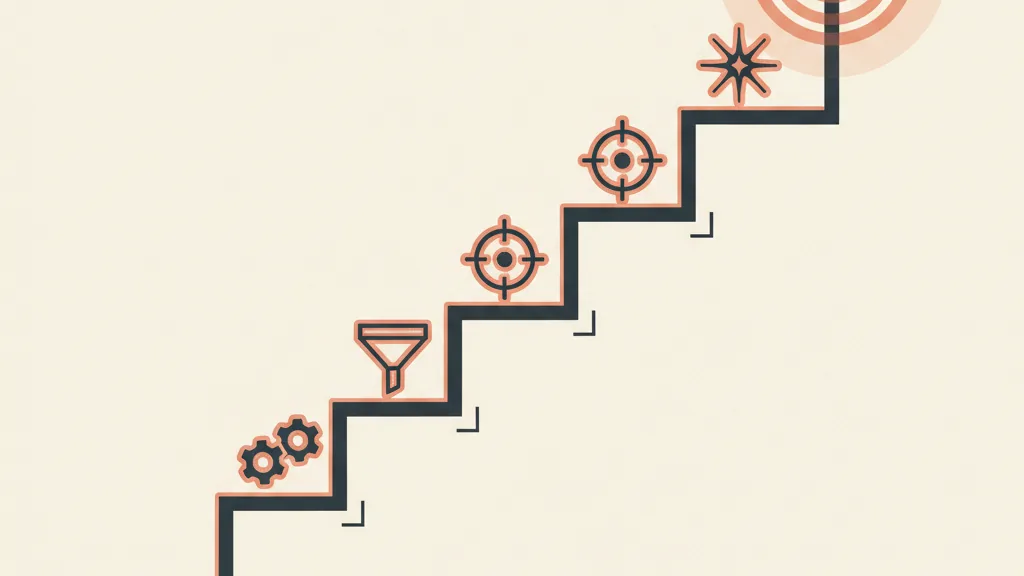
The 6-step roadmap
Here's the order I'd recommend following. Each step has a low setup cost and a measurable return. Don't skip ahead: later steps assume the earlier ones are live and clean.
Step 1 - The welcome flow (the one that pays off first)
When someone joins your list, downloads a piece of content, or makes their first purchase, that's the moment they're warmest. They're thinking about you right now. Leave them in silence for two weeks and that attention evaporates.
The welcome flow is an automatic sequence of 3-5 emails (or WhatsApp messages) that fires right after sign-up: who you are, why they should trust you, what to expect, a first call to action. It's the single best effort-to-result automation there is, because it's speaking to people who are already interested. We walk through how to build one step by step in our article on the email welcome flow.
Typical structure:
- Email 1 (immediately): welcome, deliver what they asked for, what happens next.
- Email 2 (after 1-2 days): your story, the problem you solve, proof (a review, a case study).
- Email 3 (after 3-4 days): the offer or a concrete call to action (first purchase, a call, a trial).
Step 2 - Recovering what you're already losing
There are sales you've almost closed that you're letting slip through your fingers. Two classic cases:
- Abandoned carts (if you run an e-commerce store): someone put a product in the cart and left. An automatic sequence of 2-3 messages over the following hours/days recovers a meaningful chunk of those sales. See how to set it up in our article on abandoned cart recovery automation.
- Quotes that get no reply (if you sell services): you sent the quote and heard nothing back. An automatic follow-up ("have you had a chance to look at it?") at 2, 5, and 10 days makes a huge difference. The logic is the same as automated sales follow-up.
This step often pays for itself within the first month: you're monetizing contacts you already paid to generate.
Step 3 - Segmenting, because not everyone is the same
Up to this point, you've sent the same message to everyone. That works to get started, but it wastes potential. A customer who buys every month and one who hasn't opened an email in a year shouldn't be treated the same way.
Segmenting means splitting your database into groups with similar behavior, so each one gets the message that's relevant to them. The basic criteria: how long they've been a customer, how much they spend, what they've bought, how active they are (do they open? do they click?). You don't need to overdo it: a few well-chosen segments are enough for a clear jump in results. To dig deeper into the criteria, read our customer database segmentation strategies.
Minimum segments to start with:
| Segment | Who's in it | What to send |
|---|---|---|
| New | Subscribed less than 30 days ago | Welcome flow, introductory content |
| Active | Open and buy | New releases, upsells, premium offers |
| Lukewarm | Open but don't buy | Social proof, targeted incentive |
| Dormant | No activity for 90+ days | Reactivation sequence |
Step 4 - Nurturing: guiding people who aren't ready yet
Most contacts don't buy the first time around. They need time, they need trust. Nurturing is the automatic sequence that keeps the relationship alive with people who are interested but not yet decided: useful content, answers to common objections, concrete case studies, without pushing for the sale in every message.
For B2B, this is often the step that makes the difference between a contact who forgets about you and one who calls you when they're ready. We've dedicated a full guide to AI-driven B2B lead nurturing, where AI helps you understand when a contact is warming up. If nurturing is one gear in a bigger machine, it's worth framing it inside a real customer acquisition system instead of treating it as a standalone action.
Want to find out which automations would pay off the most for your small business, without wasting months building the wrong flows? Request a free analysis: we'll look at your processes together and tell you where to start.
Step 5 - Personalization (beyond [First Name])
Putting someone's name in the subject line isn't personalization. That's the bare minimum from 2010. Real personalization changes the content of the message based on who's receiving it: someone who bought shoes sees shoe accessories, someone who opened the guide on energy savings gets the case study on energy savings.
This is where AI starts giving you a concrete edge: it can generate text variants tailored to each segment, adapt tone, pick the right product to recommend. We go into detail in our article on AI-powered email personalization. The principle: the more the message feels written for that specific person, the more it converts. And automating doesn't mean depersonalizing — it means personalizing at scale.
Step 6 - AI automations that decide what to send to whom
This is the destination, and it's also the most interesting leap of the past couple of years. Up through step 5, you're the one setting the rules: "if they abandon the cart, send X." It works, but you're deciding everything in advance.
AI-first automations flip that logic. Instead of fixed rules, a model evaluates each contact based on their behavior and decides on its own what the best action is: what to send to whom, when, on which channel. Some concrete examples of what's possible today:
- Dynamic lead scoring: AI assigns every contact a score for "how ready are they to buy" and triggers the right action at the right moment. We go deeper in our article on AI lead scoring for small businesses.
- Multichannel orchestration: the system chooses whether to reach that person via email, WhatsApp, or SMS based on where they respond best. On integrating the messaging channel, see AI-powered WhatsApp Business automation.
- AI agents that qualify and respond: they don't just send messages, they hold conversations, answer questions, book appointments. You'll find real cases in our examples of AI agents for businesses.
This isn't science fiction, and it's not just for big companies: the tools that make this accessible to a small business exist and cost a fraction of what they did three years ago. The key is getting there in stages, not starting from here.
What tools to use
You don't need the most expensive platform. You need the right one for your current level. Broadly speaking:
- To get started (steps 1-3): an email marketing platform with basic automations covers this perfectly well. There are several solid options on the market, which we compare in our article on the best marketing automation software.
- To connect multiple systems (steps 4-6): when you need your CRM, website, WhatsApp, and sending tools to talk to each other, workflow automators come into play. We compared the main options in n8n vs Make vs Zapier; if you're after cheaper or self-hosted options, read our Zapier alternatives.
A common mistake: buying the powerful tool before you have the processes. Software doesn't create the strategy, it executes it. Decide what to automate first, then choose what to automate it with.
How to know if it's working
Automating without measuring is driving blindfolded. You don't need a hundred metrics, just a handful that tell you whether the system is bringing in money. For the full picture see the marketing KPIs to track; here are the four essentials for marketing automation:
- Conversion rate per flow. How many sales does the welcome flow generate? How much does cart recovery bring back? Measure every automation separately.
- Revenue attributed to automation. How much of your revenue comes through automated messages. It's the number that justifies everything else.
- Deliverability. If your emails land in spam, no automation matters. Keep an eye on open rate and domain reputation.
- Reactivated contacts. How many dormant contacts come back to buy thanks to reactivation sequences.
The mistakes I see most often
- Trying to automate everything at once. Start with step 1, do it well, measure it. A welcome flow that works is worth more than six automations done halfway.
- "Set it and forget it" automations. A flow needs revisiting every few months: copy gets stale, segments shift. It's not a household appliance.
- A dirty database. If you automate on top of a list full of dead contacts or ones without consent, you make results worse and risk fines. Clean it up first.
- Confusing automation with coldness. The tone has to stay human. Automation manages the when and the to whom, it shouldn't turn the what robotic.
- Not having anyone accountable. Even without a marketing team, someone has to keep an eye on the numbers. Automated doesn't mean abandoned.
Marketing automation isn't a project you wrap up in a weekend: it's a system you build in layers and improve over time. But here's the beauty of it: every layer you add keeps working for you, indefinitely, at no marginal cost. The first welcome flow you switch on today will still be sending emails two years from now, to every new subscriber, while you sleep. Frame it within a bigger picture of AI-powered business process automation and B2B lead generation, and marketing stops being the thing you do when you have time and becomes an engine that runs on its own.
Frequently asked questions
Can I automate marketing without a dedicated team?
Yes — that's actually the main use case. The point of automation is to let repetitive activities (welcome messages, follow-ups, reminders, reactivation) run on their own, so that even working solo you get results that would otherwise require a full-time person. All you need is to start with one well-built flow.
Which automation should I start with?
The welcome flow: the automatic sequence that fires when someone signs up or buys for the first time. It has the best return for the effort involved, because it's speaking to people who are already warm and interested. Right after that come abandoned cart recovery or unanswered quote follow-ups, which often pay for themselves within the first month.
How much does it cost a small business to automate marketing?
For the basic steps, email marketing platforms with automation start at just a few tens of euros a month, often with free plans up to a certain number of contacts. Costs only climb once you add multichannel orchestration and AI automations, and even there you're now talking about a fraction of what it cost a few years ago. The real investment is the time it takes to set things up initially.
What's the difference between scheduling posts and automating marketing?
Scheduling means publishing content at fixed times (useful, but limited). Automating marketing means triggering messages based on people's behavior: when they sign up, abandon a cart, or stop buying. The difference is between publishing on a calendar and reacting to what each contact actually does.
What does it mean for AI to decide what to send to whom?
In traditional automation, you write the rules in advance. With AI, a model evaluates each contact's behavior and decides on its own what the best action is: which message, on which channel, with what timing. Concrete examples include dynamic lead scoring and multichannel orchestration across email and WhatsApp. It's the destination to reach, in stages.
Does automation make messages cold and impersonal?
Only if it's done badly. Automation manages the when and the to whom, not the tone of the content. In fact, with personalization (especially AI-based personalization) you can make messages more relevant to each person than you could by writing to hundreds of contacts by hand. Automating well means personalizing at scale, not depersonalizing.
If you'd rather skip the trial-and-error phase, talk to us: we design and build your marketing automation system, from your first welcome flow to AI automations, tailored to your business.