Voice AI Agent Connected to Your CRM: Answer and Book Appointments 24/7
10 min read · AstraLoop Studio
Every call you miss is a customer calling your competitor right after. That's not just a punchy line: in service businesses, missed calls during lunch breaks, evening hours, and traffic spikes often run between 20% and 40%. And people who can't get through rarely call back. They book elsewhere.
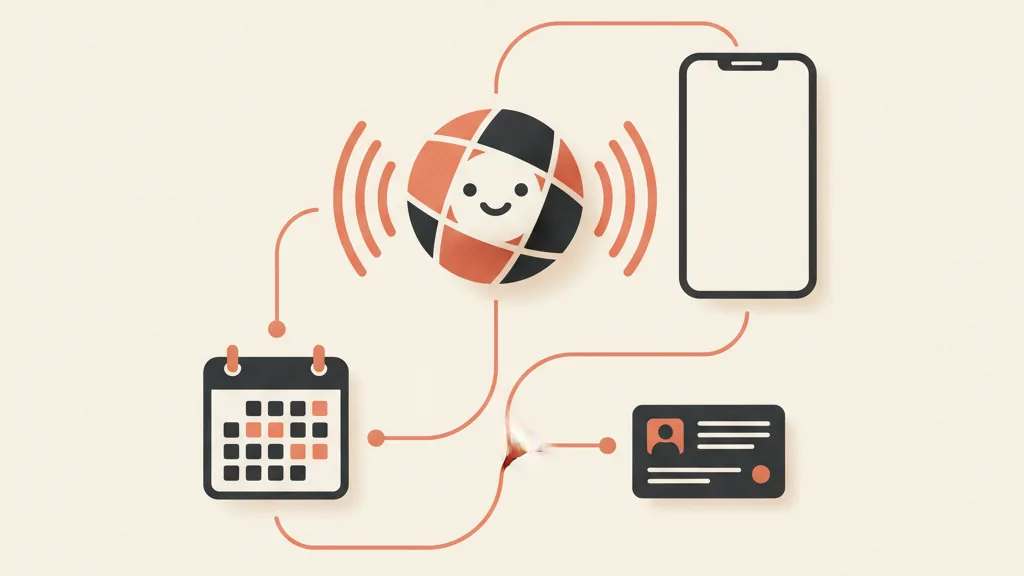
A voice AI agent connected to your CRM closes exactly that gap. It answers the phone with a natural-sounding voice, understands what the caller wants, checks real availability on your calendar, and books the appointment, logging it straight into the CRM along with the full conversation history. All at 3am, on a Sunday, while you're already on a call with another client.
In this article we look at how a system like this actually works, what changes compared to an IVR or a chatbot, what it costs, and in which cases it's worth investing in now rather than in two years. No glossy demos, just how it behaves once it's live in production.
What a voice AI agent connected to your CRM actually does
The word "voice" is the easy part to picture. What actually makes the difference is "connected to the CRM." A voicebot that just answers is a glorified answering machine. A voicebot that reads and writes to your customer database becomes part of your sales process.
Here's what happens in a typical call, step by step:
- It answers within seconds, with a voice that sounds human and matches the tone you set for it (formal, casual, on-brand).
- It recognizes the caller if the number is already in the CRM: "Good morning Mrs. Rossi, are you calling about your check-up?" If it doesn't find a match, it collects the details and creates a new record.
- It understands intent: booking, rescheduling, asking for information, or wanting to speak to a person.
- It checks real availability by reading the calendar (Google Calendar, Outlook, internal booking software) and offers the open slots.
- It confirms and logs the appointment in the CRM and calendar, with name, reason for the visit, source channel, and a full transcript.
- It sends confirmation by SMS or WhatsApp and schedules automatic reminders to cut down on no-shows.
The point isn't "a machine that talks." It's that every call becomes structured data inside your system, ready for follow-up. The difference between a lost sticky note on a desk and a customer record that feeds the rest of the funnel. If you want to understand the architecture behind this, we covered the technical integration in how to integrate a voice AI assistant with your CRM.
Why "connected to the CRM" changes everything
Many providers sell voice assistants as an off-the-shelf product: it talks, takes messages, maybe books an appointment on its own calendar. That's fine for a pizzeria. It's not enough for a business built on repeat relationships and per-customer value.
The CRM connection unlocks three things a standalone voicebot simply can't do.
1. Context on the caller
The agent knows that Mr. Bianchi already has three open quotes, that he called twice last week, that his last purchase was eight months ago. It can personalize the conversation and route the call to the right person, already briefed. A voicebot without a CRM treats every call like the first one.
2. The data enters the funnel instead of dying in a voicemail box
Every handled call becomes a qualified lead or a tracked appointment inside the system you actually sell through. It becomes part of your customer acquisition system instead of remaining an isolated event. You can measure it, optimize it, tie it to campaigns. The phone call stops being a black hole in your numbers.
3. Downstream automation
Appointment booked over the phone? The reminder sequence kicks in. Customer who no-shows? A reactivation flow fires. Quote never followed up on? It enters a follow-up queue. Voice becomes a trigger inside your business process automation with AI, not an island.
This is why a voice agent pays off most when it sits on top of a custom CRM with an integrated funnel: voice is the entry point, the CRM is where the value accumulates.
Voicebot with CRM vs. IVR vs. chatbot: the real differences
Anyone with a phone system that already says "press 1 for..." thinks the problem is solved. It isn't. Let's look at the actual differences.
| Aspect | Traditional IVR | Text chatbot | Voice AI agent + CRM |
|---|---|---|---|
| Interaction | Rigid touch-tone menu | Text, requires typing | Natural voice, free conversation |
| Books appointments | No (routes to an operator) | Only if the customer is online | Yes, live on the call, with real slots |
| Recognizes the caller | No | Sometimes | Yes, reads the CRM record |
| Writes to the CRM | No | Rarely | Yes, with full transcript |
| Coverage | Routing only | Web channel only | Phone, 24/7 |
| Customer experience | Frustrating | Fine for the web | Like talking to a receptionist |
The core difference is simple: the IVR routes, the chatbot answers on the web, the voice AI agent closes on the phone. For a detailed comparison, we cover it in Voice AI vs. traditional IVR and in voice AI assistant vs. chatbot.
No-shows: where a voice agent pays for itself
Here's the math that convinces even the most skeptical owners. Take a clinic, a beauty salon, a repair shop, a law firm. Every appointment missed without notice is a slot you don't get back. In the services world, typical no-show rates run between 10% and 30%.
A voice agent connected to the CRM tackles this on two fronts:
- It fills the slots you're losing today, answering after-hours calls that would otherwise go to voicemail (and then to a competitor).
- It reduces no-shows with automatic reminders and by letting customers reschedule with a simple phone call, handled by the AI, instead of through an overloaded front desk.
We dedicated a deep dive to this mechanism in reducing no-shows with automatic reminders. The point is the return isn't theoretical: it only takes a handful of recovered appointments a month for the system to pay for itself.
Let's do some rough math. If the average value of an appointment is €80 and you recover 15 missed calls a month that turn into bookings, that's €1,200 in revenue that used to just vanish. Add the drop in no-shows and the number grows. All against a monthly running cost that, for an SMB, stays well under that figure.
Who it actually makes sense for (and who it doesn't)
This isn't a technology that fits everyone equally. It pays off most where the phone is a live channel and every booking counts.
Great use case:
- Medical and dental practices, where calls tend to come in exactly when the office is closed.
- Beauty salons and hairdressers, with packed schedules and a high rebooking rate.
- Restaurants during peak hours, when no one can step away to answer.
- Real estate agencies, where a missed contact is one less showing.
- Repair shops, law firms, accountants, gyms: anyone who lives on appointments.
Less suited (for now): businesses with near-zero call volume, or complex B2B sales where the first call is pure consulting, not booking. There, voice AI can handle pre-qualification, but pure booking isn't the bottleneck.
One detail that's often overlooked: the voice needs to handle real-world English (or Italian, depending on your market) well, accents and older customers included. Not every engine pulls this off. We cover this in voice AI, dialects, and older customers.
Want to find out if a voice agent connected to your CRM would make sense for your business? Tell us how many calls you're missing today and we'll put together a free analysis of the expected return.
What it takes to make it actually work
The technology is there. The difference between a project that works and one that generates angry customers is entirely in the implementation. Three non-negotiable elements.
Real integration, not a half-measure
If the agent doesn't read your actual availability and doesn't write to the CRM you really use, you've bought a toy. Integration with the calendar, the CRM, and confirmation channels (SMS or WhatsApp) is the project, not an add-on. This is why a custom-built system beats an off-the-shelf one: it plugs into your real workflows.
Handing off to a human when needed
The agent needs to know when to stop and pass the call to a person, without making the customer feel trapped. So-called human handoff is what separates a professional system from one that loses customers. A good agent handles 80% of calls and forwards the complex 20%, already briefed.
Meeting transparency requirements
On the regulatory side, there's a transparency requirement: callers need to be able to understand they're speaking with an automated system. In Italy, Law 132/2025 introduced obligations on this front, and at the EU level the AI Act (Regulation (EU) 2024/1689) requires transparency for systems that interact with people. It's not an obstacle, it's a brief disclosure at the start of the call. We go deeper in the obligation to disclose AI use on the phone. Informational note: for the legal specifics of your case, always check with a professional advisor.
What a voice AI agent connected to your CRM costs
There are really two questions: what does it cost to set up, and what does it cost to keep running. Here are realistic order-of-magnitude figures, not marketing price lists.
- Custom setup (defining flows, CRM and calendar integration, configured voice, testing): varies a lot depending on integration complexity, but for an SMB we're typically talking about a one-off project in the range of a few thousand euros.
- Recurring cost: a monthly platform fee plus voice-minute usage. For a local business's call volume, this usually stays in the low hundreds of euros a month, often less.
The number that actually matters, though, isn't the spend, it's the comparison. What does it cost you today to not answer? We quantified the impact of a single missed call in what a missed call costs a local business, and full pricing in what a voice AI assistant costs. A human receptionist covers 8 hours, a voice agent covers 24. It doesn't replace them: it takes the repetitive work off their plate and leaves them the calls that deserve a person.
How to get started without botching the first step
The classic mistake is buying a generic tool, bolting it on loosely, and being surprised when customers complain. The right approach is simpler than it sounds.
- Map your real calls. How many do you miss? At what time? What are people asking for? These numbers tell you whether, and how much, it's worth moving on this.
- Start with a single flow. Appointment booking. Get it working well before adding info requests, rescheduling, reactivations.
- Integrate with the CRM you already use (or build the right one if you don't have it yet). Voice is only as valuable as the system it's plugged into.
- Keep a human in the loop for the complex 20% and monitor the transcripts in the first few weeks.
A voice agent isn't magic: it's a piece that fits neatly inside a working acquisition funnel. If the funnel downstream is broken, the agent fills the calendar but doesn't convert. If the system is healthy, though, voice becomes the front door you're currently leaving half-open. To see who helps companies with projects like this, take a look at what a B2B customer acquisition agency does.
In short
A voice AI agent connected to your CRM isn't there to "look high-tech." It's there to stop you losing calls, keep your calendar filling up even at night, and turn every phone call into data that feeds your funnel. The market for this is still young: whoever implements it well now starts with a real edge over competitors still letting the phone ring out.
The key remains integration: not just any voicebot, but a system stitched to your CRM, your calendars, and the way you actually work.
Frequently asked questions
Can a voice AI agent really book appointments on its own?
Yes. If it's connected to the calendar and the CRM, it reads real availability, offers open slots, confirms with the customer, and logs the appointment in the system, then sends a confirmation by SMS or WhatsApp. All of this happens during the call, with no handoff to an operator.
How is this different from the IVR phone system I already have?
An IVR routes calls with a touch-tone menu but never actually resolves anything: it always hands off to an operator. A voice AI agent converses in natural language, understands the request, and completes the booking on its own, writing it to the CRM. One routes, the other resolves.
Do customers realize they're talking to an AI? Is it mandatory to say so?
The voice sounds very natural, but transparency is legally required in Italy: Law 132/2025 and the AI Act (Regulation (EU) 2024/1689) require that callers be able to know they're interacting with an automated system. This is handled with a short disclosure at the start of the call. Check with a professional advisor for your specific case.
What happens if a request is too complex for the AI?
A well-built system recognizes cases it can't handle and passes the call to a person (human handoff), ideally already briefed on the context. Typically the AI handles 80% of recurring calls and forwards the complex 20%, so staff only spend time on what actually matters.
How much does a voice AI agent connected to a CRM cost?
For an SMB, the custom setup (flows, CRM and calendar integration, voice, testing) is usually a one-off project costing a few thousand euros, plus a monthly fee with per-minute usage that for local businesses often stays in the low hundreds of euros a month. It should be weighed against the cost of the calls you're currently missing.
Does it work with the CRM and calendar I already use?
It depends on the integration. A custom-built system plugs into the tools you already use (Google Calendar, Outlook, booking software, standard or custom CRMs). It's precisely this real integration that separates a toy from a tool that actually enters your sales process.
We'll build you a custom voice agent, integrated with the CRM and calendars you already use. Request a quote and a free analysis of your call flow.