Cut No-Shows by 38-50% with Automated WhatsApp and AI Reminders
10 min read · AstraLoop Studio
A missed appointment isn't just an empty slot on the calendar. It's a slot you had already sold and can't resell: staff already paid, a room already occupied, another customer you could have served but turned away instead. If you run a clinic, a salon, a dealership, or any business where the calendar IS the revenue, no-shows are one of the most silent cost lines you carry. And one of the most underestimated.
The good news is it's also one of the easiest to cut. You don't need a €50,000 enterprise CRM or a call center. You need one thing done well: a sequence of automated, multichannel reminders built around WhatsApp, with an AI agent handling the replies. Businesses that implement this correctly see no-shows drop by 38-50%. Below is exactly how, with the cadence, the scripts, and the numbers.
What a no-show really costs you
Before we solve the problem, let's put a number on it. The cost of a missed appointment isn't just the lost revenue from that service. It's the sum of three items.
- Direct lost revenue: the service you didn't deliver. For a dental practice, a missed cleaning is worth €80-120; a first specialist visit can be €150-250.
- Cost of idle staff: the operator, the beautician, the doctor, or the consultant still gets paid for that time slot regardless.
- Opportunity cost: the slot was full, so you told another customer "sorry, we're booked" — and now they're going elsewhere.
Let's run the numbers on a realistic case. A practice with 40 appointments a week and a 15% no-show rate loses 6 slots every week. At an average value of €90 per slot, that's €540 a week, around €2,100 a month, over €25,000 a year walking out the door without anyone really noticing. You won't see it on the P&L — it simply never shows up.
Bringing that 15% no-show rate down to 8% (a reduction of just under 50%, entirely achievable) recovers over €12,000 a year for a single practice of that size. And that's the real point: you're not cutting an operational annoyance, you're recovering net margin. If you want the full picture of the hidden costs sitting in your calendar, also check out what a missed call really costs you.
Why customers miss appointments (and why it's not their fault)
A no-show is almost never rudeness. In the vast majority of cases, it comes down to one of these four things.
- They forgot. An appointment booked three weeks ago has simply slipped their mind. It's the number-one reason, by far.
- They had no easy way to cancel. Calling during business hours, waiting for someone to pick up, feeling guilty about it: many people simply prefer not to show up at all.
- Priorities changed. A meeting came up, something unexpected happened, another commitment got in the way — and without a reminder, it didn't occur to them to reschedule.
- Low perceived commitment. If booking was too easy and there was no follow-up contact, the appointment doesn't carry much weight in their mind.
Each of these problems has a precise technical fix, and a reminder sequence covers all of them at once: it reminds, it gives an instant way to cancel or reschedule, it gives enough advance notice to reorganize, and it raises perceived commitment through multiple touchpoints.
Why WhatsApp instead of SMS or email
The channel matters more than you'd think. Not every reminder gets read, and an unread reminder is worth zero.
| Channel | Open rate | Average read time | Two-way reply |
|---|---|---|---|
| 20-30% | hours | Awkward | |
| SMS | about 90% | a few minutes | Limited |
| 95-98% | a few minutes | Native and conversational |
WhatsApp wins on two fronts. First, it gets read almost every time, almost instantly: people keep it open all day long. Second — and this is the real difference — it enables a conversation. The customer can reply "confirm," "move to Thursday," or "cancel" directly in the thread, and an AI agent handles that reply without any human involvement. SMS remains a great backup channel (for people without WhatsApp, or who don't check it), but as the main engine of the sequence, WhatsApp is superior. For a straight channel comparison, read WhatsApp vs. SMS in marketing and the data on SMS open rates.
The cadence that cuts no-shows by 38-50%
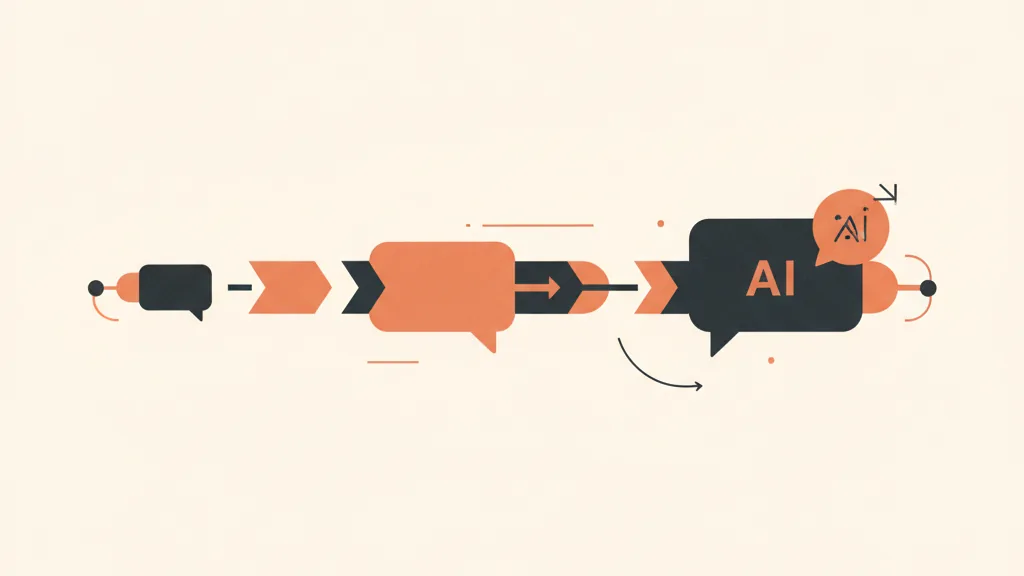
One reminder isn't enough. A single day-before message barely moves the needle: it arrives too late for the customer to reorganize, and it gets read and mentally filed away in an instant. What makes the difference is a multi-touch cadence, spread out over time, with an explicit request for confirmation. Here's the structure that works best.
Touch 1. Instant confirmation at booking
As soon as the customer books, a WhatsApp confirmation goes out with the date, time, location, and a way to add the event to their calendar. This immediately raises perceived commitment and cuts down on date mix-ups.
"Hi Marco, your appointment is confirmed for Thursday the 12th at 3:30 PM at [Practice]. We look forward to seeing you! If you need to reschedule, just reply to this message."
Touch 2. Reminder at 48-72 hours
This is the most important touch, and the one most businesses skip. With 2-3 days to go, the customer still has time to reorganize. This is the moment to ask for active confirmation.
"Hi Marco, just a reminder about your appointment on Thursday the 12th at 3:30 PM. Reply CONFIRM to confirm, or RESCHEDULE if you need to change the date."
Touch 3. Day-before reminder
At the 24-hour mark, for anyone who hasn't replied yet, or as reinforcement for those who already confirmed. It includes practical details: where to park, what to bring, any prep needed.
Touch 4. Same-day reminder (optional)
A few hours before, short and to the point. Especially useful for afternoon or evening appointments, where the day can take unexpected turns.
The secret isn't bombarding people, it's spacing things out: one early reminder (48-72h) and one close reinforcement (24h) cover both the people who forget early and the ones who forget at the last minute. The explicit confirmation request in touch 2 does an enormous share of the work, because it turns a passive reminder into an active micro-commitment.
Where AI comes in (and where it doesn't)
Basic reminders are simple automation: a calendar trigger sends a templated message. You don't need artificial intelligence for that — you need a well-built flow. AI becomes decisive the moment the customer replies.
Imagine "RESCHEDULE" is followed by an empty inbox and a staff member who calls back the next day, if they have time. You've just reintroduced the exact friction you were trying to remove. An AI agent on WhatsApp, on the other hand, does something different.
- Interprets natural-language replies ("could I do Friday afternoon?", "everything fell through, when's the next opening?"), not just rigid commands.
- Suggests open slots by reading directly from calendar availability.
- Reschedules the appointment and updates the calendar and CRM on its own.
- Hands the conversation over to a human only when it's truly needed (an unusual request, a complaint), with a clean handoff.
This is the difference between "I'm reducing no-shows" and "I'm reducing no-shows and refilling the slots that open up." Because every appointment rescheduled instead of missed is a slot that stays productive. For customers who respond better to voice than text, the same logic applies with a voice agent connected to the CRM that calls, confirms, and reschedules over the phone.
Want to find out how much margin no-shows are burning through and how to eliminate them with a WhatsApp cadence and an AI agent connected to your calendar? Talk to us and we'll put together a free analysis of your case.
The verticals where it works best
Any appointment-driven business benefits, but in some sectors the revenue impact is sharper, because slots are worth more or are harder to fill at the last minute.
- Medical and dental practices. High-value slots, full schedules, services that are hard to make up. Here no-shows hurt the most. See how to win back and retain dental practice patients.
- Beauty centers and hair salons. Contested evening and weekend slots, staff booked by appointment. A Friday-night no-show is nearly impossible to resell in time.
- Real estate agencies. Missed viewings mean unhappy sellers and wasted agent days.
- Gyms and wellness centers. Personal training sessions, assessments, trial sessions: cutting missed appointments also lowers churn risk. Related: reactivating expired memberships.
- Dealerships and showrooms. Test drives and quote appointments, where every qualified lead who doesn't show up is expensive to regenerate.
The underlying logic is always the same, which is why it scales well across sectors: a calendar worth money, a customer who forgets, a channel that reaches them, and AI that handles the reply.
What to avoid: the mistakes that undo everything
Many businesses already "have reminders" and see no results. It's almost always one of these reasons.
- A single touch. A day-before reminder on its own leaves most of the gain on the table. You need at least the double touch: 48-72h plus 24h.
- No confirmation request. An informational message that asks for nothing is a forgettable message. The "reply CONFIRM" CTA changes the numbers.
- A dead end on replies. If the customer writes "I need to reschedule" and nobody answers for hours, you've lost the opportunity. Automating the reply is half the value.
- No CRM integration. If reminders live in a separate tool disconnected from the calendar and the customer record, every reschedule has to be updated by hand, and sooner or later something slips.
- A robotic, cold tone. The message should sound like the front desk wrote it, not like a system ticket.
CRM integration is what makes it last
You can set up a reminder sequence on a no-code tool in an afternoon. It'll work for a while. But the real value — the kind that holds up over time and grows with volume — comes when reminders are part of your CRM and funnel, not a bolt-on patch.
With an integrated system, every booking, confirmation, reschedule, and no-show gets logged on the customer record. From there you can build automations that go beyond the single appointment.
- Flag repeat no-show offenders and apply different rules (for example, a deposit or a double reminder).
- Trigger an automated follow-up flow for no-shows, to bring them back onto the calendar.
- Tie the show-up rate to your funnel KPIs and understand the real cost per appointment delivered.
That's why we treat reminders not as an accessory but as a piece of the customer management system. A reminder is useful; a reminder inside a CRM that sees the customer's full history becomes a margin lever. If you want to understand how it all fits together, see how CRM and sales funnel integrate and how a turnkey system works.
What to expect, in numbers
Let's sum up what happens when you implement the full cadence with AI handling the replies.
| Metric | Before | After |
|---|---|---|
| No-show rate | 12-20% | 6-10% |
| Appointments rescheduled (instead of lost) | Few | A good share of "would-be no-shows" |
| Front-desk time spent on the phone | High | Reduced (AI handles the replies) |
| Slots recovered per month (practice with 40 appts/week) | - | About 12-16 |
The 38-50% reduction range isn't an isolated best case: it's the typical band when you move from "one reminder or none" to a structured multichannel cadence, with active confirmation and automated reply handling. Businesses starting from a very high rate (18-20%) generally see the largest percentage improvements.
The math for your own business is simple: take your weekly appointments, your current no-show rate, and the average value of a slot. Apply a conservative 40% reduction and you get a realistic estimate of how much margin you're leaving on the table every month.
In summary
No-shows aren't inevitable. They're largely forgetfulness and friction, and both are solved with a cadence of automated WhatsApp reminders, an SMS backup, an explicit confirmation request, and an AI agent that handles reschedules and replies without bouncing everything back to the front desk. Done well, and integrated into the CRM instead of bolted on the side, this cuts no-shows by 38-50% and turns lost appointments into rescheduled ones — slots that stay productive.
The point isn't "send more messages." It's building a system that remembers, converts cancellations into reschedules, and learns who your customers are. And that's exactly the kind of automation worth building once and keeping for years.
Frequently asked questions
How much do no-shows actually drop with automated reminders?
Moving from a single reminder (or none) to a structured multichannel cadence with WhatsApp, active confirmation, and AI-handled replies, the typical reduction is 38-50%. Businesses starting from high no-show rates (18-20%) generally see the biggest improvements.
Is WhatsApp, SMS, or email best for appointment reminders?
WhatsApp as the main channel: it's read by 95-98% of recipients, almost instantly, and lets the customer reply and reschedule right in the thread. SMS is a great backup for people who don't use WhatsApp. Email on its own is the weakest channel for reminders, since it has low open rates and long read times.
How many reminders should I send before an appointment?
At least two touches: one at 48-72 hours (the most important one, with an explicit confirmation request, since the customer still has time to reorganize) and one at 24 hours as reinforcement. Adding a booking confirmation and a same-day reminder improves results further without feeling intrusive.
Do I really need AI, or is simple automation enough?
Sending the reminders just takes a templated automation. AI comes in when the customer replies: it interprets natural language, suggests open slots, reschedules the appointment, and updates the calendar and CRM on its own. That's what turns a would-be no-show into a rescheduled appointment instead of a lost one.
How much does a no-show cost me?
More than just the lost revenue from the service: add in the staff paid for that time slot and the opportunity cost of the slot you could have sold to another customer. For a practice with 40 appointments a week and a 15% no-show rate, the total easily exceeds €25,000 a year in margin never collected.
Do automated reminders integrate with my management software or CRM?
Yes, and that's the part that matters most. Connected to the CRM, every confirmation, reschedule, and no-show gets logged on the customer record, enabling rules for repeat offenders, automated follow-ups for no-shows, and accurate KPIs on cost per appointment delivered. A standalone reminder helps; a reminder inside the CRM becomes a margin lever.
Let's build the reminder and rescheduling system integrated into your CRM together: request a free analysis and we'll show you the concrete numbers for your calendar.