How to Integrate an AI Voice Assistant with Your CRM and Calendar
10 min read · AstraLoop Studio
An AI voice assistant that answers the phone well but then writes nothing down anywhere is only half the job. Worse, it's often an extra problem: someone has to manually copy the customer's name, phone number, the appointment booked, the request. The real difference between a toy and a working tool comes down to one thing: integration with the CRM and the calendar. That's where the voice assistant stops just "answering" and starts running the business.
In this guide we look at, concretely, how an AI voice assistant connects to the systems you already use: HubSpot, Salesforce, Google Calendar, Microsoft 365 (Outlook), and industry-specific software. What can actually be synced, what it takes technically, what the honest limitations are, and how to tell if the integration pays off or is just another expense. If you're not clear yet on the big picture, start with the complete guide to the AI receptionist and then come back here for the technical part.

Why Integration Is the Real B2B Buying Trigger
Anyone evaluating an AI voice assistant usually starts from a simple need: stop missing calls. But in B2B, the question that actually unlocks the budget is different: "where does the data end up?". A business owner or marketing manager isn't buying "a voice that answers" — they're buying the certainty that every call becomes a record in the CRM, an appointment on the calendar, an automatic follow-up.
Here's the logic. Without integration, the voice assistant is just a slightly smarter switchboard. With integration, it becomes the first link in an automated sales process: it intercepts, qualifies, writes it down, and hands off the baton. The jump in value is huge, and it shows in the numbers. Every missed call has a precise cost (an uncalled-back lead, an appointment never booked), but even an answered call without tracking is half lost: the contact happened, but you'll never find it again.
Put plainly: integration is what turns the AI voice from a cost center into part of the customer acquisition system.
What Actually Gets Integrated: The Three Directions of the Flow
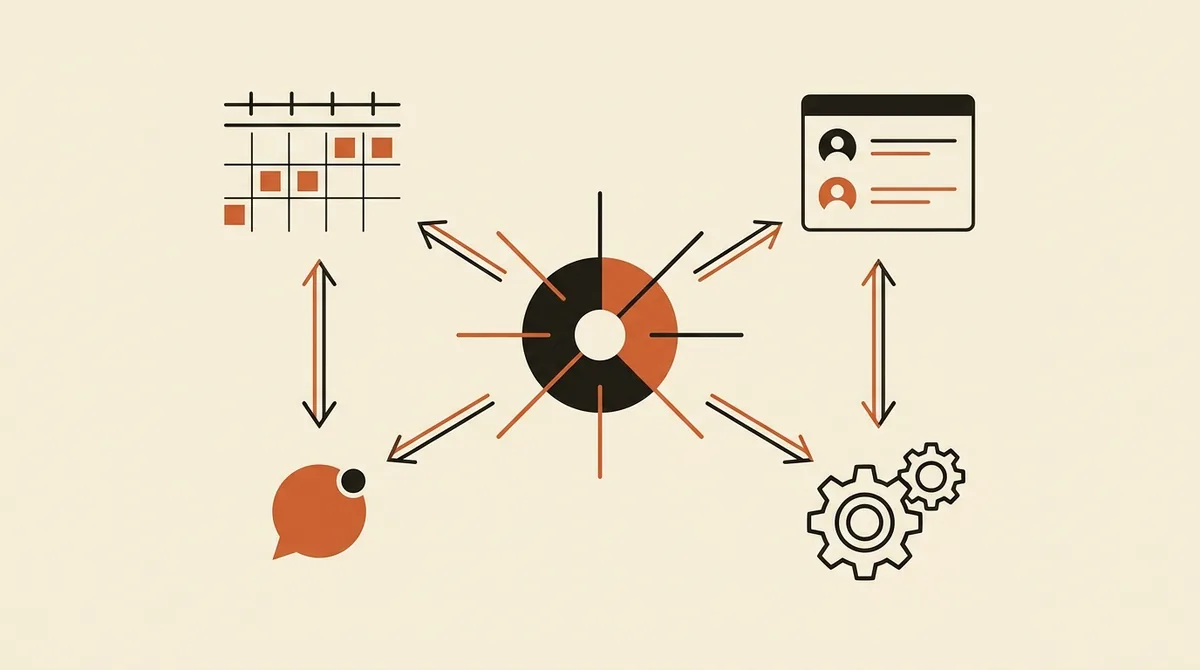
Before we talk about platforms, let's clarify what happens technically. A well-built integration works in three directions.
- Writing (the AI writes into your systems): creates or updates a contact in the CRM, logs the call transcript, creates a calendar event, opens a ticket or a note. This is the most important direction.
- Reading (the AI reads from your systems): before responding, it checks real calendar availability, verifies whether the number is already a known customer, retrieves an order's status. This is what makes answers relevant instead of generic.
- Triggering (the AI kicks off other processes): after the call, a confirmation SMS goes out, a WhatsApp message with the address, a follow-up email, a notification to the local sales rep.
Most providers only sell the first direction (basic writing). Serious integrations do all three, and the second one (real-time calendar reading) is what prevents the classic double-booking disaster.
CRM Integration: HubSpot and Salesforce
The CRM is where the AI voice assistant delivers the most value, because every call becomes a searchable, reusable piece of sales data.
HubSpot
HubSpot is the most widely used CRM among marketing-oriented Italian SMEs, and its API makes integration relatively straightforward. What a voice assistant connected to HubSpot can do:
- Create or update a Contact with the name, phone number, and email collected during the call.
- Log the call as an activity on the contact's record, with an AI-generated transcript and summary.
- Create a Deal when the call is sales-related, assigning it to the right pipeline.
- Populate custom properties: reason for the call, qualification score, product of interest.
The practical upside: when a salesperson opens HubSpot in the morning, they find leads already qualified and sorted, not a list of numbers to call back blind. This pairs well with automated sales follow-up, where the first voice contact triggers the next sequence.
Salesforce
Salesforce is more common in structured companies and larger sales teams. The integration follows the same logic (Lead, Contact, Opportunity, Task) but needs more care: permissions, user profiles, and internal automations (Flow, Process Builder) need to be mapped properly to avoid duplicates or incomplete records. With Salesforce, governance matters a lot: who owns the record the AI created, which queue it lands in, which downstream automation fires.
A rule that applies to both: decide upfront which fields are mandatory and what happens if the AI can't collect them. An incomplete record is better than no record at all, but it needs to be flagged as such so it doesn't pollute your reports.
Calendar Integration: Google Calendar and Microsoft 365
This is where most of the ROI is decided for businesses that live on appointments (clinics, salons, workshops, professional practices). The goal is for the customer to book on their own, over the phone, outside business hours, without anyone manually touching the schedule.
Google Calendar
Integration with Google Calendar is among the most requested and among the easiest to get right. The correct flow is:
- The AI reads real availability via the Google Calendar API (open slots, service durations, business hours).
- It offers the customer only the times that are actually available.
- On confirmation, it creates the event with the customer's name, requested service, phone number, and notes.
- It sends the invite and sets automatic reminders.
Watch out for one detail many overlook: time zones and overlaps. If the schedule is shared across multiple staff members or resources (two chairs, three treatment rooms), the integration needs to handle multiple calendars and capacity rules, or you'll end up double-booking the same slot. This is a configuration to get right once, not improvise.
Microsoft 365 (Outlook)
For companies on the Microsoft ecosystem, integration happens via the Microsoft Graph API, which provides access to Outlook, Teams, and Exchange calendars. The logic is identical to Google's (read availability, write event, reminders), but permissions go through Azure Active Directory: you need an admin to authorize the app with the correct scopes. Nothing complicated, but it's a step to plan for.
Industry-Specific Software: Where the Real Difference Shows
General-purpose CRMs and calendars cover most cases, but many businesses run on vertical industry software: a dental practice's booking system, a real estate agency's CRM, a repair-shop management tool, a restaurant's booking platform. Here integration gets more hands-on and needs to be assessed case by case.
Three possible scenarios, from simplest to hardest:
- The software has a public API: direct, clean, two-way integration. This is the ideal scenario.
- The software exposes webhooks or exports data: you build a bridge with automation tools (like n8n or similar) that act as a translator between the voice AI and the software.
- The software is closed: no API, no webhook. In this case, automatic integration isn't possible, and you fall back on an intermediate sync (e.g., the AI writes to Google Calendar, which the software already reads).
Honest advice: before signing any contract for a voice assistant, check whether your software has a documented API. That single fact determines whether the integration takes two days or two weeks. This kind of connection fits into the broader logic of business process automation with AI: voice is just the entry point.
The Edge Case: What Happens When the AI Doesn't Know How to Answer
No integration removes the need for a human. The right question isn't "does the AI cover everything?" but "what happens in the cases it doesn't cover?". The answer is called human handoff: the clean handover from the AI to a human operator when the request is complex, sensitive, or off-script.
A well-built integration makes the handoff painless: when the AI transfers the call, the operator already sees the contact, the reason for the call, and the partial transcript on screen. They don't start from zero. This is only possible if the CRM is connected in real time, not updated at the end of the day.
Want to know if your CRM and business software integrate well with an AI voice assistant? Ask us for an analysis: we'll look at your systems and tell you exactly what can be connected.
Compliance: Recordings, GDPR, and the Disclosure Requirement
Integrating an AI voice assistant means processing personal data (names, numbers, requests, and often call recordings). Two regulatory points worth keeping in mind, for information purposes and not as legal advice.
GDPR and recordings. If you record or transcribe calls, you are processing personal data. You need a legal basis, a clear privacy notice, and attention to where the data ends up (especially if the voice AI provider processes audio on servers outside the EU). Italy's Data Protection Authority (Garante per la Protezione dei Dati Personali) is the national reference point. Syncing with CRM and business software needs to be included in the record of processing activities: the data doesn't just stay "in the switchboard," it spreads.
Disclosing the AI. Under the AI Act (EU Regulation 2024/1689) and Italian Law 132/2025, users must know they're talking to an automated system. The transparency provisions for systems that interact with people become relevant in 2026. This isn't a cosmetic detail: it needs to be built into the call's opening script. We cover this in detail in the article on the obligation to disclose AI on the phone and in the guide to AI Act obligations for SMEs.
The practical point: compliance isn't an obstacle to integration, it's part of the design. Whoever addresses it upfront avoids redoing everything later.
What the Integration Is Really Worth: An Honest Calculation
Let's run the numbers — it's the only serious way to decide. Imagine a business that gets 30 calls a day, 25% of which come outside business hours or while another call is in progress. That's around 7-8 contacts a day that today get lost or handled halfway.
| Scenario | Tracked calls | 24/7 appointments booked | Manual double work |
|---|---|---|---|
| Voice AI without integration | Audio only, needs re-copying | No (calls back during business hours) | High |
| Voice AI + calendar | Partial | Yes, independently | Medium |
| Voice AI + CRM + calendar | Complete and searchable | Yes, with auto-confirmation | None |
The difference between the first and third row isn't technological, it's economic. In the first case, you pay for a voice AI and keep doing manual work. In the third, every call becomes a data point and an appointment with zero human touch. To dig deeper into the math, it's worth reading how to measure AI ROI credibly, and how reducing missed calls affects revenue.
How to Set Up an Integration Project Without Getting It Wrong
In short, here are the steps we recommend before you start:
- Map the systems you already use: which CRM, which calendar, which business software. Check for each one whether a documented API exists.
- Define the flow: what the AI needs to write, what it needs to read, what it should trigger after the call.
- Set the mandatory fields and how incomplete records are handled.
- Design the handoff: who receives the calls the AI can't handle, and with what data already on screen.
- Build compliance into the design: AI disclosure, privacy notice, recording management.
- Start with a pilot on a single flow (e.g., bookings only), measure, then expand.
The most common mistake is buying the voice first and thinking about integration later. That's the wrong order: integration should be decided first, because it determines which provider actually makes sense. If you're still comparing options, take a look at the best AI voice assistants of 2026, evaluated precisely from the angle of available integrations.
A well-integrated AI voice assistant isn't a nicer-looking switchboard. It's how every phone call stops being an isolated event and becomes a piece of data working for you, inside the tools you already use.
Frequently asked questions
Does an AI voice assistant integrate with any CRM?
With most popular CRMs (HubSpot, Salesforce, Pipedrive, Zoho), yes, via native APIs. With closed CRMs or business software that has no API, automatic integration may not be possible: in that case an intermediate sync is used, for example via a shared calendar. Always check first whether your software has a documented API.
How does Google Calendar integration work?
The assistant reads open slots in real time via the Google Calendar API, offers the customer only the available times, and on confirmation creates the event with the name, service, and notes. Handling multiple calendars and capacity needs careful configuration to avoid double bookings.
Can the AI book appointments on its own, without an operator?
Yes, if it's integrated with the calendar for both reading and writing. The customer books over the phone, even outside business hours, and the appointment appears directly on the schedule with automatic reminders. The operator only steps in for complex cases, through a handover (human handoff).
Is recorded call data GDPR-compliant?
It depends on how the service is configured. Recording or transcribing calls means processing personal data: you need a legal basis, a clear privacy notice, and attention to where the audio is processed (especially if it's outside the EU). The reference point is Italy's Data Protection Authority (Garante Privacy). Syncing with the CRM needs to be included in the record of processing activities.
Do I have to tell the customer they're talking to an AI?
Yes. Under the AI Act (EU Regulation 2024/1689) and Italian Law 132/2025, users must know they're interacting with an automated system. The disclosure needs to be included in the call's opening script. It's a transparency requirement, not an optional detail.
How long does it take to integrate the voice AI with my systems?
It depends almost entirely on the APIs available. With mainstream CRMs and calendars (HubSpot, Salesforce, Google, Microsoft 365), it's a matter of days. With a vertical industry tool that exposes clean APIs, it stays quick; if the software is closed, timelines stretch out or you fall back on intermediate solutions.
If you want every call to automatically land in your CRM and on your calendar, let's talk: we design the integration starting from the tools you already use.