Conversion Tracking in 2026: The Complete Guide to Measuring (and Growing) Customer Acquisition
11 min read · AstraLoop Studio
Most companies install a pixel, tick the "tracking is live" box, and never think about it again. Then, at month's end, they decide where to shift budget by looking at numbers that don't tell the truth: clicks, impressions, "leads" nobody knows ever bought anything. Conversion tracking, done right, is what separates the businesses that scale the right campaigns from the ones burning budget on the wrong ones.
In this guide we don't treat tracking as a technical chore to delegate and forget. We treat it for what it really is: the infrastructure that ties every euro spent to a business outcome, feeds your CRM with real data, and gives Google's and Meta's algorithms the signals they need to optimize on your behalf. Without this infrastructure, lead generation and advertising remain an act of faith. This is the pillar guide: it gives you the full picture and, section by section, points you to the deeper dives.

What we mean by conversion tracking
A conversion is any measurable action that has value for your business: a quote request, a booked call, a purchase, a completed form, a scheduled appointment. Conversion tracking is the process that records these actions and ties them back to the source that generated them (a campaign, an ad, a keyword, a channel).
Don't confuse it with traffic analysis. Knowing how many people visit your site is useful, but it's a surface-level metric. Conversion tracking answers business questions: which campaign brings real customers, how much does it cost to acquire one, which channels deserve more budget. The usual distinction is between macro-conversions (the end goal, like a purchase or a qualified lead) and micro-conversions (the intermediate signals, like an add-to-cart or a lead magnet download) that tell you how healthy the journey is.
Why tracking is infrastructure, not a technical detail
Anyone who treats it as a box to tick is missing the point. A solid measurement system does four things no other tool can do in its place.
- It proves the ROI of advertising and lead generation. Without tracked conversions you can't calculate a real cost per lead, nor tell which B2B lead generation activity generates revenue and which just generates contacts that never close.
- It feeds the CRM with real data. Every tracked conversion is a line of information that flows into your custom-built CRM: where the contact came from, what they were looking for, how much they're worth. It's the raw material sales runs on.
- It gives the algorithm the signals it needs to optimize. Platforms learn from the conversion data you feed them. If AI is going to optimize your Meta campaigns or Google's automated bidding, it needs to know which clicks turned into customers. Dirty or missing signals mean blind optimization.
- It separates good leads from junk ones. Not every conversion is worth the same. Tracking all the way to the sale (not just to the form) tells you which sources bring customers and which just bring the curious.
A concrete example: two campaigns with the same cost per lead look identical in the report. But if you track through to the sale, you discover one closes a deal every ten contacts and the other one every fifty. Without tracking you'd treat them the same, and keep funding the one that's losing money.
Which conversions to track (a map by goal)
You don't need to track everything: you need to track what actually matters for your business model. A common mistake is filling GA4 with useless events and losing sight of the two or three actions that genuinely move revenue. Here's a starting map.
| Business type | Macro-conversion | Micro-conversions |
|---|---|---|
| B2B services | Quote request or booked call | Lead magnet download, newsletter signup, form started |
| E-commerce | Purchase | Add to cart, checkout started, wishlist |
| Professional practice | Appointment booked | Phone number click, contact form submitted |
| SaaS or app | Paid activation | Free trial signup, onboarding completed |
The logic differs quite a bit between service businesses and product businesses: if you run lead generation, you'll find specific guidance in our guide to B2B lead generation tracking, while online shops should start with e-commerce tracking.
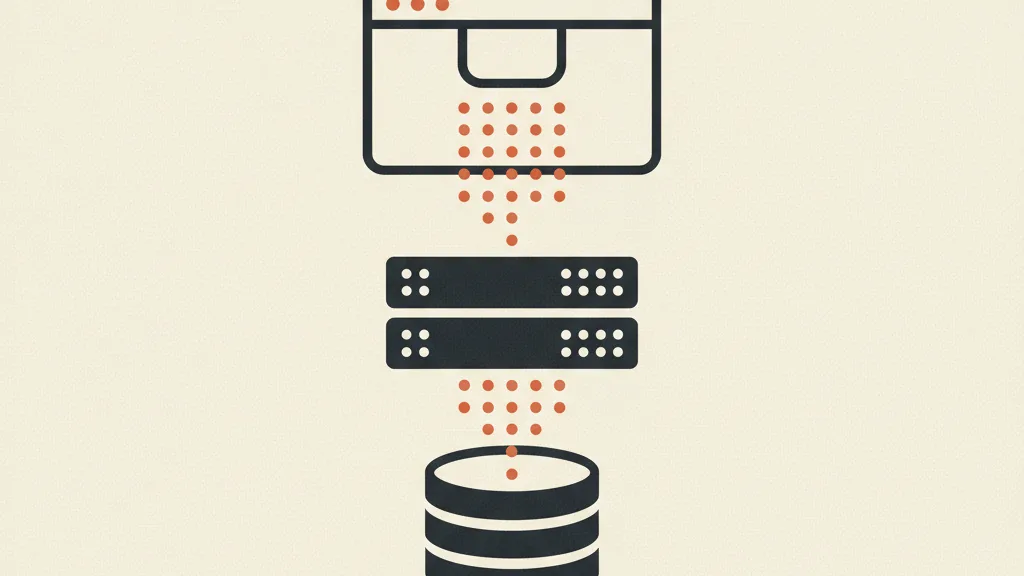
The architecture of modern tracking: three layers
In 2026, reliable tracking no longer lives in a single place. It's built on three layers that reinforce each other.
1. Client-side: the tag in the browser
This is the classic layer: GA4, the Meta pixel, the Google tag that fire in the user's browser when they take an action. It's easy to install and rich in behavioral data. If you're starting from scratch, the first step is setting up GA4 from scratch with the right events. The catch is that this layer is fragile: ad blockers, browser protections, and missing consent chip away at it every day.
2. Server-side: data that passes through your own server
Here the data doesn't originate in the browser but from a server you control, which then sends it to the platforms via API. Server-side tracking recovers the conversions that client-side loses and gives you more control over what you send. Between denied consent, ad blockers, and browser protections, it's normal to lose 10% to 30% of conversions on client-side alone, depending on traffic (sometimes more on mobile). It's also why Conversions APIs have become the standard: since Apple introduced App Tracking Transparency, many users deny cross-app tracking, and the pixel alone is no longer enough.
| Aspect | Client-side (browser) | Server-side |
|---|---|---|
| Where it runs | In the user's browser | On a server you control |
| Weak point | Ad blockers, browser protections, denied consent, load errors | Requires technical setup and maintenance |
| Strong point | Easy to install, rich behavioral data | More complete and reliable data, control over what you send |
3. Offline and CRM: closing the loop on the real sale
The layer almost nobody implements, and the one that's worth the most. A lead turns into a customer days or weeks after the click, often over the phone or in-store. Sending that sale back to the platforms (offline conversions from the CRM) closes the loop: the algorithm stops optimizing for whoever fills out the form and starts looking for whoever actually buys. It's the leap that turns tracking from a report into a growth lever.
The 2026 knot: cookies, consent, and modeled data
The landscape has changed, and ignoring it means measuring badly. Three forces are rewriting the rules.
Third-party cookies are unreliable. For years they were the backbone of ad tracking. Today Safari and Firefox have long blocked them by default, and consent regulations further shrink their coverage. Building your measurement on them means building on sand.
Consent isn't optional. Since March 2024, Google has required Consent Mode v2 for anyone who wants to keep using remarketing audiences and advanced measurement features on traffic from the European Economic Area. It's how the ecosystem is trying to reconcile measurement with GDPR (EU Regulation 2016/679) and with guidance from Italy's Data Protection Authority (Garante). If a user doesn't consent, tags don't write cookies but send, at most, anonymous, aggregated signals. This isn't legal advice: the setup should always be aligned with whoever handles privacy at your company.
The new foundation is first-party data. The direction is clear: build measurement and audiences on first-party data (collected directly by you, with consent) instead of depending on someone else's cookies. And when a piece of data is missing because of denied consent, conversion modeling kicks in: platforms statistically reconstruct unobserved conversions. Useful, but it's still an estimate: the more real signals you feed it (server-side, offline), the more precise the model gets.
Want to know if your tracking is measuring real customers or just clicks? Ask us for an audit of your measurement system and we'll show you where you're losing data (and budget).
Attribution: giving credit to the right source
Tracking a conversion is half the job. The other half is deciding who gets the credit when the customer touched five different ads before buying. That's the attribution problem.
The old last-click model (all credit to the final click) is now outdated: it rewards the bottom of the funnel and hides what actually sparked the interest. Today's standard is data-driven attribution, which spreads credit across the journey based on the data. It's worth understanding the different attribution models so you can read reports without being misled. On the practical side, without clean UTM parameters, even the best model is working on dirty data.
An honest warning: no model is perfect, and platforms tend to take credit for more results than they actually deserve. That's why, beyond each channel's individual numbers, you should also watch the business's overall measure: the ratio between total revenue and total spend. That's the point of comparing MER and ROAS, two metrics that tell different stories.
From numbers to decisions: KPIs and dashboards
Data exists to drive decisions, not to sit in an archive. The risk is drowning in metrics and losing sight of the ones that matter. Focus your attention on the unit economics of acquisition (CAC, CPL, LTV): they tell you whether the engine is sustainable. In particular, calculating Customer Lifetime Value changes everything, because it tells you how much you can afford to spend on a customer without losing money. A commonly cited benchmark is a customer-value-to-acquisition-cost ratio of around 3 to 1: below that threshold, acquisition struggles to pay for itself.
For these numbers to be usable, they need to live in one place. A Looker Studio dashboard that combines ad spend, conversions, and CRM data saves you from jumping between ten panels and lets you see the whole picture in thirty seconds.
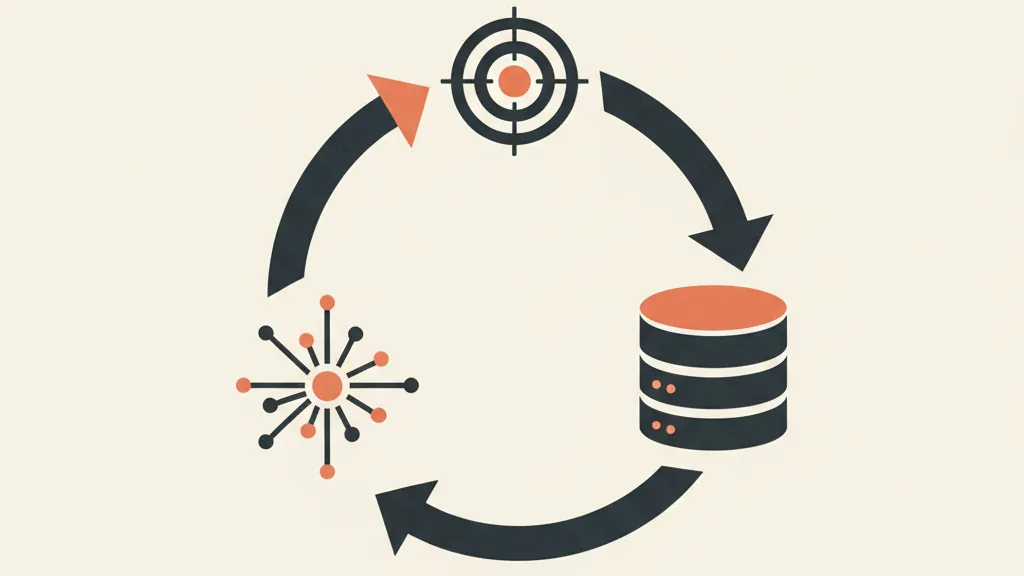
The self-improving loop: tracking, CRM, and AI
This is where it all comes together, and it's why we treat tracking as infrastructure. Combined, the three layers create a loop that improves on its own.
- Tracking captures the conversion and enriches it with the source.
- The data flows into the CRM, where sales works it and records the real outcome.
- The outcome (customer or not, how much they spent) flows back to the platforms as a conversion signal from the CRM.
- The algorithm learns to look for people similar to those who bought, not those who just clicked.
Every cycle makes the system more precise: less junk leads, lower acquisition costs, budget pushed toward the sources that actually close. It's the backbone of a real customer acquisition system, and it only holds up if the steps are automated. Manually curating conversion imports doesn't scale: this is where AI-driven process automation stops being a luxury and becomes the glue that keeps the loop running.
Tracking mistakes that cost you budget
- Counting page views as conversions. A visit to the "thank you" page isn't a customer. Track the action, not the page load.
- Double counting. Duplicate pixels or events that fire twice inflate the numbers and lead to bad decisions.
- Stopping at the form. Without offline conversions, you're optimizing for whoever fills out a form, not whoever actually buys.
- Ignoring consent. A poorly configured Consent Mode loses you data and exposes you to risk. Check it, don't assume it's fine.
- Not excluding internal traffic. Team members and collaborators browsing the site pollute your data if you don't filter them out.
The cluster map: deep dives for building your system
This guide is the starting point. From here you can dig into every piece of the infrastructure.
Platforms and setup
- What the new Google tag is and how it replaces the old snippets.
- Shopify tracking with GA4 for online shops.
- Guide to Meta's Conversions API for the server-side layer.
- Enhanced Conversions on Google Ads.
- Offline conversions on Google Ads from the CRM.
- Improving Event Match Quality on Meta.
Privacy, data, and attribution
- A zero-party data strategy: getting users to hand you data directly.
- Attribution's limits and alternatives, so you don't trust the models blindly.
KPIs, reporting, and reading the data
In summary
Conversion tracking isn't the boring task you close out before launching campaigns. It's the infrastructure that decides whether you'll know where to put your next euro. Done right, it proves ROI, fills your CRM with real data, and puts AI in a position to work for you. Done poorly, it leaves you flying blind while paying full price. The good news is you can build it in layers: start with clean client-side tracking, add server-side, and close the loop with offline conversions. One step at a time, but in the right direction.
Frequently asked questions
What's the difference between tracking traffic and tracking conversions?
Traffic tells you how many people land on your site. Conversions tell you how many take a valuable action (lead, purchase, call) and which source they came from. The first is a surface-level metric; the second drives budget decisions.
Do I need server-side tracking, or is the pixel enough?
The client-side pixel is the starting point, but on its own it loses a growing share of data to ad blockers, browser protections, and denied consent. Server-side recovers those conversions and makes the signals more reliable: in 2026 it's recommended, not a nice-to-have.
Is conversion tracking compatible with GDPR?
Yes, if you collect consent and correctly configure tools like Google's Consent Mode v2. GDPR (EU Regulation 2016/679) and Italy's Data Protection Authority (Garante) require clear legal grounds: the setup should be agreed with whoever handles privacy at your company. This isn't legal advice.
Which conversions should I track first?
Start with the macro-conversion that matches your business goal (qualified lead, purchase, appointment) and two or three micro-conversions that tell the story of the journey. Three clean events beat thirty useless ones.
Why do Google Ads, Meta, and GA4 numbers never match?
Because they use different attribution windows, models, and conversion definitions, and each one tends to take credit for itself. It's normal. For a big-picture read, also check blended metrics like MER, which relates total revenue to total spend.
How often should tracking be checked?
Check it after every major change to the site or campaigns, plus a periodic review at least monthly. CMS updates, new forms, or a redesign often break tags without warning: an event that quietly stops firing can skew weeks of decisions.
We build the infrastructure that connects advertising, CRM, and AI into a single acquisition system. Talk to us and let's figure out where to start.