UTM Parameters: The Definitive Guide to Tracking Where Your Customers Really Come From
8 min read · AstraLoop Studio
Open your Meta dashboard and you see 300 clicks. Open Google Ads and there are another 200. The newsletter drove 1,500 visits. Great, now what? Which of these channels generated customers who actually bought, and which one burned budget attracting curious visitors who will never come back? Without an answer to that question, you're optimizing blind.
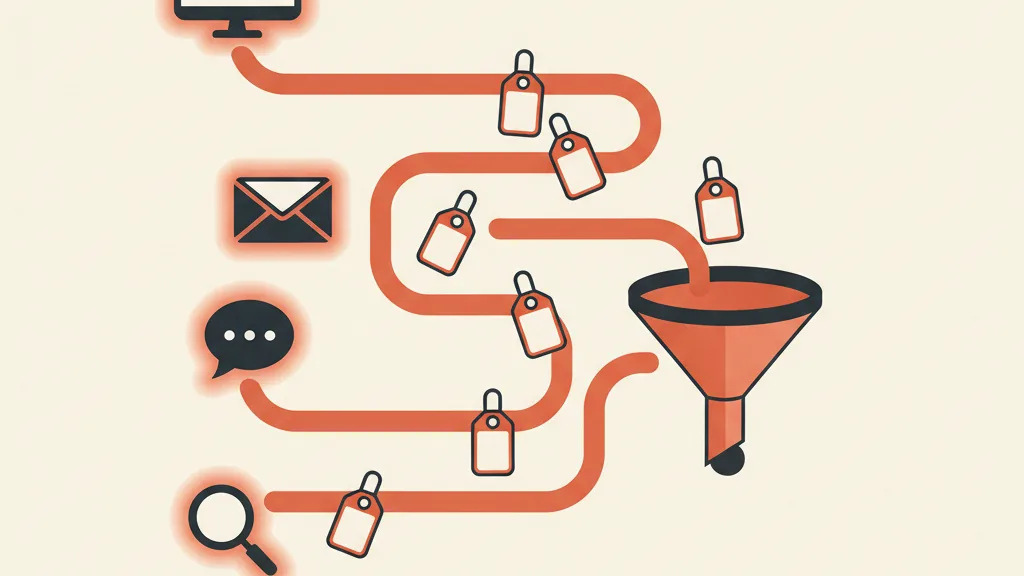
UTM parameters are the simplest, and most underrated, tool for answering it. They're small tags you attach to your links that tell analytics (and your CRM) where each visitor came from. Used well, they turn tracking from "how many clicks" into "which clicks drive revenue." Used poorly, or not at all, they leave you guessing.
In this guide we zoom in on one precise piece of the broader work of conversion tracking: what UTMs are, how to name them without creating chaos, and above all how to feed them into your CRM to get real attribution — the kind that measures customers, not just visits.
What UTM parameters are
UTM stands for Urchin Tracking Module, named after Urchin, the analytics company Google acquired in 2005 that became the foundation of Google Analytics. They're parameters appended to the end of a URL, after the question mark, to label where traffic came from.
A link with UTMs looks like this:
https://yoursite.com/offer?utm_source=facebook&utm_medium=cpc&utm_campaign=black-friday-2026
When the user clicks, the browser carries those tags along. Google Analytics, and any properly configured tracking tool, reads them and attributes the visit to the right source: in this case the "black-friday-2026" campaign, originating from a paid Facebook ad. Without UTMs, that same visit would land generically under "referral" or "direct," and you'd know nothing about it.
The 5 UTM parameters explained
There are five parameters: three required and two optional. Here's the full picture.
| Parameter | Required | What it indicates | Example |
|---|---|---|---|
| utm_source | Yes | The specific source | google, newsletter |
| utm_medium | Yes | The type of channel | cpc, email, social |
| utm_campaign | Yes | The name of the initiative | black-friday-2026 |
| utm_term | No | The keyword (paid search) | mens-running-shoes |
| utm_content | No | The variant for A/B tests | red-banner |
utm_source (required)
The "who": the platform or specific source the traffic came from. Examples: google, facebook, newsletter, linkedin. It answers the question "which site or service did the click originate from?"
utm_medium (required)
The "how": the type of channel. Examples: cpc (cost per click, typical of paid ads), email, social, organic, referral. It's the most important parameter for GA4's channel grouping, so choose it carefully.
utm_campaign (required)
The "why": the name of the campaign or initiative. Examples: black-friday-2026, product-x-launch, lead-magnet-ebook. It groups all the traffic from a single initiative, even when it's spread across multiple channels.
utm_term (optional)
The keyword, used mainly in paid search campaigns to know which keyword generated the click. Example: mens-running-shoes. In Google Ads it's often populated automatically.
utm_content (optional)
The detail that distinguishes two links pointing to the same destination. It's the A/B testing parameter: two creatives, two button placements, two copy variants. Example: red-banner versus green-banner. It tells you not just "which campaign" but "which specific element" converted.
Why clicks alone aren't enough
Here's the point almost nobody addresses. Ad platform dashboards are judges with a conflict of interest: Meta tells you Meta campaigns work, Google says the same about its own. Both take credit for conversions, often counting the same customer twice.
A click is a vanity metric if you don't know what happens after it. One channel might drive a huge amount of cheap traffic that never buys, while another drives very little expensive traffic that turns into high-value customers. If you only look at clicks, you reward the first and cut the second — the exact opposite of what you need.
UTM parameters are the thread that connects the click to the real outcome. When the tag travels from the first click all the way to the contact form and then into the CRM, you can finally say: "this €3,000 customer came from March's LinkedIn campaign." That's the leap from traffic tracking to revenue attribution, the ground on which every attribution model stands.

The naming convention: the rule that saves your data
90% of UTM problems don't come from technology, they come from disorder. Three people on the team create links their own way, and within a month you end up with Facebook, facebook, FB, and fb-ads as four different sources for the exact same channel. Reports become unreadable.
The solution is a naming convention that's shared and respected by everyone. Here are the golden rules.
The 6 golden rules of naming
- Always lowercase. Values are case-sensitive: Google and google are two distinct sources. Enforce lowercase as an absolute rule.
- One separator only. Pick either the hyphen (black-friday) or the underscore (black_friday) and never mix them. No spaces: they turn into %20 and mess up your reports.
- No personal data. UTMs are visible in the URL. Never put emails, names, or customer IDs in them: it's a real privacy risk.
- Standard medium values. Use a closed set consistent with GA4's channel grouping (cpc, email, social, organic, referral, affiliate, display). Don't invent new ones for every campaign.
- Consistency over creativity. A campaign name only works if the whole team writes it identically. Creativity here is the enemy of good data.
- One generation tool. Use a centralized UTM builder (even a simple Google Sheet with formulas) instead of writing links by hand.
A sample taxonomy
| Channel | utm_source | utm_medium | utm_campaign |
|---|---|---|---|
| Google Ads Search | cpc | summer-sale-2026 | |
| Facebook and Instagram Ads | cpc | summer-sale-2026 | |
| Newsletter | newsletter | ebook-launch | |
| Organic LinkedIn post | social | brand-awareness | |
| Affiliate | partnername | affiliate | partner-promo |
With a table like this pasted into the builder, anyone on the team generates identical links and reports stay clean month after month. It's the same principle of order that underpins a well-structured custom CRM: dirty data in, wrong decisions out.
Want to know which channels actually bring in customers and not just clicks? Ask us for a review of your tracking setup: we'll clean up your UTMs and connect them to your CRM.
From clicks to CRM: real attribution
This is the part that separates people who use UTMs to produce pretty reports from those who use them to grow revenue. The real value unlocks when the tag doesn't stop at Google Analytics but reaches all the way into the CRM, attached to the individual lead.
The technical flow, step by step
- Capture. When a visitor lands with UTM parameters in the URL, a script reads them and saves them (in a cookie or in the browser's localStorage).
- Persistence. The visitor browses, maybe returns days later. The values stay stored, so you don't lose them between sessions.
- Transfer. When they fill out a form (quote request, sign-up, purchase), the saved UTMs are copied into hidden fields and submitted together with the contact data.
- Attribution. The lead arrives in the CRM already labeled with its origin. When it becomes a customer and generates revenue, you know exactly which channel, campaign, and creative produced it.
First-touch and last-touch: capture both
A customer rarely buys on the first contact. They discover your brand from a social post (first-touch), then weeks later search your name on Google and convert (last-touch). If you only save the last touch, you give all the credit to brand search and would cut the social activity that started everything.
The solution is to store two sets of UTMs: the ones from the first contact (saved persistently and never overwritten) and the ones from the last contact (updated on every visit). Bring both into the CRM and you'll be able to track leads across the entire funnel instead of seeing just one stop along the way.
This link between UTMs and your sales system is what makes it possible to upload offline conversions from the CRM back to Meta and Google. You close the loop by telling the platforms not "I got a lead" but "that lead bought for €3,000": that's how the algorithms optimize toward real customers instead of randomly filled-out forms.
The most common mistakes to avoid
- Tagging internal links. Never put UTMs on links between pages of your own site: you reset the session and corrupt the attribution. UTMs are only for incoming traffic.
- Forgetting utm_medium. Without a consistent medium, GA4 can't group channels and the traffic ends up in "unassigned."
- Random capitalization. Mentioned above, but it's mistake number one: it silently destroys your reports.
- Not documenting it. A convention that lives only in one person's head dies the day that person goes on vacation.
UTMs and Google Analytics 4
GA4 has expanded the classic set. Beyond the five historical parameters it also recognizes utm_id (the campaign ID, essential for aligning UTMs with imported costs and calculating real ROI) and parameters like utm_source_platform and utm_creative_format. If you import campaign spend into GA4, utm_id is the key that joins costs and results.
Also remember that GA4's default channel grouping reads utm_medium values according to precise rules: "email" ends up in Email, "cpc" in Paid Search, and so on. Respecting these standard values means clean reports without extra configuration. If you're starting from scratch, our guide to setting up GA4 covers the first steps.
In summary
UTM parameters aren't a nerdy detail: they're the foundation every sensible budget decision rests on. They tell you which channel brings real customers and which one only brings clicks. But they only pay off under two conditions: a strict naming convention that the whole team respects, and a flow that carries that data all the way into the CRM, where a click becomes measurable revenue. Do both and UTMs stop being labels and become the information engine of your customer acquisition system.
Frequently asked questions
What are UTM parameters for?
They label your links so analytics and your CRM know which source, channel, and campaign each visitor came from. This lets you see which channel brings real customers, not just clicks to optimize toward.
What are the 5 UTM parameters?
utm_source (the source), utm_medium (the channel type), and utm_campaign (the initiative's name) are required. utm_term (the keyword) and utm_content (the A/B test variant) are optional.
Are UTM parameters case-sensitive?
Yes. Google and google are counted as two different sources. That's why the rule is to always write everything in lowercase and use a single separator, avoiding duplicates in your reports.
Do UTMs help SEO?
No, and they should be avoided on internal links and on pages you want to rank. UTMs track incoming traffic from external sources (ads, email, social); they don't improve organic ranking.
How do I get UTM data into my CRM?
A script captures the UTMs from the landing URL and saves them in the browser. When the user fills out a form, the values pass through hidden fields and arrive in the CRM together with the lead, ready for attribution.
What's the difference between utm_source and utm_medium?
utm_source indicates the specific source (e.g. facebook, newsletter), utm_medium indicates the channel type (e.g. cpc, email, social). In practice, source is the 'who,' medium is the 'how.'
If you want a system that connects every click to real revenue, let's talk: we design tracking and attribution built around your customer acquisition.