Meta Ads and CRM: Why the Algorithm Needs Your Conversion Signals
10 min read · AstraLoop Studio
There's a huge difference between "this campaign generates 40 leads a week" and "this campaign generates 6 customers a week." If you only look at the first number, you're feeding Meta's algorithm a toxic piece of information: you're telling it that every filled-out form is worth the same. It isn't, and you already know that. The problem is that as long as that data stays locked inside your CRM, Meta has no idea.
In the age of Advantage+ and automated optimization, your competitive edge is no longer manual targeting or audience selection. The algorithm took over those levers. What's left, and what actually makes the difference, is the quality of the signals you feed it. And the best signals (who actually bought, how much they spent, who turned out to be junk) don't live in the pixel. They live in the CRM.
This article explains why integrating Meta Ads with your CRM isn't a tinkerer's hobby, but the condition for no longer paying for leads that never close. And how to actually do it, without pretending it's a single button click.

The gap between a "lead" and a "customer"
A typical Meta campaign funnel ends right where your real work begins. The user clicks, fills in the form, the Lead event fires to the pixel, the campaign logs a conversion. End of story, from Meta's point of view.
But you know that among those leads there are:
- People who left a wrong number or a throwaway email
- Curious browsers who will never pick up the phone
- Contacts who are simply the wrong fit (no budget, wrong area, different need)
- And, somewhere in there, the few who will become customers and actually pay the bills
Meta optimizes to make the event you told it to optimize for happen more often. If that event is "form filled out," the algorithm hunts for the people most likely to fill out a form. Which is almost never the same as the people most likely to buy. That's where the gap between a low CPL and a high customer acquisition cost comes from: you pay little per contact and a lot per customer, because in between there's a pile of dead weight the algorithm never learned to avoid.
The fix isn't "target better by hand." In 2026, with Advantage+ and automated campaigns, that lever matters less and less. The fix is changing the goal the algorithm optimizes for: not the form, but the real customer. And the data on who's a real customer lives only in your CRM.
Why in the AI era the winner is whoever feeds the best signals
Let's step back and look at how the machine actually works today. Meta's systems (and the same goes for Google) are starving for quality conversion data, because that's the data the targeting model trains on. The more reliable signals you give it, the better the model understands what your customer looks like and goes out to find more like them.
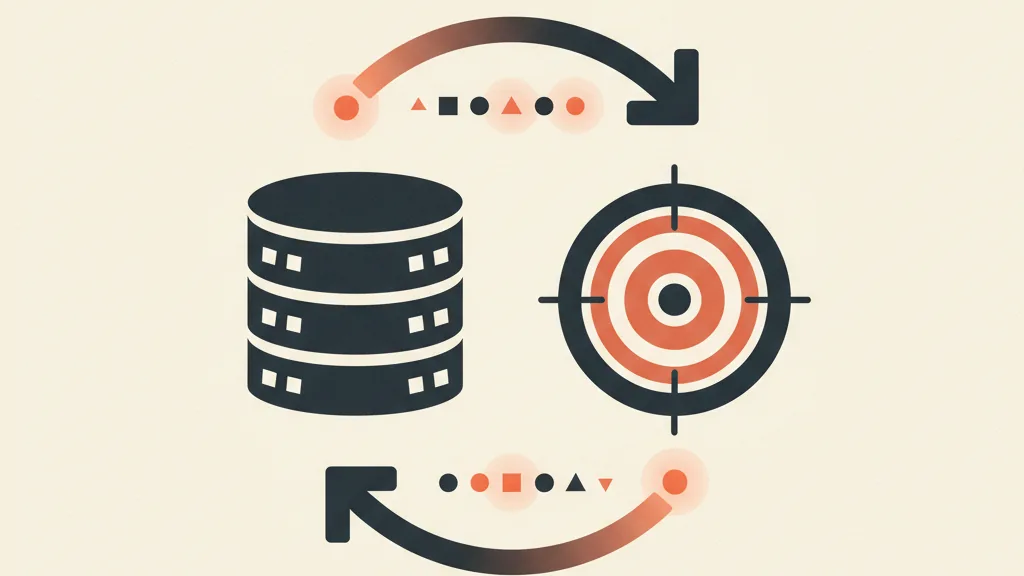
As browser-side tracking erodes (iOS, third-party cookie blocking, consent requirements), the pixel alone sees less and less. Meta responded by shifting weight to server-side signals and first-party data, the data you own. The Conversions API exists exactly for this: sending events from your server (or your CRM) straight to Meta, bypassing the browser.
Here's the strategic point: first-party data has become the real currency of advertising. Whoever has an organized CRM, with the real status of every contact, holds the information that lets the algorithm optimize well. Whoever doesn't, or keeps it in a messy spreadsheet, is stuck optimizing on the form. For the bigger picture, we go deeper on first-party data as a marketing asset.
Put bluntly: in the AI era you don't win with the best creative or the biggest budget. You win if you're the advertiser feeding the machine the cleanest signals, closest to real money. And that's a race won in the CRM, not in Ads Manager.
What "integrating Meta Ads and CRM" actually means
Integration isn't a single thing. There are three levels, of increasing depth, and each solves a different problem.
1. Offline conversions: telling Meta who actually bought
This is the base level and it has the highest return relative to the effort. When a lead becomes a customer in the CRM (contract signed, order closed, quote accepted), that event gets sent back to Meta and matched to the ad that generated it. Meta calls this upload an offline conversion and handles it via the Conversions API or an import.
The result is that the algorithm stops optimizing for forms and starts optimizing for sales. Within a few weeks of data, it starts hunting for people similar to those who bought, not similar to those who fill in forms. We've written a hands-on guide to offline conversions from CRM to Meta, but the concept is this: close the loop between the sale and the campaign.
2. Value-based optimization: telling it what each customer is worth
The next step is not treating every customer the same. A €300 customer and an €8,000 customer are different conversions, and Meta can optimize accordingly if you tell it so. By passing the value along with the event (the actual revenue, or an estimate of customer lifetime value), the algorithm learns to chase customers who are worth more, not just ones that convert.
This is the leap most SMBs never make, and it's exactly what separates a campaign that brings in volume from one that brings in margin. The CRM is the only place that value exists: no pixel knows how much a customer earned you over the following 12 months.
3. Synced audiences: exclude, re-engage, replicate
The third level uses CRM segments to build audiences. Three concrete moves:
- Exclude existing customers from acquisition campaigns, so you stop paying to re-acquire people you already have.
- Build lookalikes starting not from all leads but only from your best customers (lookalikes still work, but they're only as good as the seed list: read whether Meta lookalikes still work).
- Re-engage dormant customers with dedicated campaigns, syncing the segments straight from the CRM.
All three start from an organized segmentation of your database. If the CRM is chaos, these audiences are sand.
Want to figure out which signals from your CRM you should be feeding to Meta to stop paying for leads that never close? Request an analysis of your paid-CRM setup.
The conversion signals you should be sending (in order of importance)
Not every event carries the same weight. If you had to choose what to send Meta from the CRM, here's the order that makes sense, from closest to the money to furthest upstream:
| Signal from the CRM | What it teaches the algorithm | Priority |
|---|---|---|
| Closed sale + value | Who the real customers are and what they're worth | Highest |
| Qualified lead (SQL) | Who clears the sales filter | High |
| Appointment booked | Who has real intent, not just curiosity | High |
| Lead flagged as "junk" | What a contact to avoid looks like | Medium |
| Form filled out | Not much: it's the starting point, not the goal | Low |
The distinction between just any lead and a qualified MQL/SQL lead is the heart of the matter. If you tag in the CRM which contacts clear the sales filter and feed that back as a signal, you shift optimization upstream, toward quality. It's the difference between telling Meta "find people who fill in forms" and "find people my sales team actually takes seriously."
One note on what you shouldn't do: upload everything. Less noise, more signal. Sending a hundred micro-events confuses the model. A handful of clean events close to the money beats a flood of weak ones.
The prerequisite nobody tells you about: your CRM has to be in order
Here's the practical catch. This whole integration only works if the CRM reflects reality. If contact statuses are months out of date, if "customer" and "deal lost" get used at random, if half your leads have no status at all, then the signals you send Meta are wrong, and you're teaching the algorithm the wrong thing, only more efficiently than before.
Data hygiene always comes before the technical integration:
- A clear status for every contact (new, qualified, appointment, customer, lost) and the discipline to keep it updated.
- A common identifier (email, normalized phone number) to match records with Meta.
- Source tracking: which campaign each contact came from, otherwise you can never tie the sale back to the ad.
This is why paid-CRM integration is as much a process project as a technology one. If you're still managing leads in a spreadsheet, the right next step isn't the Conversions API: it's first setting up a CRM suited to your business and connecting it to your funnel. We've written about how to integrate your CRM and sales funnel so data actually flows, and why a funnel that feeds the CRM is worth more than two disconnected tools.
How to set it up, step by step
A realistic implementation outline, no invented shortcuts:
- Define the real target event. Not "Lead." Choose the event closest to real money that you can track reliably: sale, appointment booked, or SQL. Start with the appointment if sales are few and slow.
- Clean up the CRM. Clear statuses, source tracking, normalized identifiers. See above: without this, everything else falls apart.
- Connect the Conversions API. The server-side connection sends events from the CRM to Meta. The guide to Pixel and Conversions API covers the technical side; the key is making sure pixel and CAPI don't create duplicates (you need deduplication on event IDs).
- Improve Event Match Quality. The more identifying data you pass (email, phone, name, properly hashed), the better Meta can match the event to the right person. Poor Event Match Quality wastes half the work.
- Add the value. Once the sales flow is stable, pass along revenue to activate value-based optimization.
- Switch the campaign objective. Move optimization to the new event and give the model 2-4 weeks to learn before judging results.
Expect the numbers to "get worse" in the first few days: CPL rises, because you're asking Meta to find harder-to-reach people (real customers, not the curious). That's the sign it's working. From here on, the number to watch isn't cost per lead but cost per qualified lead and per customer.
What changes in the numbers: from CPL to cost per customer
The most common mistake is keeping the same KPIs as before. If you integrate the CRM but keep grinding on CPL, you'll never know if it's working. The Meta Ads KPIs that actually matter in an integrated setup are:
- Cost per qualified lead (not raw lead).
- Cost per appointment kept.
- Real customer acquisition cost, tied back from the CRM.
- ROAS or MER based on actual revenue, not on conversions the pixel reported.
It's normal to see CPL rise while cost per customer falls at the same time. It means you're paying a bit more per contact, but the contacts arriving are much better, and further down the funnel you're spending less per real customer. This is the only honest way to bring down the cost of your Facebook campaigns: not by lowering the price of a lead, but by raising its quality.
The bigger picture
Meta Ads brings the traffic. The CRM decides what to do with that traffic and, something almost nobody takes advantage of, sends the verdict on who actually mattered back to the algorithm. That feedback loop, from sale to ad, is what turns a campaign that "generates leads" into a customer acquisition system that improves itself.
In the AI era, your job is no longer turning dials by hand. It's building a flow of clean signals from the CRM into paid, so the algorithm works on the right data. Whoever does this optimizes for customers. Whoever doesn't optimizes for forms, and pays the difference every month without understanding why. If you want to see how this fits into a broader strategy, our strategic guide to Meta Ads 2026 ties all the pieces together.
Frequently asked questions
Do I really need the Conversions API to integrate Meta Ads and CRM?
For the serious level, yes. Offline conversions and passing events from the CRM travel through the Conversions API (or a periodic import). The pixel alone is no longer enough: it sees less and less due to consent requirements and cookie blocking, and it has no idea about the real status of contacts in your CRM.
How long before I see results after integrating?
Generally you need 2-4 weeks of data for the algorithm to exit its learning phase on the new event. Early on, it's normal for cost per lead to rise: it means Meta has stopped chasing curious browsers and started chasing customers. The number to watch becomes cost per customer, not CPL.
My CRM is a messy spreadsheet: can I still integrate it?
Technically you could, but you'd get the wrong signals and teach the algorithm the wrong thing. Data hygiene comes first: a clear status for every contact, source tracking, normalized identifiers. Without this, the integration makes performance worse instead of better.
What is value-based optimization and why does it matter?
It's optimization based on value: instead of just telling Meta a contact bought something, you also tell it how much they spent. That way the algorithm learns to chase the customers worth the most, not just the ones who convert. Real value (revenue or LTV) exists only in the CRM, never in the pixel.
What's the best event to have Meta optimize for?
The one closest to real money that you can track reliably. Ideally, a closed sale with its value attached. If sales are few and slow, start from a booked appointment or a qualified lead (SQL): it's still far better than a filled-out form, which only tells the algorithm who likes filling in forms.
Is it worth it for a small business with a limited budget?
Yes, and it often matters even more with small budgets, because every euro wasted on junk leads hurts more. With low volumes you can start at the base level (offline conversions on the sale or the appointment) with an organized CRM, no complex infrastructure required. The payoff is optimizing for the people who actually pay.
If you want to connect your Meta campaigns to your CRM and optimize for real customers, let's talk: we'll assess your data flow together and figure out where to start.