Meta Conversions API: How It Works and Why the Pixel Alone Isn't Enough Anymore
10 min read · AstraLoop Studio
If you advertise on Meta, you probably installed the Pixel years ago, and for a while it worked fine. Then something broke: the conversions in Events Manager stopped matching what Shopify or your back office shows, cost per acquisition crept up for no obvious reason, and the algorithm seemed to optimize worse than before. It's not your imagination. Browser-side tracking has been leaking data for years, and by 2026 the share of data that slips past the Pixel alone is too large to ignore.
The Meta Conversions API (often shortened to CAPI) is Meta's official answer to this problem. It's not a tinkerer's gadget: it's what keeps campaign measurement standing today, when browsers, operating systems, and privacy regulation are all working against you. In this guide we'll cover what it is, why the Pixel alone isn't enough anymore, how it works under the hood, and the concrete ways to implement it — along with the numbers and mistakes that actually matter.
What the Meta Conversions API Is, in Plain Terms
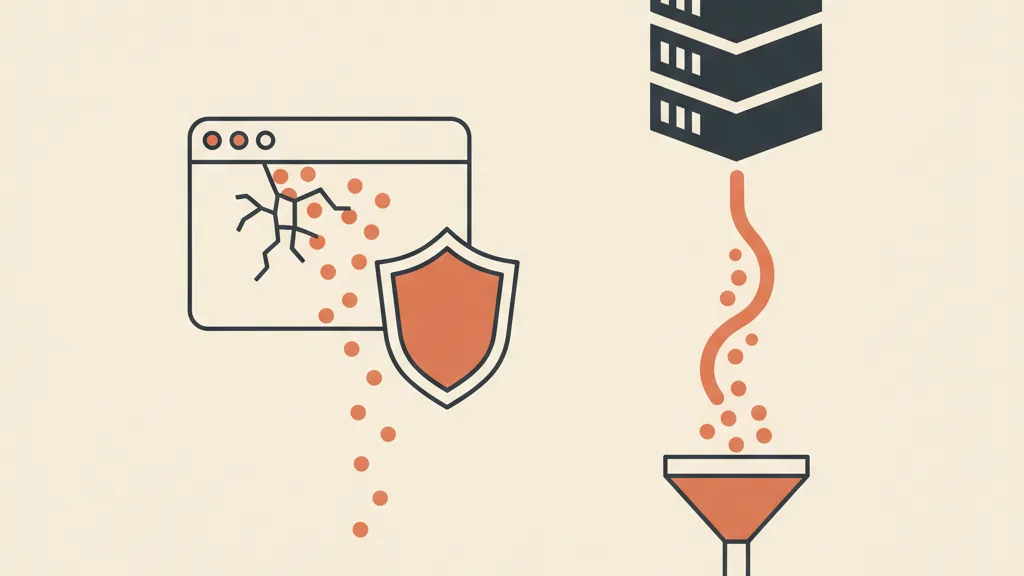
The Conversions API is a server-to-server channel between your systems and Meta. Put simply: instead of firing the event (a purchase, a lead, a checkout) from the visitor's browser, you send it directly from your server to Meta's servers.
The classic Pixel lives in the browser. When someone buys, a snippet of JavaScript fires the "Purchase" event from the page and sends it to Meta through the user's device. CAPI cuts out the middleman: the event originates from your backend, your CRM, or your ecommerce platform, and reaches Meta without depending on what happens in the browser.
One common misconception worth flagging: the Conversions API doesn't replace the Pixel. The two work in parallel. Meta's recommended setup is redundant by design — the same event is sent by both the Pixel and CAPI, and Meta recognizes it as a single event through deduplication (more on that shortly). The Pixel keeps capturing browser-side signals (the fbp and fbc cookies, on-page behavior), while CAPI recovers everything the browser loses and adds data the browser alone never had.
Why the Pixel Alone Isn't Enough Anymore
The Pixel isn't "broken." It simply depends on the browser, and the browser has become a hostile environment for measurement. Here are the four gaps that cost you conversions today.
- Safari and Intelligent Tracking Prevention (ITP). Safari limits the lifespan of cookies set via JavaScript (fbp drops to 7 days, sometimes less). On iPhone, where Safari dominates, this drastically shortens the window in which Meta can attribute a conversion back to the original click.
- Ad blockers. A significant share of users (credible estimates range from 20% to 40% depending on audience and industry) block the Pixel's domain. If connect.facebook.net is blocked, the script never loads at all: as far as the Pixel is concerned, that user doesn't exist.
- GDPR consent. With cookie banners, a portion of visitors decline tracking. Without consent, the Pixel must not fire. In Italy, following rulings from the Garante Privacy (the data protection authority) on analytics systems, banners have gotten stricter and refusals more frequent.
- Browser unreliability. The Pixel fires client-side: if the page closes before the script triggers, if the connection is slow, or if a JavaScript error blocks the script, the event is lost. A payment that went through fine on your back office may never reach Meta at all.
On top of that, there's the long tail of iOS App Tracking Transparency (since 2021), which cut cross-app signals and pushed the whole ecosystem toward server-side tracking. The result is that with the Pixel alone, it's now normal to lose a double-digit share of real conversions. Fewer events mean worse attribution, but more importantly a data-hungry algorithm optimizing on an incomplete sample — which means it spends your budget worse. If you want the full picture of how measurement works today, start with our complete guide to conversion tracking; here we'll stay focused on the Meta side.
How It Works Under the Hood
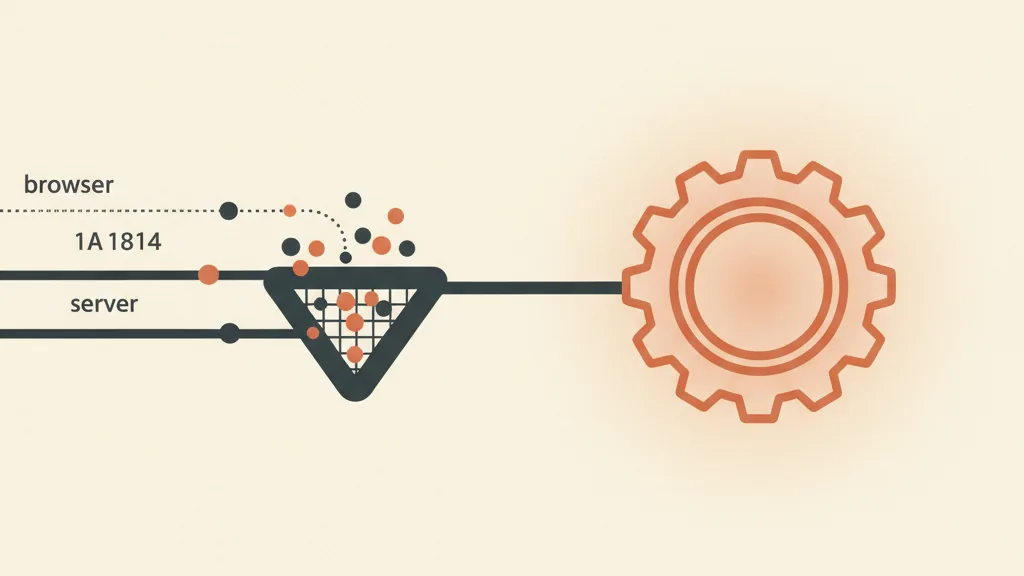
An event sent via CAPI is a structured data packet. The fields that matter:
- event_name: the type of event (Purchase, Lead, AddToCart, CompleteRegistration).
- event_time: when it happened (timestamp).
- event_id: the event's unique identifier, the key to deduplication.
- action_source: where it comes from (website, app, CRM, phone, physical store).
- user_data: the parameters used to recognize the user (email, phone, name, city, ZIP code, plus the fbp and fbc cookies, IP address, and user agent). Personal data must be sent as a SHA-256 hash: Meta never receives the email in plain text, only its encrypted fingerprint, which it matches against the same fingerprint computed for its own users.
- custom_data: the monetary value (value), the currency, the product IDs. Without these you can't optimize for ROAS.
All of this rests on what's known as server-side tracking: the logic for collecting and sending events moves from the user's device to an environment you control, one that's far more stable and harder to block.
Deduplication: The Trickiest Part
If both the Pixel and CAPI send the same "Purchase" event, how does Meta avoid counting it twice? Through the event_id. You generate a unique identifier for that event in the browser, pass it to the server, and make sure both the Pixel and CAPI use the same event_id (along with the same event_name). Meta sees two events with the same identifier, recognizes them as one, and keeps a single record. The fbp cookie acts as a secondary key. Getting deduplication wrong is mistake number one: if the event_ids don't match, you count every purchase twice, your reports balloon, and optimization goes haywire.
Event Match Quality: The Number That Unlocks Performance
Every time you send an event, Meta calculates an Event Match Quality (EMQ) score, from 0 to 10, measuring how well it can match that event to a real user based on the parameters you pass. The more quality information you send (hashed email and phone, fbc, fbp, external_id, IP, user agent), the higher the score.
This is where CAPI's real advantage lies. The browser, on its own, often has nothing but cookies to work with. Your server, at the moment of checkout or form submission, has verified email and phone. Passing these as hashes via CAPI pushes the EMQ up, typically from a mediocre 4-5 to an 8-9. And a high EMQ isn't a vanity metric: it means more conversions attributed correctly, more precise audiences, and in practice a lower cost per acquisition. It's worth learning how to raise Event Match Quality parameter by parameter, because that's where CAPI pays back the setup work.
How to Implement It: 4 Practical Paths
There's no single way to turn on CAPI. The right choice depends on how much control you need and how many technical resources you have.
| Method | Effort | Control | Who it's for |
|---|---|---|---|
| Native integration (Shopify, WooCommerce) | Minimal (30-60 min) | Limited | Most ecommerce stores, as a starting point |
| Conversions API Gateway | Medium (a few hours) | Good | Those without a dev team who want more than a plugin |
| Server-side GTM | High (1-2 days) | Maximum | Those who mean business and track multiple platforms |
| Custom backend / CRM | Variable | Total | Lead generation and off-site conversions |
Native integration. Shopify has the built-in Meta channel: you turn on CAPI from a menu, no code required. WooCommerce works with the official Meta plugin or solutions like PixelYourSite. Solid data recovery for minimal effort, in exchange for limited customization.
Conversions API Gateway. A ready-made server that Meta helps you install on your own subdomain (it runs in the cloud). It mirrors Pixel events server-side with minimal development: a good compromise when a plugin isn't enough and your technical team is small.
Server-side GTM. The client container sends data to a server container hosted on your own subdomain, which then routes events to Meta, GA4, TikTok, and others. It's the standard for server-side tracking: a single hub for every platform, maximum control, but it requires expertise and one or two days to set up properly.
Custom backend or CRM. You send the event from your own code or CRM the moment the conversion is certain (payment collected, lead qualified). It's the most reliable method for real value and for conversions that originate off-site.
This last path changes the rules for businesses that don't sell online but generate leads. If your goal isn't an on-page purchase but a sales inquiry, you can send the event to Meta at the moment that actually matters: not when someone fills out the form (a raw lead), but when that lead becomes qualified or turns into a customer in the CRM. That way you teach the algorithm to look for people similar to those who actually buy, not just those who leave an email address. This is the principle behind offline conversions sent from the CRM, and it works well when you have a CRM properly integrated with the funnel instead of scattered spreadsheets. If you're starting from scratch, our guide to Pixel and Conversions API together walks you through the basic setup before you get to these more advanced scenarios.
Not sure whether your Conversions API is actually recovering data, or whether you're double-counting the same purchases? Request an audit of your Meta tracking and let's see where you're losing signal.
CAPI Is Not a Shortcut Around GDPR
This needs to be said clearly, because there's a lot of confusion around it: the Conversions API does not authorize you to track people who declined consent. Moving the data to a server doesn't magically make it "legal."
If a user hasn't given consent, you must not send their personal data via CAPI, exactly as you wouldn't fire the Pixel. SHA-256 hashing protects the data in transit, but it doesn't erase GDPR's obligations around processing: legal basis, disclosure, data minimization. In Italy, the Garante Privacy has already scrutinized tracking systems that transfer data to the United States, so CAPI needs to be configured in line with consent status, ideally linked to Consent Mode v2, and governed with Meta through the proper data processing agreements where required. This is background information, not legal advice: talk to whoever handles privacy for your business about your specific situation.
The Mistakes That Undermine CAPI
- Faulty deduplication: mismatched event_ids between Pixel and CAPI, which doubles conversions and skews optimization.
- Events missing value and currency: impossible to optimize for value or ROAS — the algorithm chases volume instead of revenue.
- Too few user parameters: low EMQ, wasting CAPI's main advantage.
- Ignored consent: GDPR risk and data being sent that shouldn't be.
- Stale events: optimization needs near-real-time events; Meta accepts wider windows, but late means less useful.
- Server only, no Pixel: you lose browser signals (fbp, on-page behavior). The winning model is still hybrid.
Many of these tie into the classic mistakes in managing Meta campaigns: dirty tracking upstream makes any optimization downstream useless.
How You Know It's Working
Everything is verified inside Events Manager:
- Event source: every event shows whether it came from Browser, Server, or Both. The goal is to see "Both" on your key web events.
- Event Match Quality: check the score event by event. Below 6, there's work to do on the parameters.
- Deduplication: Meta reports the percentage of deduplicated events. If it's close to zero on events you send from both channels, deduplication isn't working.
- Additional conversions: Meta estimates how many conversions CAPI recovered compared to the Pixel alone. It's the number that justifies the work.
Use the Test Events tool before going live: it shows incoming events in real time and saves you from discovering problems after campaigns are already running.
The Bottom Line
The Conversions API isn't a luxury reserved for big budgets: in 2026 it's the baseline for running Meta campaigns well. The Pixel is still useful, but on its own it only tells Meta half the story. CAPI tells the other half — the one that decides where your budget goes today. And once you connect it to your CRM, you stop optimizing for raw leads and start optimizing for revenue: that's the point where tracking stops being a technical checkbox and becomes a growth lever.
Frequently asked questions
Does the Conversions API replace Meta's Pixel?
No. They work together redundantly: the same event fires from the browser (Pixel) and from the server (CAPI), and Meta uses event_id deduplication to count it only once. The Pixel captures browser signals, while CAPI recovers the data the browser loses.
Does CAPI let you track people who rejected cookies?
No. The Conversions API doesn't bypass GDPR. Without consent you must not send personal data, exactly as you wouldn't fire the Pixel. Hashing protects the data in transit but doesn't remove the obligations around legal basis, disclosure, and data minimization.
How much does it cost to implement the Meta Conversions API?
The API itself is free. The cost is in setup and hosting: on Shopify it's included and takes just minutes, the Conversions API Gateway carries a small cloud cost, and server-side GTM involves a hosted container (often just a few dozen euros a month) plus the technical work of configuration.
What is Event Match Quality and why does it matter?
It's a score from 0 to 10 measuring how well Meta can match your events to real users based on the parameters you send (hashed email and phone, fbp, fbc, IP). A high EMQ improves attribution, sharpens audience precision, and usually lowers cost per acquisition.
Do you need a developer to set up the Conversions API?
It depends on the method. With Shopify's native integration or a WooCommerce plugin, no. The Conversions API Gateway requires minimal expertise. Server-side GTM and sending events from a backend or CRM, on the other hand, require technical skills or support from a specialist.
Does CAPI work for lead generation, or only for ecommerce?
It works for both. In fact, for lead generation it's especially powerful: you can send the event to Meta when the contact becomes qualified or a customer in the CRM, not when they fill out the form. That way you optimize for leads that actually matter, not for noise.
Want a CAPI setup connected to your CRM, one that optimizes for revenue instead of raw leads? Talk to us and let's build the tracking your campaigns actually need.