B2B Lead Generation Tracking: How to Measure Leads Beyond the Click
8 min read · AstraLoop Studio
In B2B lead generation there's a problem nobody talks about enough: you optimize campaigns around a number that doesn't tell you whether you're actually making money. The filled-out form, the "lead" that shows up in your Google Ads report, the cost per lead that drops by 20 percent. They look like wins. Then you check revenue at the end of the quarter and almost nothing has changed.
The reason is simple: a filled-out form is not a customer. In B2B, weeks or months pass between the first click and the signed contract, along with two or three meetings, a quote, and often a phone call you never tracked. If you only measure what happens on your website, you're optimizing the first half of the journey and ignoring the half that pays the bills. Here's how to track leads beyond the click: micro-conversions, forms, calls, and, above all, how to stitch that data to your CRM so you attribute revenue to the customers who close, not the forms that get filled in.

Why B2B tracking is a different sport from e-commerce
In e-commerce the conversion is clean: click, cart, payment, all in the same session and all on the website. The pixel sees the purchase and knows the exact value in dollars. In B2B lead generation, almost none of that holds true, and ignoring it is the first mistake.
- The cycle is long. Whoever fills out the form today signs six weeks from now. In the meantime the cookie can expire and the ad platform loses the link between the original click and the sale.
- The conversion that matters happens offline. The "yes" comes on a call or via email, inside the CRM, far from the website and any pixel.
- The phone matters. Many B2B leads pick up the phone instead of filling out a form. If you don't track calls, you're throwing away an entire slice of the funnel.
- Quality varies enormously. Ten forms can be worth one $30,000 customer, or ten curious visitors who will never buy. Raw lead counts don't tell the two apart.
This is the core problem that a solid B2B lead generation strategy needs to solve. And before we even get to the CRM, you need a solid measurement foundation: if you want the full picture, start with our complete guide to conversion tracking, then come back here for the B2B angle.
Micro-conversions: the signals that come before the lead
The submitted form is a macro-conversion: rare, at the bottom of the funnel, with too little volume to optimize against. Micro-conversions are the behaviors that precede it and predict intent. Tracking them gives you two things: more signal to feed bidding algorithms, and an early read on who's warm before they ever reach out.
The B2B micro-conversions worth tracking as events:
- A visit to the pricing or "how it works" page (a very strong intent signal).
- Downloading a case study, white paper, or price list.
- Watching more than 50 percent of a demo video.
- Starting the form without submitting it, to see where people drop off.
- Long dwell time on product or service pages.
- Clicking "call now" or an email address.
Be careful not to count all of these as primary conversions in Google Ads, or the algorithm will chase the easy download instead of the real lead. Keep them as secondary events: observable, useful for the model and for lead scoring, but not as the optimization target.
Tracking forms properly: capture the context, not just the submission
Most setups stop at "form submitted equals one conversion." In B2B that's not nearly enough, because by the time that lead becomes a customer three months later you won't know where it came from. The rule is: at the moment of submission, capture and save all the context inside the lead record.
In practice, add hidden fields to the form that record:
- The GCLID (the Google Ads click identifier) and the Meta equivalent.
- The UTM parameters for source, campaign, and content.
- The entry landing page and the submission page.
- The referrer and, where available, the search term.
This data travels with the lead into the CRM, and it's what will later let you say "this $30,000 customer came from that campaign." Without the GCLID saved on the form, that link is lost forever. For more robust setups, it's worth sending the event server-side too, so you don't depend solely on the browser and cookie blocking.
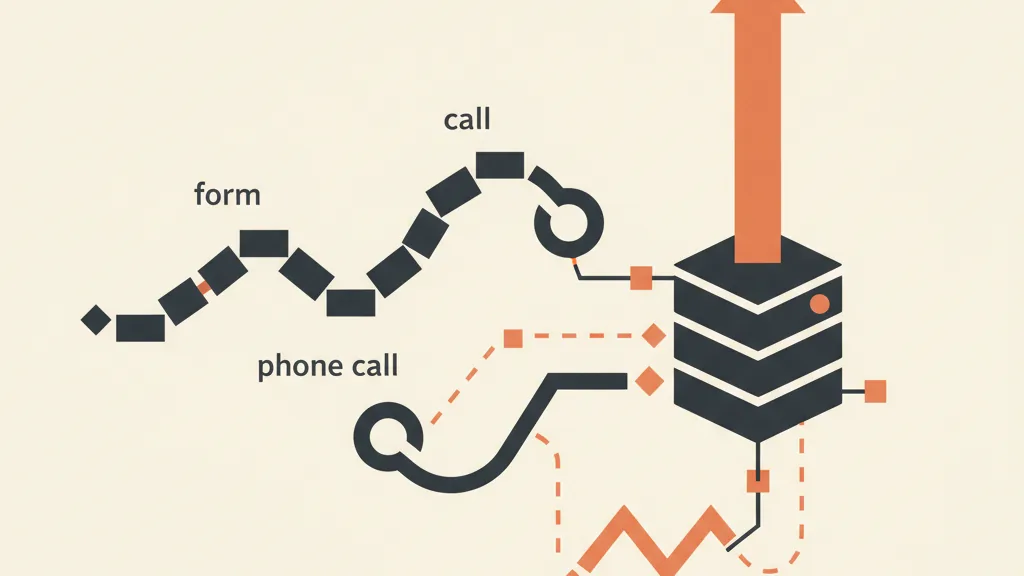
The forgotten channel: call tracking
In B2B, a significant share of contacts don't fill anything out: they call. If those calls don't exist in your report, you're misattributing budget and probably cutting campaigns that actually work.
Call tracking solves this with dynamic number insertion: each visitor sees a different phone number depending on the source, so the call gets traced back to the campaign that generated it. The best systems log duration and outcome and also pass the GCLID, so a two-minute call that turns into a quote can be treated exactly like a qualified form. For a services business, a lost or untracked call is a double loss: wasted budget and a lost customer.
Stitching the data to the CRM: from lead to closed customer
This is the angle almost nobody builds out, and it's what separates "generating leads" from "generating customers." Tracking on the website gets the lead into the CRM. The CRM knows something the website never will: whether that lead bought, how much, and when. The job is to send that information back to the ad platforms.
The mechanism is called offline conversion import in Google Ads, and it has a twin on Meta. Here's how it works:
- The form saves the GCLID on the lead.
- In the CRM, the lead moves through stages: new, qualified (MQL), opportunity (SQL), customer.
- When it becomes a customer, you send Google and Meta a signal with that GCLID and the real contract value.
- The platforms now optimize toward real customers, not toward forms.
The leap is huge. Instead of telling the algorithm "bring me more filled-out forms," you tell it "bring me more $20,000 contracts like this one." The same principle applies on Meta with sending offline conversions from the CRM. This is where a well-integrated custom CRM stops being an address book and becomes the engine that drives ad spend.
Want to know which campaigns bring you real customers, not just filled-out forms? Tell us how you're tracking leads today and we'll show you where the chain between click and contract is breaking.
Change the metric: attribute customers, not leads
Once the data flows back from the CRM, you can finally optimize for what matters. The shift in perspective is easy to see in a table.
| What most people measure | What you should measure |
|---|---|
| Number of leads | Number of qualified leads (SQL) |
| Cost per lead (CPL) | Customer acquisition cost (CAC) |
| Forms submitted | Revenue generated per campaign |
| Click-to-lead conversion | Lead-to-customer conversion |
| Last-click attribution | Full path from click to contract |
With these numbers you almost always discover something uncomfortable: the campaign with the lowest CPL often brings in the worst leads, while the one that looked expensive is the one closing the big contracts. If you cut the second one to "save money," you'd be shutting off the source of your revenue. To understand how to weigh channels along the journey, attribution models explain why last-click alone is almost always misleading in B2B.
Lead scoring and the self-reinforcing loop
Once micro-conversions, form data, and CRM stages are all being tracked, you have the raw material for the next step: giving every lead an automatic score based on behavior (viewed pricing, opened three emails, downloaded the case study) and company attributes. Sales calls the hot leads first instead of whoever arrived first, and stops burning time on contacts who will never buy.
With a bit of automation and AI, this lead scoring becomes a self-reinforcing loop: the leads that go on to close teach the system which signals actually matter, the score gets sharper, and the closing data flows back to campaigns to acquire more of the same kind of profile. Tracking, from simple reporting, becomes the nervous system of customer acquisition.
The mistakes I see most often
- Optimizing for CPL. It's the easiest metric to read and the most misleading. A low CPL with poor-quality leads burns budget.
- Not saving the GCLID on the form. Without it, the link between click and customer is broken from the start, and no offline import will ever work.
- Ignoring calls. In many B2B industries it's the main channel, yet it stays out of the reports.
- Treating all leads as equal. Ten forms are not ten opportunities: without quality data, the number lies.
- Forgetting consent. In Italy and the EU, tracking must respect user consent, with a CMP and Consent Mode management. A setup that ignores privacy isn't just wrong, it eventually stops working too.
Where to start, without rebuilding everything
You don't need to rebuild the entire infrastructure at once. A sensible order looks like this: first fix your forms so they save the GCLID and UTMs (that's the foundation of everything), then define the lead stages in the CRM (new, MQL, SQL, customer), then turn on offline conversion import to Google and Meta. Call tracking and lead scoring come after, once the backbone is solid. Within a few weeks you'll go from measuring how many forms you collected to knowing which campaigns brought you paying customers, with names, values, and ROI attached. From there, every dollar spent on acquisition works with far more information behind it. In B2B, the click is the beginning of the story, not the end.
Frequently asked questions
What is tracking in B2B lead generation?
It's the set of techniques for following a contact from the first click to the closed customer: micro-conversions, forms, calls, and CRM stages, so you can attribute revenue to the campaigns that actually generate it, not just to submitted forms.
Why isn't counting submitted forms enough?
Because a form isn't a customer. In B2B, lead quality varies widely and the sale closes offline weeks later: counting only the forms makes you optimize for volume instead of revenue.
How do I connect website leads to the CRM?
You save hidden fields on the form (GCLID, UTMs, landing page), carry them into the CRM with the contact, and when the lead becomes a customer, send that signal back to the ad platforms through offline conversion import.
What is call tracking and is it needed in B2B?
It's tracking phone calls using dynamic numbers that change based on the source. In B2B it's often essential, since many contacts call instead of filling out a form and would otherwise be invisible in your reports.
What metric should I optimize instead of CPL?
Look at customer acquisition cost (CAC) and revenue per campaign, not just cost per lead. The lowest CPL often hides the worst leads, and the real contracts tend to come from the campaigns that look more expensive on paper.
Does lead tracking comply with privacy rules?
It has to. You need to collect consent through a CMP and use Consent Mode, handling data in line with GDPR. Properly built tracking is both more technically solid and compliant with the rules.
If you want to connect tracking, forms, calls, and CRM into a single system that attributes closed customers, let's talk: we'll review your setup and tell you where to start.