Multilingual Marketing Automation: Sell Abroad Without Manual Translation
10 min read · AstraLoop Studio
Multilingual marketing automation is the ability to run the same flows (welcome, abandoned cart, nurturing, win-back) in multiple languages, with copy that reads like it was written by a native speaker rather than run through a machine translator. It's not a detail you can push off to some future "internationalization phase." Often it's the difference between a foreign market that converts and one that opens your emails only to close them right away.
The problem we see over and over in Italian SMBs starting to export is always the same. The product ships abroad, delivery works, the site shows the right currency — but the automated flows stay in Italian. Or they get run through a machine translator, and what lands in a German or French inbox is a grammatically correct but cold, generic email, with a subject line that reads like spam. The result: open and conversion rates collapse on foreign markets, and nobody understands why.
This guide isn't another list of translation plugins. It's how to set up a system where an AI agent generates and localizes your email flows (and not just email) in multiple languages, keeping your tone of voice, brand consistency, and the cultural conventions of each market intact. Straight to the point.
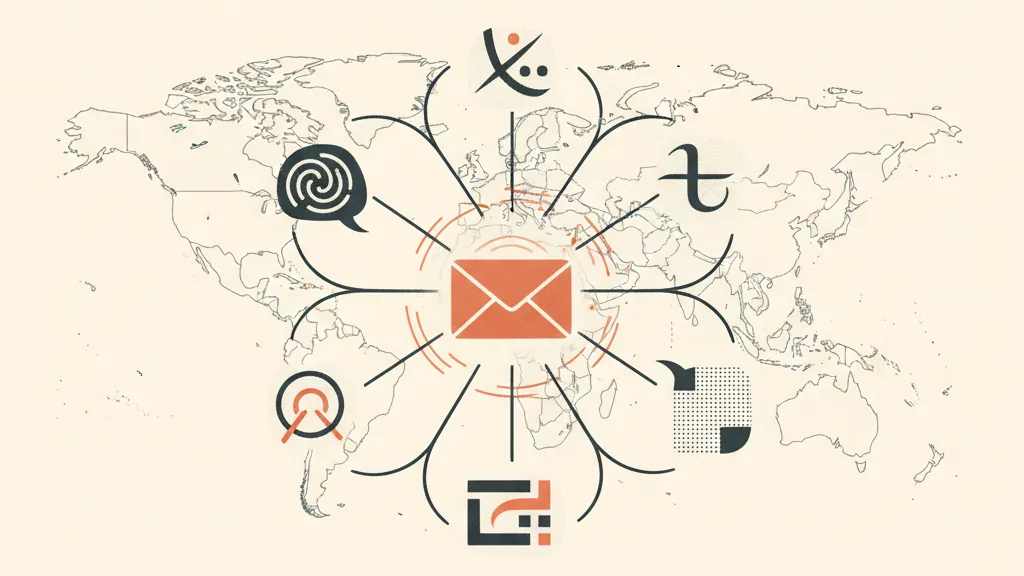
Translating Isn't Localizing (and This Is Where Almost Everyone Gets It Wrong)
Let's get one thing straight first: translating and localizing are two different jobs. Translating means carrying words over from one language to another. Localizing means rewriting the message so it works in a different cultural, commercial, and linguistic context. A machine translator does the first. Good multilingual marketing requires the second.
Some concrete examples of what actually changes when you localize instead of translate:
- Formality and "you." German uses the formal "Sie" across nearly all of B2B and much of B2C. Italian and English tend to be far more informal. An email translated word for word gets the register wrong and sounds out of place.
- Subject lines and calls to action. A subject line that works in Italy ("Last day, then the price goes back up") loses rhythm and persuasive punch when translated literally into French. It needs to be rewritten with how a French shopper buys in mind.
- Formats. Dates (DD/MM vs. MM/DD), currency and price notation (39,99 EUR in Italy and Germany vs. 39.99 GBP in the UK), units of measurement, local holidays. Black Friday exists everywhere; Epiphany doesn't.
- Cultural references and claims. A wordplay in Italian doesn't translate: you replace it with something that works in that language. And certain claims (like "Italy's No. 1") need to be adapted or dropped.
Google Translate and generic plugins handle the first job. The second has historically required a native-speaker copywriter for every market, at a cost and timeline few SMBs can afford for every single email in a flow. And that's exactly the bottleneck AI is now dismantling.
Why AI Agents Change the Economics of Going Multilingual
Until recently the choice was binary: translate badly and cheaply, or localize well at a steep price. AI agents open up a third path: near-native-quality localization, produced at scale and at a near-zero marginal cost. The difference from a machine translator is that a well-instructed agent doesn't just "translate." It reasons about the message, the goal of that email in the funnel, the recipient, and the conventions of the target language — and rewrites.
In practice, a system like this does three things a plugin can't:
- It keeps the brand's tone of voice in every language. If your brand is direct and a little irreverent in Italian, the agent needs to stay direct and irreverent in Spanish too, not turn flat and corporate. To pull that off it needs your tone guidelines, real examples, and an actual brand voice profile. More on that shortly.
- It personalizes dynamically, rather than just translating. Name, product viewed, category, last purchase, language: the agent builds each variant starting from the contact's data, following the same logic as AI-driven dynamic email personalization. It's not one template translated into five languages — it's five messages built for five different people.
- It works inside the flow, automatically. This is the key part: it's not a separate tool you copy-paste into. It's an agent connected to your marketing automation system and your CRM, generating the right variant at the right time for the right contact.
This is the break from the classic "English email for everyone" approach. English as a single language for foreign markets beats nothing, but it leaves huge conversions on the table: a German shopper converts far better on a German email, and a Spanish shopper on a Spanish one. With an AI agent, the cost of producing those variants is close to zero. There's no longer a good reason to skip it.
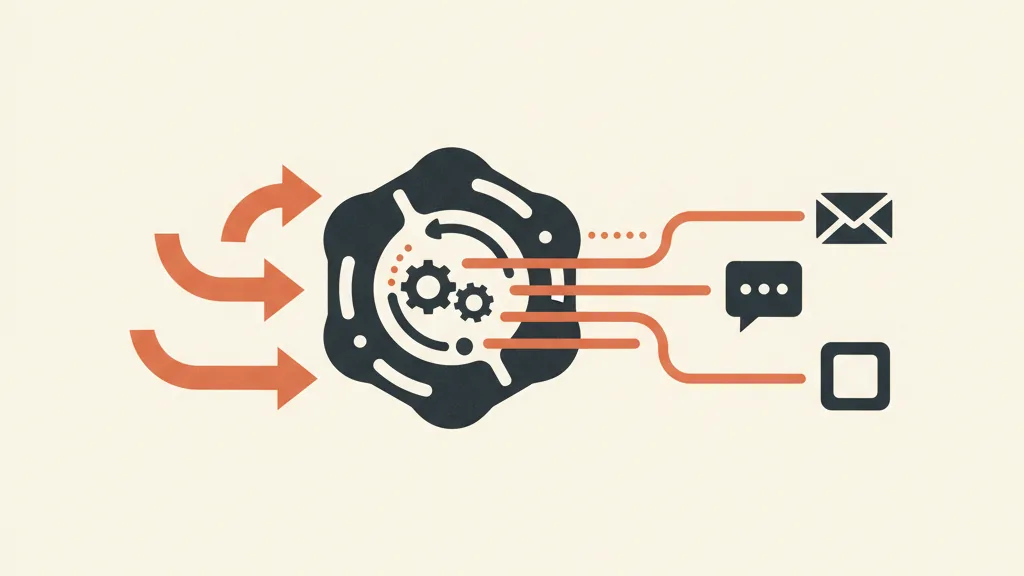
How to Build the System, Piece by Piece
Let's look at the real architecture, no smoke and mirrors. A multilingual marketing automation system that actually works has five components.
1. The Brand Voice Profile (the Foundation of Everything)
Before generating anything, the agent needs to know how you talk. That means explicitly defining your company tone of voice: register (formal or informal), personality, words you use and words you avoid, typical sentence length, how you close your emails. Then you move from a document to an actual model: you train (or instruct with examples) a brand voice model, so that tone stays consistent not just in Italian but in every target language. This is the step most people skip — and it's why multilingual emails so often end up sounding flat and identical to each other.
2. Flow Structure (One Flow, Not One per Language)
The mistake to avoid is duplicating flows language by language and managing them separately. It becomes unmanageable. The right logic is a single flow, with language variants generated dynamically. The welcome flow, the abandoned cart recovery sequence, B2B nurturing: the structure (trigger, timing, the goal of each step) is identical across all markets. Only the content changes, and the agent produces that based on the contact's language.
3. The Language Field in Your CRM (the Small Detail Holding Everything Up)
Trivial-sounding but decisive: every contact needs a reliable "language" attribute. You can derive it from the language of the site they bought on, their shipping country, their browser, or simply by asking them directly. Without this field, the system doesn't know which variant to serve. This is where a well-structured custom CRM proves its worth: clean data is the fuel for the whole automation. If the language field is dirty or missing, even the best AI agent will serve the wrong variant.
4. The Generation and Localization Agent
This is the heart of the system. It takes as input the "source" message (usually in Italian or English), the brand voice profile, the target language, the contact's data, and the context (which step of the funnel we're at, what the goal is). It outputs the localized variant, ready to send. Serious systems add a second quality-control pass: a separate instance of the agent re-reads the variant and checks that tone, price formatting, and register are correct before it goes out.
5. Multichannel Orchestration
Multilingual isn't just about email. If you're remarketing on WhatsApp Business, those messages need to be localized with the same logic — and on WhatsApp the tone is even more informal and "spoken" than in email. A well-built system orchestrates email and WhatsApp (and possibly SMS) while keeping message and language consistent across every channel. If you run an e-commerce store, this ties directly into other AI use cases for e-commerce.
Already selling abroad but your email flows only speak one language? Tell us about your markets and we'll show you what a custom localized automation system would look like for you. Request an analysis.
What Changes in the Numbers (and Where the Return Comes From)
Let's run the numbers, because this is where you see whether it's worth it. Take an e-commerce SMB selling in Italy, Germany, France, and Spain, with flows only in English.
| Scenario | Average Open Rate, Foreign Markets | Email Conversion | Practical Effect |
|---|---|---|---|
| Flows only in English | Baseline | Baseline | Non-native readers struggle, many close the email |
| Machine translation (plugin) | Similar or slightly above | Often worse | Sounds clumsy, spammy subject lines, trust drops |
| AI localization + brand voice | Noticeably higher | Higher | Reads in their language, consistent tone, more clicks and orders |
I won't hand you made-up percentages dressed up as benchmarks: they depend too much on your industry, your list, and your markets. But the logic holds, and you can verify it on your own data with an A/B test. The real economic point is different: once the system is built, adding a language costs almost nothing. In the classic model, adding French meant finding, paying, and coordinating a French copywriter for every single email. In the AI-first model, it means activating a target language in the agent. The marginal cost per new market collapses — and that's exactly what makes exporting sustainable for an SMB.
The return comes from three levers that stack: more conversions in markets you're already in (emails in the right language), the economic possibility of opening new markets that previously didn't justify the localization cost, and the hours of manual work you stop burning. If you're evaluating marketing automation tools, keep in mind that the software alone won't solve multilingual — you need the localization logic layered on top.
The Mistakes We See Most Often
- Delegating everything to the site's translation plugin. Fine for static pages, not for marketing flows where tone is what sells. These are two different needs.
- Not giving the AI your brand guidelines. Without a tone profile, the agent produces copy that's correct but generic. Brand voice isn't a luxury — it's what sets your emails apart from everyone else's.
- Duplicating flows per language. Unmanageable by the third language already. One flow, dynamic variants.
- Forgetting human oversight on key markets. AI gets you 80-90% of the way there. On your most important markets, it's worth having a native speaker spot-check a sample, at least early on, to calibrate the agent. Not every email — just a sample.
- Ignoring formats. Wrong prices, dates, currencies, and holidays kill credibility faster than a grammar mistake. These need to be handled as explicit rules in the system.
Where to Actually Start
If you export (or are about to) and your flows are still single-language, here's the priority order. First: get the language field in your CRM in order, or nothing else works. Second: define and document your brand voice, because it's the input the agent will use in every language. Third: start with a single high-impact flow (usually abandoned cart or welcome) and localize it with AI on one pilot market. Measure it with an A/B test against the English version. If the numbers hold up, roll it out to the rest of your flows and languages — that part is easy, because the infrastructure is already there.
This approach fits naturally into the broader conversation around marketing automation for SMBs and, further upstream, business process automation with AI. Multilingual isn't a standalone project: it's one piece of a customer acquisition system that, if built well, works for you in every market without multiplying manual work. And the same logic applies to making emails sound more human: technology exists to scale quality, not to replace it with generic text.
Selling abroad without manual translation isn't a brochure promise. It's a precise architecture: clean language data, an explicit brand voice, an agent that localizes, a single flow, multichannel orchestration. Built once, every new language and every new market costs a fraction of what it used to. That's how an Italian SMB stops being "the Italian company that also sells abroad" and becomes a brand that speaks the language of every one of its customers.
Frequently asked questions
What's the difference between translating and localizing email flows?
Translating carries the words from one language to another; localizing rewrites the message so it works in that cultural and commercial context. Localizing means adapting register (the formal German 'Sie' versus the informal Italian 'tu'), subject lines, calls to action, price formatting, and references. A plugin translates; a well-instructed AI agent localizes.
Can AI keep my brand's tone across multiple languages?
Yes, but only if you give it your tone guidelines and real examples. An agent instructed with a brand voice profile keeps register, personality, and style consistent in every language, instead of producing copy that's correct but generic. Without this input, multilingual emails all end up sounding flat and interchangeable.
Isn't it enough to send emails in English to all foreign markets?
A single English version beats nothing, but it leaves a lot of conversions on the table: a German shopper converts better on a German email, and a Spanish shopper on a Spanish one. With an AI agent, the cost of producing localized variants is close to zero, so skipping it no longer makes economic sense.
Do I need a separate automation flow for every language?
No, and that's the most common mistake. The correct approach is a single flow (same trigger, timing, and goal at every step) with language variants generated dynamically by the agent based on the contact's language field. Duplicating flows per language becomes unmanageable by the third language.
Do I still need a native-speaker reviewer if I'm using AI?
AI gets you 80-90% of the way to ready-to-send. On your most important markets, it's worth having a native speaker spot-check a sample, especially early on, to calibrate the agent. You don't need to review every single email — just periodic spot checks on the key flows.
What data do I need to get automatic localization running?
The most important is a reliable 'language' field for every contact in your CRM, derived from the language of the site they bought on, their shipping country, or asked directly. You also need personalization data (name, product, category) and the brand voice profile. If the language field is dirty, even the best agent will serve the wrong variant.
If you want to turn your flows into a multilingual system that generates and localizes emails automatically while keeping your brand's tone, let's talk. We'll tell you what actually makes sense for your markets, no fluff.