More Human Emails: How AI Personalization Beats Templates
7 min read · AstraLoop Studio
You've seen that "10 tips for writing more human emails" list that's been making the rounds for years. Write like you talk, use the recipient's name, tell a story, keep it short. Reasonable advice, sure. The problem is everyone follows it the exact same way, and the result is an inbox full of emails that all look alike: the same "Hi John," the same forced-friendly tone, the same Monday-morning promo blasted to 20,000 people treated as if they were one person.
By 2026 the game has moved on. "Looking" human with a merge tag isn't enough anymore. Real personalization — the kind that accounts for what someone bought, what they looked at yesterday, and where they are in their journey — used to be a luxury reserved for big companies with dedicated teams. Today AI puts it within reach of any small or mid-sized business and generates it at scale, without turning emails into robotic messages. This article rewrites those 10 tips for the AI personalization era: what changes, what stays the same, and how to build a system that scales context without losing tone.
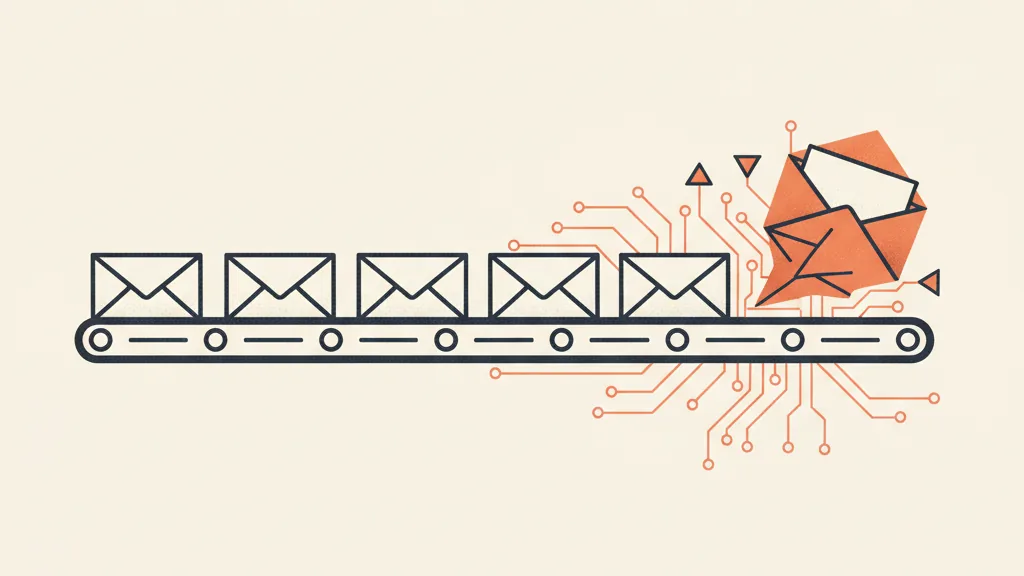
"Hi {Name}" isn't personalization (and never was)
Let's start with a misconception that costs real revenue. Dropping a name into the greeting or subject line is a merge tag, not personalization. It's the exact same email for everyone, with one variable swapped out. Recipients spot it instantly, because they get twenty messages a day built the same way.
Real personalization answers a different question: what's relevant to this person, right now? A customer who's bought three times shouldn't get the same message as someone who signed up yesterday and never ordered. Someone who abandoned a cart on Wednesday needs a different email than someone who hasn't opened one in six months. The name in the greeting changes nothing. Context does.
The reason we settled for merge tags for so long is simple: personalizing on context by hand doesn't scale. Writing twenty variants of a campaign, matching them to the right segments, and sending them at the right moment used to require a dedicated team. And that's exactly where AI changes the equation.
Personalization at scale: what it actually means in 2026
"At scale" doesn't mean generating 10,000 random variations. It means this: you take the real context of every contact (behavior, purchase history, lifecycle stage) and let AI adapt the message, tone, and timing to that context, while keeping the brand voice constant. The machine doesn't invent the relationship — it scales it.
Useful context comes from data you likely already have, often underused:
- Behavior: pages viewed, products browsed, emails opened or ignored, abandoned carts.
- History: what they bought, when, how often, how much they spent.
- Lifecycle stage: new subscriber, first purchase, repeat customer, dormant customer.
- Stated data: preferences, interests, and goals the person has told you directly.
All of this context needs to live in one clean place — in practice, your custom-built CRM. Without a clean database, AI has nothing to personalize. It's the lesson nearly every small business learns on its first serious attempt: the bottleneck isn't the model, it's the data scattered across the e-commerce platform, spreadsheets, and inboxes.
The 10 principles of human emails, rewritten for AI
Here's the rewrite. For each classic tip you'll find what changes once AI enters the process, and what stays the same because it's about human nature, not technology.
- Write like you talk — but train the voice. Conversational tone is still king. The difference is you can now encode your brand voice into a model, so every generated email sounds like you, not like a generic assistant. This takes upfront work on training the brand voice, otherwise AI flattens everything into bland, average prose.
- From name to context. Stop opening with "Hi {name}" as if it were personalization. Open with something that shows you know who you're talking to: "You've checked out those sneakers a couple of times this week" carries a hundred times more weight than a name.
- Segment, but dynamically. Three static lists beat nothing, but they stay frozen. AI builds micro-segments that update themselves based on behavior. If you're not sure where to start, here are segments to set up right away.
- Personalize on behavior, not demographics. Age and city barely matter. What someone did in the last seven days matters a lot. AI cross-references these signals and picks the right message for each person.
- Tell stories tailored to the segment. The same story doesn't work for a new subscriber and a loyal customer. AI adapts the same underlying idea into different versions: social proof for the undecided, previews and new arrivals for frequent buyers.
- Keep it short — on the right point. "Short" without context is meaningless. AI trims toward what matters to that specific person, not to some average reader who doesn't exist.
- Personalize timing too. The right email at the wrong hour is a wasted email. Instead of a mass blast at 9am, the system sends when that person usually opens, or right after a specific action (a visit, a cart, a download).
- One CTA, matched to the stage. A new subscriber shouldn't get the same "buy now" as someone who's already ready to purchase. AI matches the call to action to the stage of the journey: discover, consider, buy, rebuy.
- Keep a human in the loop. This is the new principle. AI generates, a person reviews. A layer of human review on tone and sensitivity prevents the technically-correct-but-cold email, or the context blunder (a cheerful promo sent to a customer who just filed a complaint).
- Test and learn, continuously. The occasional A/B test becomes a permanent loop: every send is a data point that sharpens the next one. With AI, optimization stops being a quarterly event and becomes an engine that runs on every campaign.
Want emails that speak to each contact about what actually matters to them, without writing every single one by hand? Tell us how you manage your list today — we'll show you where AI can scale personalization while keeping your voice.
How to build the system (without losing the tone)
Three ingredients, in this order. The most common mistake is starting with the third.
1. The data, in one place
Context lives in the CRM. If the data is scattered, AI has no raw material. The first step is almost always cleaning up, not buying the latest trendy tool. A clean data foundation is worth more than ten shiny integrations, and it's the base everything in AI process automation rests on.
2. The voice, encoded
Before generating at scale, define the tone and train the model on real examples of your best emails: words to use and avoid, level of formality, sentence rhythm. Skip this step and you get volume, not voice. It's the difference between an email that sounds like you and one that sounds like it came out of any generic generator.
3. Automation, with review
At this point you connect triggers (signup, purchase, abandonment, inactivity) to flows that AI populates with personalized content. AI-driven nurturing becomes relevant to every contact this way, without writing every email by hand. Human review stays active on sensitive messages, not on everything — that's where you save time without losing control.
The mistakes that make emails more robotic, not more human
- Delegating everything to the default model. Without a trained brand voice, AI produces that flat, generic prose everyone recognizes by now. More automation just means more sameness.
- Personalizing things that don't matter. Stuffing five variables into an email doesn't make it personal. One truly relevant signal beats five merge tags lined up in a row.
- Removing the human entirely. Blind automation gets context wrong. Reviewing tone and sensitive cases is the line between "personalization at scale" and "blunders at scale."
- Confusing volume with value. More different emails isn't the goal. More relevant emails is.
How to know if it's working
Open rate is the vanity metric. Useful, but not enough. Look at the full chain: opens, clicks, conversions, and above all the email conversion rate per segment. Good personalization shows up there — not so much in more opens overall, but in more concrete actions from the right people.
| Aspect | Templates + merge tags | AI personalization on context |
|---|---|---|
| Unit of work | 1 identical email for everyone | 1 email per segment and context |
| Signal used | Name, demographics | Behavior, history, stage |
| Timing | Scheduled mass send | Trigger on the individual |
| Voice | Uniform, often flat | Trained brand voice |
| Scale | High but undifferentiated | High and differentiated |
The point isn't choosing between "human" and "automated." It's using automation to do at scale what you could once only afford for a handful of contacts by hand: speaking to each person about what they actually care about, in your own voice. For the full picture, start with our pillar guide on copywriting for customer acquisition, and see how this fits into the rest of your email personalization strategy.
Frequently asked questions
What is AI email personalization?
It's email where artificial intelligence adapts content, tone, and timing to each contact's real context (behavior, purchase history, lifecycle stage), rather than just dropping a name into a merge tag. The goal is relevance for each individual, generated at scale.
Does AI personalization make emails less human?
Only if you leave it to the default model. With a brand voice trained on your own copy and human review on sensitive messages, AI scales personalization while keeping your tone. The robotic risk comes from skipping those two steps, not from AI itself.
What's the difference between a merge tag and real personalization?
A merge tag swaps out one variable (usually the name) in the same email sent to everyone. Real personalization changes the message based on what's relevant to that person right now: what they bought, what they looked at, where they are in their journey.
What data do you need to personalize emails?
Behavior (pages viewed, carts, opens), purchase history, lifecycle stage, and data the user has told you directly. It all needs to live in a clean CRM: without a tidy database, AI has no context to work with.
Do you need expensive software to get started?
No. The first step is almost always cleaning up your data and defining your brand voice, not buying software. Many small businesses start with the tools they already have, adding AI to the flows that matter most: welcome, abandoned cart, win-back.
How do I measure whether personalization is working?
Look past open rate. Track clicks and, above all, conversions per segment. Effective personalization shows up in more concrete actions from the right people, not just more opens across the whole list.
Have a contact database sitting idle, or emails underperforming? Request an analysis: we'll look at your data and tell you what can genuinely be automated, without turning your emails into robotic messages.