How to Use Gemini for Marketing: Real Use Cases for Businesses
10 min read · AstraLoop Studio
Gemini is everywhere: inside Gmail, in Google Sheets, as a standalone chat, behind an API that costs pennies per thousand requests. The right question isn't "can it write an email?" (yes, and well). The real question is different: what actually changes in your acquisition numbers if you use it seriously?
Because the risk, with any generative AI tool, is treating it like a toy. You open the chat, get three posts written, paste them in, and feel productive. But that productivity is an illusion: you saved ten minutes on a task that repeats a hundred times a month, and every time you start from zero again. The real value shows up when Gemini stops being a window you copy and paste from, and becomes a gear inside a workflow that runs on its own.
In this article you'll find concrete use cases, split by area (content, email, data analysis), with the angle that matters if you're serious about acquisition: how to connect Gemini to your funnel and your CRM instead of leaving it isolated in a browser tab.
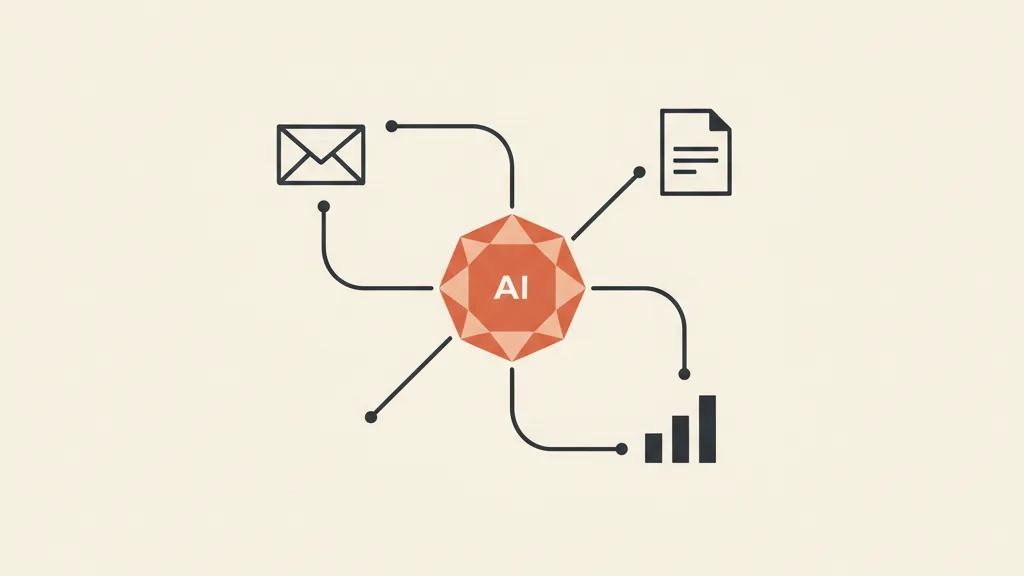
First, let's clarify what you're actually dealing with
In 2026, "Gemini" isn't a single thing. It's a family of models and a set of products that use them. Telling them apart matters, because the right use case depends on which version you're looking at.
The models (the part that does the work)
- Gemini 3.1 Pro: the flagship model, built for complex reasoning and long-form analysis. It handles up to 2 million tokens of context (in practice: you can feed it a full year of reports and it holds all of it in mind at once).
- Gemini 3.5 Flash (released in May 2026) and Gemini 3 Flash: the "fast and cheap" models. Quality close to Pro but with low latency and a fraction of the per-token cost. These are the ones you'll use in automation, where requests number in the thousands and every cent counts.
To give you a sense of scale: via API, a Flash model costs around $0.50 per million input tokens and $3 per million output tokens. With the Batch API (non-immediate processing, within 24 hours) that's halved. Translation: generating 500 copy variants or classifying 2,000 leads costs you loose change, not hundreds of euros.
The products (where you use it)
- Gemini in Google Workspace: an assistant inside Gmail, Docs, Sheets, Slides, and Vids. Since January 2025 it's no longer a separate add-on — it's included in paid Workspace plans.
- Gemini app + Gemini Advanced (around $19.99/month): the full chat experience with Deep Research and Gems.
- Gems: custom assistants with fixed instructions and a knowledge base. Your copywriter trained on your brand, who never forgets the tone of voice.
- NotebookLM: the tool that reasons only over the documents you give it, with Deep Research built in. You can now connect a Gem to a notebook with hundreds of sources.
- The API (via Google AI Studio or Vertex): the way to get Gemini talking to the rest of your systems. This is where the automation magic happens.
Keep this map in mind. We'll use it to figure out, case by case, what's worth doing in chat and what's worth automating.
Use case 1: content that doesn't start from zero every time
The most obvious use case, and also the most wasted one. Anyone can open Gemini and ask "write me a post about this product." The problem is that the result reads like generic AI output: no brand voice, no connection to your buyers, bland angles.
The difference between poor output and usable output comes down to how much specific context you feed the model. And this is where Gems make the difference.
How to set it up properly
Instead of repeating the brief every single time, you create a "[Brand name] Copywriter" Gem containing:
- Your tone-of-voice rules (to do this properly, start from a structured document: see how to define your company's tone of voice).
- Your buyer personas and their levels of awareness, so the model knows who it's talking to.
- Examples of copy that worked and copy to avoid.
If you connect the Gem to a NotebookLM notebook with your past content, case studies, and campaign data, the model stops inventing and starts working from your actual material. The difference is immediate.
What it's good at (and what it isn't)
Gemini excels at: first drafts of articles, product descriptions, video scripts, variants of the same message for different channels, repurposing one long piece of content into ten short formats. It's also multimodal: hand it a screenshot of a competitor's ad and it will analyze it, or generate visual concepts for creatives.
Where you shouldn't trust it blindly: technical SEO (keyword research and ranking need dedicated tools; Gemini helps with clusters and outlines but doesn't replace volume analysis) and any content where a mistake is costly. The rule stays the same as always: review the copy before publishing it. AI speeds up the draft; it doesn't sign off on publication for you.
The angle that matters: content inside a system, not isolated
Here's the point that separates people who use Gemini as a toy from people who use it as leverage. A single piece of content, written in chat and pasted by hand, saves you an hour. A piece of content that flows automatically into a workflow is an asset that works for you.
A concrete example: you connect Gemini via API to an automation (n8n, Make, or Zapier all work). Every time you upload a new product or publish an article, the workflow automatically generates the social variants, the announcement email, and the meta description, drops them as drafts in the right places, and notifies you. You approve, you don't write. This is automating a small business's marketing for real, not just using a smarter chat.

Use case 2: emails and follow-ups that actually personalize
Email is the ground where Gemini pays off the most, because email marketing lives on volume and personalization — two things that don't scale by hand.
What it does well in chat
- Generates dozens of subject lines, with tonal variants, so you can A/B test them instead of guessing.
- Builds entire sequences: welcome flows, nurturing, promotional, cart recovery.
- Rewrites the same message for different segments, changing the angle without changing the offer.
So far, so convenient. But if you stop at the chat, you're still doing manual work: you copy the text, paste it into your email tool, set the segment yourself. The real leap is something else.
The leap: personalization from CRM data
This is where the API changes the game. Picture a contact entering your funnel. Your system already has their data: what they downloaded, which page they came from, their industry, where they are in the journey. With Gemini connected to the CRM, every follow-up email is generated from that specific data, not from a fixed template with {name} filled in by hand.
This isn't science fiction — it's a workflow you can build today. It's the core of AI-driven email personalization and automated sales follow-up: the model reads the contact's context and writes accordingly. The result isn't "a nicer email" — it's a higher reply rate, because the message speaks to the recipient's actual situation.
One especially profitable case: reactivation. You have hundreds of stalled contacts in your database. Gemini, fed by each contact's history, generates the right message to bring each one back to life, one by one. This is the approach behind reactivating dormant customers from your database: monetizing a list you already own, at close to zero cost.
Want to stop using Gemini as a chat and actually connect it to your funnel? Request an assessment: together we'll figure out which acquisition workflow to automate first.
Use case 3: data analysis without opening a spreadsheet for hours
The most underrated part. Gemini reads PDFs, spreadsheets, presentations, and screenshots, and pulls out summaries and patterns. For a marketing manager who has to figure out how campaigns performed every Monday, this is worth more than ten generated posts.
What you ask it (and what it tells you)
- You upload the week's report and it summarizes where the money went, what performed, and what didn't.
- In Google Sheets, it spots trends and anomalies in a long table without you writing a single formula.
- It compares the results of two campaigns and tells you, in plain words, what changed.
- It extracts recurring themes from hundreds of survey responses or reviews.
With Gemini 3.1 Pro and its enormous context window, you can feed it far more than a single file: months of data at once, for more ambitious questions ("how has cost per lead by channel changed over the last six months, and why?").
The limit you need to know
Gemini is good at describing and suggesting hypotheses, not at guaranteeing a number is exact. On critical calculations, always verify: use it to speed up analysis and surface things you'd otherwise miss, not as a final source of truth. And remember the model is only as useful as the data you feed it: if your conversion tracking is broken, no AI will save you. Fix your marketing KPIs to track first, then layer Gemini on top.
The thread that ties it all together: from content to customer
If you look back at the three use cases, the pattern is always the same. In chat, Gemini is a helpful assistant that saves you time on one task at a time. Connected via API to your funnel and your CRM, it becomes an engine that runs without you.
Here's the difference, laid out:
| Activity | Gemini as a toy (in chat) | Gemini in the system (via API + CRM) |
|---|---|---|
| Content | You write a post, copy it, paste it | Every product automatically generates variants, emails, and metadata |
| Draft from a template, personalized by hand | Follow-up generated from the individual contact's real data | |
| Analysis | You upload a file, read the summary | Periodic reports summarized and delivered on their own |
| Reactivation | You write one generic message for everyone | A tailored message for every dormant customer |
The left column saves minutes. The right column generates customers. That's the difference between using a tool and building a customer acquisition system.
One honest caveat, because it's part of doing this seriously: building these workflows isn't a single click. You need to connect the API, map the CRM fields, write the system prompts, and put quality checks on the output before it reaches a customer. Gemini drastically lowers the cost of the "brain" (generating intelligent text costs pennies), but the machinery around it has to be engineered. This is exactly the kind of work where an AI automation agency makes the difference over DIY — not in knowing how to use the chat, but in welding the AI to your systems so it holds up under volume and doesn't produce embarrassing mistakes.
Where to start, in practice
Don't try to do everything at once. The approach that works is incremental:
- Week 1, in chat. Create a Gem with your tone of voice and connect it to a notebook with your materials. Use it for content and email. Learn how the model "talks" when you give it real context.
- Weeks 2-3, first automation. Pick one repetitive, high-volume workflow (usually lead follow-up or reactivation) and automate it via API. One flow, done properly.
- Then, expand. Once the first workflow is running and delivering measurable results, add the others. Automatic content, periodic reports, deeper personalization.
The trap to avoid is the opposite one: starting from enthusiasm, half-automating twenty things, and ending up with workflows spitting out mediocre content with no oversight. Better one gear that runs perfectly than twenty that jam. To place all this in the bigger picture, our pillar guide on copywriting for customer acquisition shows how generated content fits into the full journey that turns a stranger into a customer.
In summary
In 2026, Gemini is a serious marketing tool: it writes tailored content when you give it context, personalizes email at a level impossible by hand, and reads data faster than you can. But its real value isn't in the chat window where you copy and paste. It's in the API that connects it to your funnel and your CRM, turning it from an assistant that saves minutes into an engine that generates customers. The right question isn't "do I know how to use Gemini?" but "is my acquisition system already using it while I sleep?"
Frequently asked questions
Is Gemini free for marketing use?
Partly. The basic chat version is free, but Deep Research, advanced Gems, and the Workspace features require a paid plan (Gemini Advanced costs around $19.99/month; Gemini in Workspace is included in business plans). For API-based automation, you pay per use — a few cents per thousand requests with the Flash models.
What's the difference between Gemini in chat and Gemini via API?
In chat, you work one task at a time: ask, copy, paste. Via API, you connect Gemini to your other systems (CRM, email tools, automation platforms like n8n or Zapier) and the model works inside an automated flow, with no manual intervention at every step. Chat saves time; the API builds processes.
What are Gemini's Gems and what are they for in marketing?
Gems are custom assistants: you give them fixed instructions (tone of voice, buyer personas, rules) and a knowledge base, and they don't forget the brief with every request. A "copywriter for your brand" Gem produces consistent output without you re-explaining context each time. Connect it to NotebookLM and it can reason over hundreds of your real documents.
Can Gemini write personalized emails automatically?
Yes, but only if you connect it via API to your CRM. The model reads the individual contact's data (source, behavior, stage in the journey) and generates a tailored email instead of filling in a fixed template. In chat you can write great drafts, but automatic personalization across every contact requires integration with your systems.
Can I trust Gemini to analyze campaign data?
For summarizing reports, spotting trends, and flagging anomalies you'd have missed, yes — it saves hours. But don't treat it as a source of truth for critical calculations; always verify the numbers that matter. Another rule applies too: if your conversion tracking is inaccurate, no AI will produce reliable analysis. Clean data first, then layer Gemini on top.
Which Gemini model should I use for marketing?
It depends on the task. For long-form analysis and complex reasoning, Gemini 3.1 Pro (context up to 2 million tokens). For high-volume automation, where you need thousands of cheap requests, the Flash models (3.5 Flash or 3 Flash): quality close to Pro at a fraction of the cost. In practice you'll use Pro for analysis and Flash for automated workflows.
If you have a workflow in mind to automate with AI but don't know where to start, talk to us: we design the integration between Gemini, your CRM, and your acquisition system.