5 Emails That Boost Your Ecommerce Sales (with examples)
11 min read · AstraLoop Studio
Most ecommerce stores treat email like a megaphone: a weekly newsletter, the same for everyone, sent whenever the team finally has time to write it. Then they're surprised the open rate sits at 12% and email-driven revenue is background noise on the P&L.
The channel isn't the problem. Email still has the highest ROI in digital marketing, often 30-40 euros back for every euro spent. The problem is the model: identical sends for everyone, scheduled by the calendar instead of triggered by customer behavior. The emails that actually sell aren't the ones you write every Monday. They're the ones that fire on their own the moment a customer does — or doesn't do — something specific.
In this article we break down 5 high-impact emails for an ecommerce store: what each one needs to say, when it should fire, and how everything changes once the copy is generated automatically based on what that specific customer browsed, bought, or abandoned. This is the trigger-based approach we recommend to our clients, and the gap versus a static newsletter isn't 5% — it's an order of magnitude.
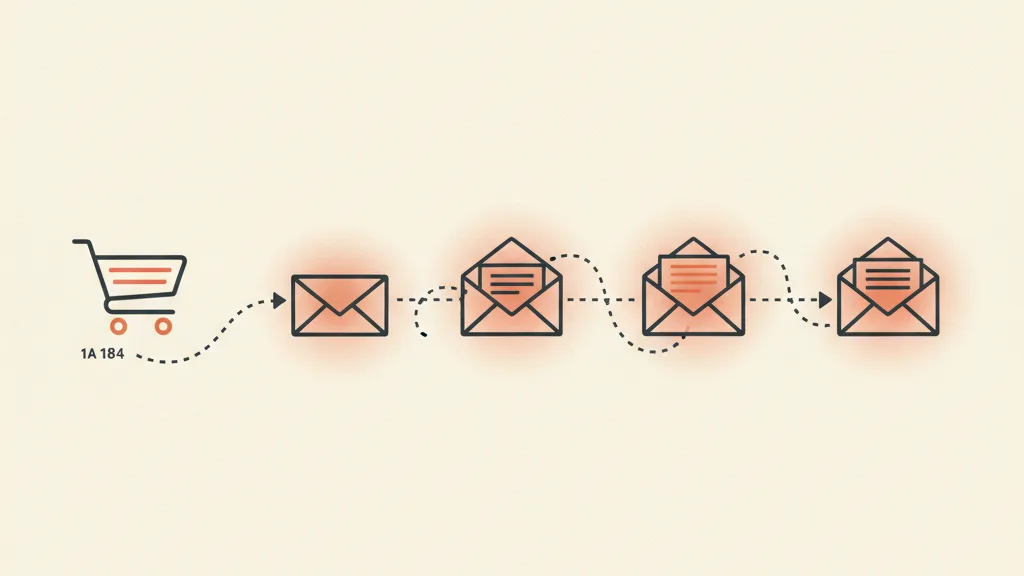
Why the 5 "automatic" emails beat the newsletter
Let's draw a distinction that clears everything up. There are two kinds of email in an ecommerce store:
- Campaigns (broadcast): the newsletter, the sale announcement, the new collection launch. You decide them, you send them to a segment or the whole list at a specific moment.
- Automated flows (trigger-based): emails that fire on their own when a condition is met. The customer abandons their cart, bought 60 days ago and hasn't come back, signs up for the first time. You write them once, then they work on their own for months.
Campaigns have their place, but they're manual work repeated over and over. Automated flows, on the other hand, are built once and generate sales around the clock without you touching anything. In well-set-up ecommerce stores, these flows typically generate 25-35% of email revenue while accounting for a tiny share of total sends. If you don't have them, you're leaving money on the table every single day.
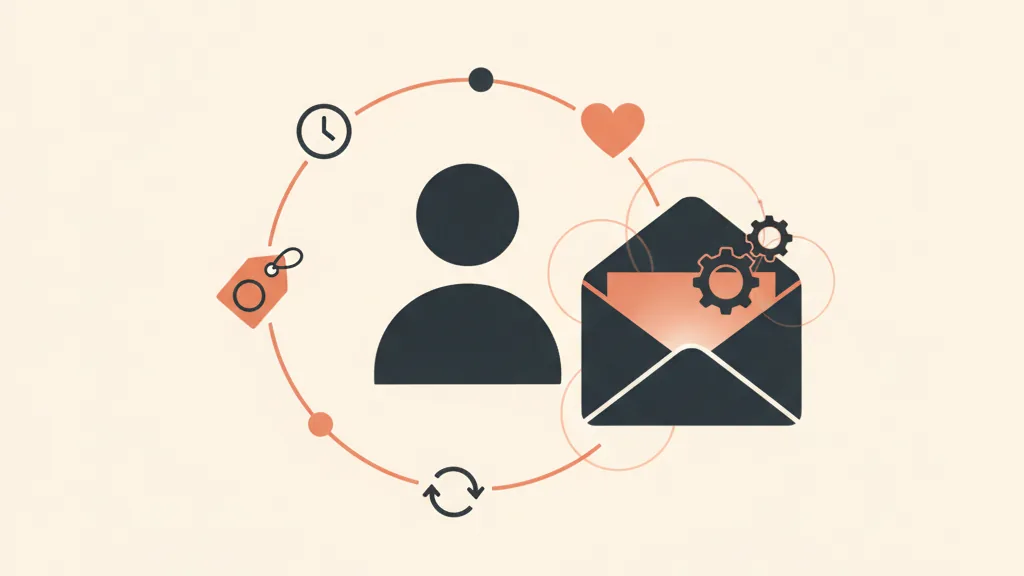
The real leap happens when you stop thinking in terms of "the same email for everyone in a flow" and start thinking in terms of email content that adapts to the individual customer. Not "Hey, you left something in your cart," but "The [exact product name] you were looking at is about to sell out, and since last time you bought a size M...". That level of manual personalization is impossible across thousands of customers. With generative AI connected to behavioral data, it becomes the default. We touch on this in every email below.
Email 1: Abandoned cart recovery
The undisputed queen. Between 65% and 75% of ecommerce carts get abandoned: the customer added the product, was one step from buying, and then vanished. Distraction, price hesitation, surprise shipping costs, or simply "I'll deal with it later." The abandoned cart is the hottest lead you'll ever get — they've already chosen exactly what they want.
When it fires
Not one email, but a sequence of 3:
- Email 1 (after 1 hour): a gentle reminder, no pressure. "You left this in your cart, we're holding it for you."
- Email 2 (after 24 hours): handle the objection. Product reviews, guarantee, free returns, an answer to the most common doubt.
- Email 3 (after 48-72 hours): urgency or an incentive. "Stock is running low," or, only if margin allows, a small discount or free shipping.
Example structure (Email 1)
Subject: Mark, your Urban Sneakers are still waiting for you 👟
Body: Hi Mark, great taste. The black Urban Sneakers, size 9 are still in your cart. We've set them aside, but this model sells fast. [Product photo] [Button: Complete your order]. 48-hour shipping and free returns within 30 days, so you can order without worrying.
Where AI and automation come in
The basic version pulls the product and drops it into the template. The advanced version generates the subject line and body based on that product, that customer, and their history: if it's their first order it emphasizes trust and free returns, if they're a returning customer it skips the pleasantries and goes straight to urgency. This is the core of the trigger-based approach with dynamically generated copy. For the full picture of cart automation, we have a dedicated guide on abandoned cart recovery automation.
Email 2: The welcome flow
Someone just signed up to your list or created an account: this is the moment of peak attention you'll ever get from them, and most ecommerce stores waste it with a lousy "Thanks for signing up, here's your 10% off." Welcome emails see open rates of 50-60%, double or triple any other email. It's gold — don't throw it away on a flat, automated message.
What it needs to do
A welcome flow isn't one email, it's 3-4 emails over the first week that do three things: deliver what you promised (the discount, the guide, the code), tell customers who you are and why your product is different, and drive the first purchase before their attention fades.
- Email 1 (immediate): deliver the promised incentive + your best-sellers. Close the loop right away.
- Email 2 (day 2): your story, your values, what sets you apart. People buy from brands they know.
- Email 3 (day 4-5): social proof. Reviews, before/after, happy customers.
- Email 4 (day 6-7): reminder that the incentive is expiring. A final push toward the first order.
The first purchase is the critical threshold: a customer who has bought once is far more likely to buy again than a subscriber who has never ordered. The welcome flow exists to get you past that threshold as fast as possible. To build it step by step, check out our guide on how to build an effective welcome flow.
Email 3: Post-purchase and upsell
The most expensive mistake in ecommerce: total silence after the sale (aside from the transactional order-confirmation email). The customer who just bought is at peak trust. It's the single best moment to sell to them again, and almost nobody does it.
The two moves
- Thank-you and reassurance email (right after the order): confirmation, delivery timeline, support contact. Reduces post-purchase anxiety and returns.
- Cross-sell / upsell email (5-10 days later, once the product has arrived): "Bought the toaster? Here are the three accessories our customers usually pair with it." Products that complement what was bought, not random picks.
Why AI makes the difference here
Manual cross-sell is generic: "other customers also bought...". Smart cross-sell starts from what that customer actually bought and suggests the logical complement: buy a razor, get replacement blades; buy the face cream, get the matching serum. An engine that generates these emails by reading order history turns every purchase into the trigger for the next one. It's the logic behind upsell and cross-sell strategies applied to email, and one of the most direct ways to grow customer lifetime value without spending an extra euro on acquisition.
Want these five flows to fire on their own, with copy that adapts to each customer based on what they browse and buy? Request an analysis of your ecommerce store: we'll show you where you're leaving sales on the table.
Email 4: Win-back (reactivating dormant customers)
Look at your database: how many customers bought once and then vanished? In an average ecommerce store, they're the silent majority. Reactivating an existing customer costs a fraction of acquiring a new one, because they already know you, already trust you, and have already bought. Ignoring this list is like having a gold mine in your backyard and still buying gold at market price.
The right trigger
Win-back fires based on your product's typical repurchase cycle. If the average customer reorders every 60 days and someone has gone quiet for 90, they're "dormant" and need waking up. The classic sequence:
- "We miss you": human tone, no hard sell. "It's been a while, everything okay?"
- The value: what's changed, new arrivals, what they've missed out on.
- The comeback offer: a concrete incentive to return, with a clear deadline.
Example win-back subject line
Subject: Saying goodbye? (we hope not)
Body: Hi Laura, it's been three months since we last saw you and we miss you. If you stopped buying for a reason, just reply to this email — it really helps us. If it's simply that life got busy, here's 15% off to pick up where you left off. [Button] Valid until Sunday.
Here too, AI generates the email by reading what that customer bought before: someone who bought skincare gets a skincare-focused message, not a generic "come back to us." We've gone deeper on triggers, examples, and templates in this win-back sequence with examples and in the piece specifically on how to reactivate dormant ecommerce customers. It's one of the fastest-payback flows you can turn on.
Email 5: Restock and price-drop alerts (behavioral triggers)
This is the least used and one of the most powerful, because it's built entirely on behavior. The customer looked at a sold-out product, or added something to their cart that later went on sale: the right email at the right moment closes the sale almost by itself, because the purchase intent is already there.
The three variants
- Back-in-stock: "The product you were waiting for is available again." Fires when a sold-out item the customer viewed comes back into stock. Extremely high conversion rates: they're literally waiting for it.
- Price-drop: "The price of [product you viewed] just dropped." Perfect for customers who hesitated over the price.
- Browse abandonment: the customer spent a long time on a product page but never added it to cart. A gentle nudge ("Still thinking about it?") brings their attention back to that product.
The point is that none of these emails can be planned on a calendar. They depend on an event tied to a single customer (stock changing, a price dropping, a browsing session) and therefore require a system that listens to behavior in real time and generates the message accordingly. This is exactly what we mean by trigger-based automation: the machine watches, decides, and writes. To see how this fits into a broader setup, check out these AI use cases for businesses and specifically AI automation for ecommerce.
How these 5 emails fit together
Taken individually, they're 5 tactics. Taken together, with an automation engine behind them, they become a system that follows the customer through the entire lifecycle: welcomes them (welcome), recovers them if they hesitate (cart), gets them to buy again (post-purchase), brings them back if they disappear (win-back), and reacts to their signals of intent (restock/price-drop). Every email has a trigger, every trigger has a condition, and the customer sets that condition through their behavior — not you, through your editorial calendar.
| Trigger | Goal | Typical impact | |
|---|---|---|---|
| Abandoned cart | Cart left idle +1h | Close a sale already in motion | The highest-return flow |
| Welcome flow | New signup | Drive the first purchase | 50-60% open rates |
| Post-purchase / upsell | Order completed | Increase LTV and order value | Incremental revenue at zero cost |
| Win-back | Inactivity beyond the repurchase cycle | Reactivate dormant customers | Very low cost per sale |
| Restock / price-drop | Event on a viewed product | Convert intent that's already there | Very high conversion |
For all this to actually work, there's one condition: behavioral data (what customers view, what they buy, when they stop buying) has to be connected to the system that sends the emails. This is where a custom CRM for Shopify ecommerce makes the difference over a disconnected email marketing tool: without that data, personalization is blind. With it, every email knows exactly who it's talking to.
The mistakes that make all of this pointless
Before you turn these flows on, avoid the classic own-goals that send them straight to spam or get them ignored:
- Sending without domain authentication set up. If you haven't properly configured SPF, DKIM, and DMARC, your emails land in spam and you won't even know it. It's the first check, not the last.
- Generic, flat subject lines. The subject line decides whether the email gets opened. It's worth studying them: here are concrete tips on subject lines that work.
- Ignoring mobile. Most emails are opened on a smartphone. If the text is unreadable or the button is too small, you've lost the sale.
- Fake personalization. "Hi [NAME]" isn't personalization, it's the bare minimum circa 2010. Real personalization works on the content: the right product, the right moment, the right objection. See how to do it with AI in AI-powered email marketing personalization.
These five flows are the foundation. Once they're live and well-written, measure, test subject lines, refine send timing. But start here: they're the base any serious email marketing strategy for an ecommerce store rests on, and on their own they move the needle more than ten newsletters.
Frequently asked questions
How many emails a day or a week should I send my ecommerce list?
There's no fixed number: automated flows (cart, welcome, win-back) fire based on individual customer behavior, so they don't overload the list. For broadcast campaigns, 1-2 a week is a solid rhythm for most ecommerce stores. Relevance matters more than frequency: if every email is useful to the person receiving it, volume bothers people a lot less.
Which email generates the most sales for an ecommerce store?
The abandoned cart recovery flow is almost always the one with the highest return, because it catches people who were already one step from buying. Right behind it are the welcome flow (for the first purchase) and win-back (for its very low cost per sale). Together, automated flows typically generate 25-35% of email revenue while making up a small share of total sends.
What does trigger-based email mean and how is it different from a newsletter?
Trigger-based means the email fires on its own when a specific condition is met (the customer abandons their cart, signs up, goes inactive, views a product that's back in stock). A newsletter, on the other hand, is something you decide and send on a schedule, the same for everyone. The difference is that trigger-based flows work around the clock with no manual effort and are far more relevant because they react to actual behavior.
How does AI personalize email copy?
By connecting customer behavioral data (products viewed, past purchases, sizes, time between orders) to a model that generates a tailored subject line and body for each email. That way the message references the exact product, addresses the most likely objection for that specific customer, and adjusts tone depending on whether it's a first-time or returning buyer. It's a level of personalization that's impossible to do by hand across thousands of contacts.
Do I need a CRM to run these flows, or is an email marketing tool enough?
A basic email marketing tool lets you launch the standard flows (cart, welcome). But advanced personalization and behavioral emails like restock and price-drop require customer data connected to the sending system — that's the CRM's job. Without that data, personalization is blind; with it, every email knows exactly who it's talking to and what to offer.
Why do my ecommerce emails end up in spam?
The most common causes are missing or misconfigured domain authentication (SPF, DKIM, DMARC), a domain that isn't warmed up sending too much too fast, low open rates signaling low interest to providers, and purchased or poorly maintained lists. The first thing to fix is always technical domain authentication: without it, even your best email starts at a disadvantage.
If you'd rather have a system that writes and sends the right emails at the right time without you lifting a finger, let's talk: we'll figure out together which flows to launch first for your store.