Email Marketing Strategy: The Automated Flows That Actually Sell
9 min read · AstraLoop Studio
Most companies treat email marketing like a megaphone: they put together a newsletter, blast it to the entire list, check the open rate, and repeat the following week. It barely works — and not because email is dead. It barely works because the part that actually sells is missing: the automated flows that fire on their own the moment a contact does (or doesn't do) something.
A real email marketing strategy stands on two legs. The first is one-off campaigns (offers, announcements, content): useful, but episodic. The second is the always-on automations that keep working at night, on weekends, and in the middle of summer while you do nothing at all. That's where most of the revenue generated through email actually comes from. In this guide I'll show you how to set up the four essential flows, how to make them more persuasive with AI-assisted writing, and how to connect them to your CRM so email doesn't live in isolation from the rest of your customer acquisition.
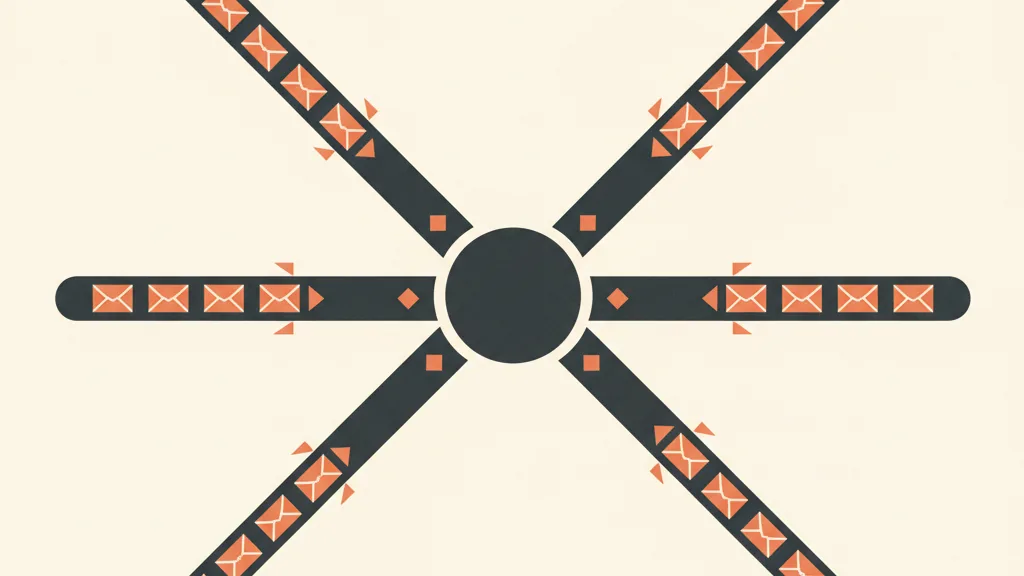
Campaigns vs. flows: the distinction that changes the numbers
Before we get into individual flows, let's clear up the difference, because it's the point where almost everyone misallocates their time.
- Campaign (broadcast): an email you decide to send to a segment at a specific moment. The spring sale, the new product launch, the blog post. It lives once and dies.
- Flow (automation): a sequence you set up once that fires automatically every time a trigger goes off. A new subscriber, an abandoned cart, a completed purchase, 90 days of silence.
The rule of thumb: campaigns drive spikes, flows drive a steady, predictable baseline. If you're short on time, build the flows first. It's work you do once and it keeps paying off for months, on the same principle as customer acquisition funnels: you automate the path once, then scale it without adding hours.
The 4 essential flows you should have running
You don't need twenty automations. You need four, done well. Together they cover the contact's entire lifecycle: from first contact, to recovering a lost sale, to retention, all the way to winning back a customer who's gone cold.
1. Welcome flow: the single highest-converting flow you'll ever run
When someone hands you their email (a sign-up, a popup, a lead magnet), it's the single most attentive moment of their entire life as your contact. They've just voluntarily chosen to listen to you. Answering with two weeks of silence, or with the same generic newsletter everyone else gets, is the most common and most expensive waste in the book.
A well-built welcome flow is a sequence of 3-5 emails over the first 7-10 days — not a single welcome email. The structure that works:
- Email 1 (immediately): welcome, deliver what they asked for (discount, guide, access), and set clear expectations for what's coming.
- Email 2 (day 2): who you are and why you exist. The story, not the catalog. This is where you build trust.
- Email 3 (day 4): social proof. Reviews, case studies, numbers. You move them from curiosity to consideration.
- Email 4-5 (day 6-9): the offer or the push to act, with a reason to act now.
If you want the email-by-email breakdown with copy examples, I've laid it out in the guide on how to build a welcome flow. The key idea: the welcome flow isn't a courtesy — it's your first automatic conversion.
2. Abandoned cart recovery: money left on the table
This one only applies if you sell online, but for an ecommerce store it's often the single highest-return flow you can run. Between 60 and 75% of carts are abandoned before checkout. Some of those people genuinely meant to buy: they got distracted, compared shipping costs, or were simply interrupted.
The typical sequence runs 2-3 emails:
- Email 1 (after 1 hour): a simple reminder, the product image, one single button back to the cart. No discount yet.
- Email 2 (after 24 hours): address the objection. Shipping, returns, guarantee, a relevant review.
- Email 3 (after 48-72 hours): if needed, the incentive (a small discount or free shipping) with a deadline.
Be careful not to hand out discounts right away: you'll train customers to abandon their cart on purpose to get one. The discount is the last lever, not the first. You'll find the full operational detail — triggers and timing — in the guide to abandoned cart recovery.
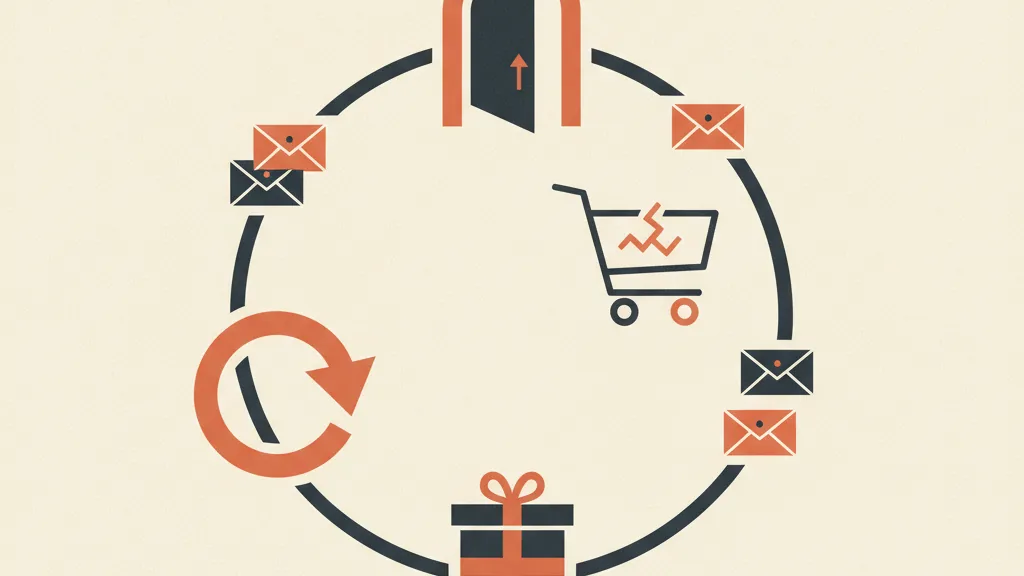
3. Post-purchase: where the customer's real value is built
This is where almost everyone stops. Customer bought, done. That's a mistake. Post-purchase is where you build customer lifetime value (LTV), the metric that decides whether your acquisition is actually sustainable. A second purchase costs a fraction of the first.
A sensible post-purchase flow includes:
- Confirmation and reassurance: what happens now, when it arrives, how to reach you. It cuts down anxiety and support tickets.
- Onboarding or usage tips: how to get the most out of the product. It builds perceived value and reduces returns.
- Review request (at the right moment, not too early): feeds the social proof you'll use in the welcome flow. A loop that feeds itself.
- Cross-sell and upsell: complementary products, consistent with what they bought. Personalized, not random.
This is also the point where email stops being just email and becomes part of a bigger relationship, managed by the CRM.
4. Win-back: recovering the ones who've gone cold
Every list has a grey zone: contacts who used to open and click, and then just stopped. They haven't unsubscribed, they simply don't look at you anymore. Ignoring them does two kinds of damage: you lose recoverable sales, and you drag down your deliverability, because sending to people who don't open signals to providers that your emails aren't wanted.
A win-back flow typically kicks in after 60-120 days of inactivity and tries, over 2-3 emails, to reignite interest: "are you still there?", a comeback offer, one last email that asks outright whether they want to stay. Anyone who doesn't respond even to the last one should be dropped from the active list. It hurts, but a smaller, more responsive list always beats a bloated, dead one. If you want ready-made copy to start from, check out these win-back sequence examples.
The AstraLoop lever: personalization and AI-assisted writing
Having the four flows in place is half the job. The other half is how relevant they are to the person receiving them. And that's where artificial intelligence moves the numbers in a concrete way, not as a slogan.
Assisted writing, not automatic. Writing four flows of 3-5 emails each means roughly twenty emails, plus subject lines, plus variants. That's why so many projects stall: there simply isn't enough time. With AI-assisted writing you produce the first drafts in a fraction of the time, keeping the right tone if you train the model on your brand voice. The AI gives you the structure and ten subject line variants to test; you do the human review and make the call. It's not about delegating the thinking, it's about removing the friction that blocks execution. For the practical method, see the guide to copywriting with AI.
Personalization beyond the first name. Adding "Hi Marco" isn't personalization, it's the bare minimum. Personalization that actually sells uses behavior: what they looked at, what they bought, how long they've gone quiet, what stage of the cycle they're in. AI lets you tailor content and offer to each individual contact at scale, something impossible to do by hand across thousands of people. It's the difference between an email that feels written for you and one that feels written for everyone. I've gone deeper into the techniques in the guide on AI-powered email personalization.
Want to set up your email flows and connect them to your CRM, with AI-assisted copy and personalization? Tell us about your situation and we'll show you where to start.
Why email alone isn't enough: CRM integration
This is the leap that separates those who "send emails" from those who run a sales machine. An email marketing tool only knows what happened inside the email: opens, clicks. It doesn't know what happens outside it: who called, who asked for a quote, who bought in-store, what stage a B2B deal is at.
When email is connected to the CRM, flows become smart because they react to real data, not just to events inside the inbox:
- A lead who becomes a customer automatically exits the nurturing flow and enters the post-purchase one. No "buy now" emails to someone who's already bought.
- A contact who opens three product emails and visits the site can bump their lead score and land in the sales rep's queue at the right moment.
- Anyone who buys generates data that feeds the next round of segmentation, instead of staying locked in a silo.
The principle is simple: email is the channel, the CRM is the brain. A funnel that feeds the CRM makes sure every interaction becomes useful data, and every piece of data triggers the right automation. If you're figuring out how to put the pieces together, the guide on integrating your CRM and sales funnel gives you the framework, while the approach behind an AI-powered CRM for sales automation shows where artificial intelligence removes the manual work from the process.
Where to start, in order of priority
If you're starting from zero, don't try to build everything at once. Follow this sequence — it maximizes the return on the time you invest.
| Priority | What to build | Why it comes first |
|---|---|---|
| 1 | Welcome flow | Highest return, converts contacts who are already warm |
| 2 | Cart recovery (if ecommerce) | Recovers sales that are already nearly closed |
| 3 | Post-purchase | Raises LTV and sets up the second purchase |
| 4 | Win-back | Cleans the list and recovers dormant contacts |
| 5 | CRM integration + AI personalization | Makes every flow more relevant and more measurable |
Turn on the welcome flow this month. Add one flow per month. In four or five months you'll have a machine running on its own — and in the meantime you'll already be earning from day one of the first flow. You don't need the perfect platform or the perfect copy: you need to start, measure, and fix things as you go. Flows improve over time with A/B testing, but only once they exist.
In short
An email marketing strategy that sells isn't made of prettier newsletters. It's made of four automated flows (welcome, cart, post-purchase, win-back) that cover the entire customer lifecycle and work without you. AI personalization makes them relevant at scale, and assisted writing cuts down the time that usually blocks execution. CRM integration closes the loop: email stops being an isolated channel and becomes part of an acquisition system that reasons on real data. Build one flow at a time, start with welcome, and let the rest come together month after month.
Frequently asked questions
What's the single most important email flow to launch first?
The welcome flow. It fires when the contact is at peak attention, right after signing up, and converts far better than generic campaigns. It's also the easiest to set up: 3-5 emails over the first 7-10 days.
How many emails should an automated flow have?
It depends on the flow. Welcome: 3-5 emails over 7-10 days. Abandoned cart: 2-3 emails over 72 hours. Post-purchase: variable, often 3-4 spread over a few weeks. Win-back: 2-3 emails. A few well-written emails beat a barrage every time.
Does email marketing still work in 2026, or is it outdated?
It works, just not as a mass broadcast. What actually pays off are behavior-triggered automated flows and data-driven personalization. A generic newsletter blasted to the whole list returns less and less every year; segmented, AI-personalized flows remain one of the highest-return channels available.
How is AI actually used in an email marketing strategy?
On two fronts. In assisted writing, to generate drafts and subject line variants in a fraction of the time while keeping your tone. And in personalization, tailoring content and offers to each individual contact based on behavior, purchase history, and lifecycle stage — something impossible to do by hand at scale.
Why connect email marketing to the CRM?
Because the email tool only knows opens and clicks, while the CRM knows the full relationship: who's bought, who's asked for a quote, what stage a deal is at. Connect them, and flows react to real data: a customer exits nurturing and enters post-purchase, a hot lead reaches the sales rep at the right moment.
How long does it take to build a complete email marketing strategy?
At one flow per month, four or five months for the full setup plus CRM integration. But you start earning from the very first flow you launch — there's no need to wait until everything is ready. Turn on the welcome flow now and add the rest as you go.
If you'd rather have an email marketing machine that runs on its own instead of managing everything by hand, request an assessment: we'll map out the right flows for your business together, along with the integration with your CRM.