Best AI Chatbots for Business & Customer Support (2026)
8 min read · AstraLoop Studio
If you're evaluating an AI chatbot for customer support, the number one risk isn't picking the wrong tool. It's picking the right one for the wrong reason. Most online comparisons rank chatbots by feature count or by how "smart" they sound in a demo. In a real business, though, only one thing matters: does the bot answer well using your data (price lists, returns, hours, terms) and hand the ticket to the right person when it needs to? Everything else is window dressing.
This guide takes exactly that practical angle. Two criteria separate a decorative chatbot from one that genuinely cuts the load on your support team: the quality of the RAG (its ability to answer by pulling from your real knowledge base instead of making things up) and its integration with CRM and channels like WhatsApp. Here we go deep only on conversational customer support, which is one piece of business process automation with AI.
Chatbot, virtual assistant, or AI agent: the difference matters
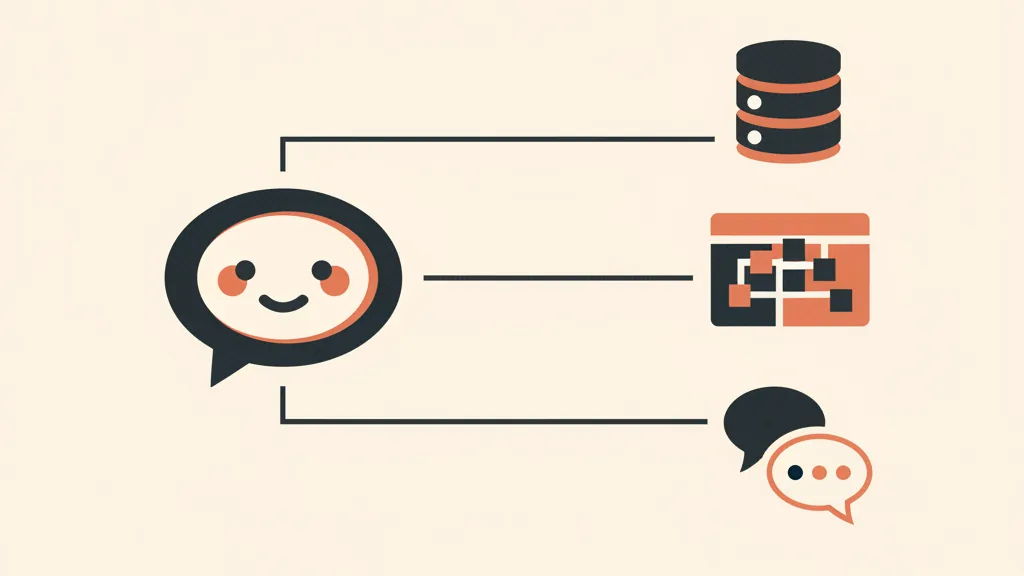
Before comparing products, let's get the terms straight. In 2026, "AI chatbot" covers three very different things, and the price tag changes accordingly.
- Flow-based (rule-based) chatbots: decision trees with buttons. Cheap, predictable, but rigid. If the customer strays from the script, it gets stuck.
- Conversational AI chatbot with RAG: understands natural language and answers by drawing on your knowledge base. This is the heart of this guide.
- AI agent: doesn't just answer, it acts. It opens a ticket, updates the CRM, checks an order's status via API, books an appointment. That's the real leap in 2026: from AI that “talks” to AI that “does.”
If you want to fully understand this distinction, we've written a dedicated piece on the difference between a chatbot and an AI agent. For customer support, most SMBs start with a chatbot backed by solid RAG, then add agentic capabilities (CRM updates, ticket management) once volume justifies it.
The criterion few people evaluate: RAG quality
RAG stands for Retrieval-Augmented Generation. In practice it works like this: instead of answering only with what it learned during training, the model first retrieves the relevant documents from your data (FAQs, manuals, return policies, price lists) and then generates its answer based on those. It's the difference between a bot that says “I think the warranty is 24 months” and one that quotes your exact policy.
Why is this the most important criterion for customer support? Because it drastically reduces hallucinations — the made-up answers that instantly become a real problem with a real customer. A chatbot without a well-configured RAG will promise refunds that don't exist or invent the wrong opening hours.
When you evaluate a tool's RAG component, look at these concrete points:
- Supported sources: can it ingest PDFs, web pages, help center articles, a Google Sheet? Or does it force you to paste everything in by hand?
- Updates: when you change a price, does the knowledge base re-sync itself, or do you have to re-upload everything?
- Source citation: does the bot show which document it pulled the answer from? You need this to trust it and to fix mistakes.
- Behavior when unsure: if it can't find the answer in your data, does it admit it doesn't know and hand off to a human, or does it make something up? This point is decisive.
We've dedicated an entire guide to building a proper business knowledge base with RAG, because that's the 70% of the work that separates a useful chatbot from an embarrassing one.
The second criterion: CRM and WhatsApp integration
A chatbot that lives isolated in a bubble on your website is worth half as much. The real leap happens when it's connected to the rest of your stack.
CRM integration
If the bot talks to a customer but that conversation never lands in the CRM, you've lost the data. A proper integration does three things: identifies the contact (or creates one), logs notes and history on their record, and updates status (ticket opened, lead qualified, return requested). From there, your team picks up the thread without asking the customer to repeat everything from scratch. If your goal is also selling and not just supporting, CRM integration enables structured lead handoff — we cover that in our guide on automating sales follow-up with AI.
WhatsApp Business integration
In Italy, WhatsApp isn't an optional channel. For a huge number of businesses, it's the channel. In 2026 the launch of Meta Business Agent made conversational support and selling on WhatsApp much easier to automate, with platform data pointing to double-digit conversion increases. A chatbot that handles customer support but ignores WhatsApp leaves exactly the channel where your customers actually write uncovered.
Always verify the connection runs through the official WhatsApp Business API, not unofficial shortcuts that risk getting your business account banned. We go deeper on this in our article on setting up WhatsApp Business automation with AI.
Overview of the best AI chatbots for business in 2026
No ranking makes sense without context: the “best” option depends on your budget, channels, and the level of customization you need. Here are the main categories with their typical use cases, instead of a fake top 10.
| Type of solution | Best for | RAG | Indicative cost range |
|---|---|---|---|
| AI customer service platforms (Intercom Fin, Zendesk AI, Freshworks) | Businesses with an already-structured help desk | Excellent, built-in | From a few hundred €/month, often priced per resolution |
| No-code conversational builders (Voiceflow, Botpress and similar) | Those who want control over the flow without writing code | Good, configurable | From ~€50 to a few hundred €/month |
| Chatbots on general-purpose models + custom RAG (Claude, GPT via API) | Those with specific use cases and a developer or partner | Maximum control | Pay-as-you-go API cost plus development |
| Self-hosted automation (n8n with the AI Agent node) | SMBs mindful of GDPR and recurring costs | Custom-built | Self-hosting plus optional API cost |
| WhatsApp-first vertical SaaS | Local businesses and e-commerce that live on WhatsApp | Variable | From ~€29-49/month |
Two honest notes on this table. First: the prices are indicative ranges that change often — always verify at the source. Second: the most interesting row for many Italian SMBs is n8n, because its native AI Agent node and self-hosting solve two problems at once — recurring costs and data sovereignty. If you're not familiar with it, start with what n8n is and how it works and the comparison n8n vs Make vs Zapier.
What it really costs, and how to avoid getting burned by pricing
The list price is the easy part. The costs that catch you off guard are others:
- Price per resolution: many AI customer service platforms bill per conversation resolved by the bot. Great if it converts well, but if volume spikes the bill grows fast. Run the numbers on your actual monthly traffic.
- Setup and knowledge base: uploading and organizing the documentation is the biggest hidden cost. A poorly-fed bot is worse than no bot at all.
- Integrations: connecting the CRM and the WhatsApp API can require technical work or a higher-tier plan.
For a full breakdown, with ranges and line items, we have a dedicated piece on how much an AI chatbot costs. But the real question isn't “how much does it cost” — it's “is it better to buy an off-the-shelf SaaS or have something custom built?”
Build vs. buy: the honest call
A practical rule, without steering you toward the most expensive option:
- If you have standard use cases (FAQs, order tracking, hours, returns) and volumes that aren't enormous, a SaaS at €29-49/month or a customer service platform gets you running in a few days. Don't reinvent the wheel.
- If you have particular processes, deep integrations with proprietary business software, or strict GDPR constraints, a custom agent (often on n8n or via API) pays back the initial investment over time.
The cost of a custom-built agent can range from a few thousand to several tens of thousands of euros, depending on complexity — we break down the figures in how much a business AI agent costs. The worst thing you can do is buy the €25,000 solution when a €49/month one would have done, or vice versa.
Want to know whether you need an off-the-shelf SaaS or a custom chatbot connected to your CRM and WhatsApp? Ask us for a free assessment of your customer support: we'll tell you what actually makes sense for your numbers.
Human handoff: the best chatbot knows when to stay quiet
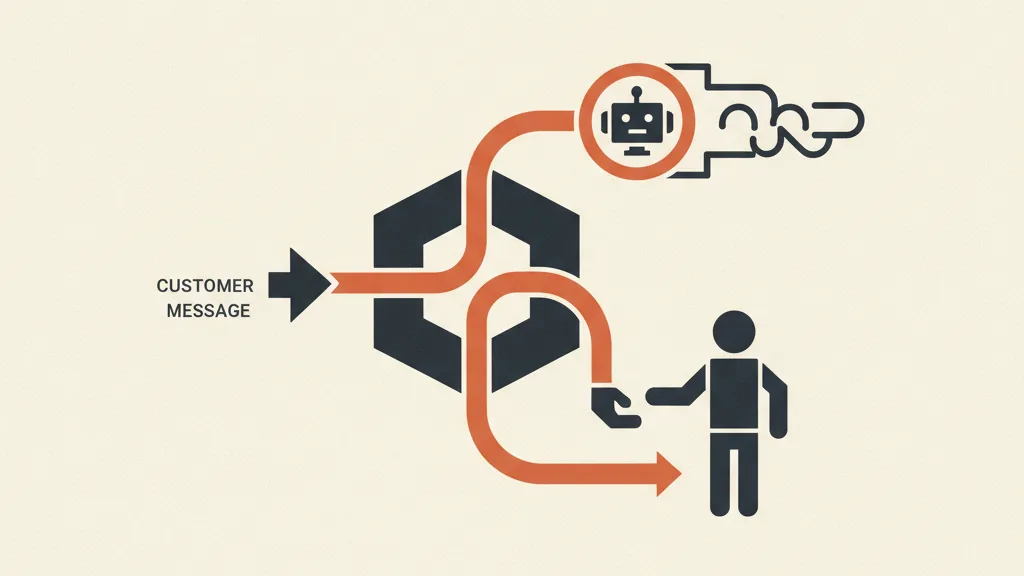
It sounds counterintuitive, but it's decisive: a good customer support chatbot isn't the one that answers everything. It's the one that recognizes when the conversation is beyond its ability and hands it off cleanly to a human operator, with all the context already gathered.
A customer who's frustrated over a complicated return doesn't want to keep arguing with a bot. A good human handoff transfers the conversation, history included, to a person without making the customer start over from zero. Always evaluate this feature — we cover it in detail in how to manage the handoff to a human operator. A claimed 100% resolution rate is almost always a lie; an honest 60-80% with smooth handoff on the rest is worth much more.
The AI Act and transparency: what to know before you switch it on
Serious topic, informational angle (this is not legal advice). Under the AI Act (EU Regulation 2024/1689) there's a transparency obligation: users must know they're interacting with an artificial intelligence system rather than a person, unless it's already obvious. Translated for your chatbot: state it clearly at the start of the chat.
On the data side, handling conversations falls under GDPR and the principles set by Italy's Data Protection Authority (Garante Privacy): adequate privacy notices, a lawful basis, and attention to where the data ends up (especially if the LLM provider is based outside the EU). For a practical checklist for SMBs, without the scaremongering, read our guide to the AI Act obligations for SMBs. Self-hosting (n8n on-premise, for example) is often the practical answer to data sovereignty concerns.
How to choose in 5 steps
- Map your real questions: pull 100 recent tickets and count how many are repetitive FAQs. That's the share the bot can take off the table.
- Test the RAG on your own documents: in every demo, load in your return policy and ask something awkward. See if it cites the source or makes something up.
- Verify CRM and WhatsApp: make sure the integrations you need actually exist and are included in the plan you're considering.
- Check the handoff: try to push it into a corner. How does it pass the conversation to a human?
- Run the numbers at real volume: project the cost against your own numbers, not the base plan on the landing page.
If you want to widen the lens beyond customer support, the chatbot is just one piece of customer care automation with AI and, more broadly, of AI use cases for business.
In short
The best AI chatbot for your business isn't the one with the most features on the brochure. It's the one that answers well on your data thanks to solid RAG, connects to CRM and WhatsApp through the official API, and knows when to pass the ball to a person. Choose based on these three criteria, run the numbers on your real volumes, and make the build-vs-buy call honestly. The rest is marketing.
Frequently asked questions
What's the best AI chatbot for customer support?
There's no single absolute winner: it depends on your budget, channels and integrations. For SMBs with standard use cases, AI customer service platforms or WhatsApp-first SaaS tools work well; for specific needs and GDPR concerns, a custom-built agent — often on n8n — is the better fit. The deciding factor is RAG quality on your actual documents.
What is RAG and why does it matter for a business chatbot?
RAG (Retrieval-Augmented Generation) means the bot first retrieves the relevant documents from your knowledge base, then generates its answer based on those. It drastically cuts down on made-up answers: it's the difference between a bot that quotes your exact policy and one that promises refunds that don't exist.
Can an AI chatbot connect to WhatsApp?
Yes, through the official WhatsApp Business API. In 2026, with Meta Business Agent, conversational support and selling on WhatsApp became much easier to automate. Avoid unofficial shortcuts — they risk getting your business account banned.
How much does an AI chatbot for business cost?
Ranges run from SaaS at €29-49/month to customer service platforms that bill per conversation resolved, up to custom agents costing anywhere from a few thousand to tens of thousands of euros. The main hidden costs are knowledge base setup and CRM/WhatsApp integrations.
Does a chatbot have to disclose that it's an AI?
Yes. The AI Act (EU Regulation 2024/1689) requires transparency: users must know they're interacting with an artificial intelligence system. In practice, state it at the start of the chat. Handling the conversations still falls under GDPR and the principles set by Italy's Data Protection Authority.
Is it better to buy an off-the-shelf chatbot or build a custom one?
If you have standard use cases (FAQs, order tracking, returns) and volumes that aren't enormous, an off-the-shelf SaaS gets you running in a few days. If you have particular processes, integrations with proprietary business software, or strict GDPR constraints, a custom agent pays back the investment over time. The mistake is buying the €25,000 solution when a €49/month one would have done.
If you want a chatbot that answers well on your data and integrates with your stack, let's talk: we'll assess volumes, channels and the right solution together, without selling you the most expensive one.