Turnkey automated customer acquisition system: how it actually works
10 min read · AstraLoop Studio
"Turnkey" is one of those words that sounds great on a sales page and means everything and nothing. In the customer acquisition space almost everyone uses it, usually to describe the same thing: a few paid campaigns hooked up to a form, feeding a Google Sheet where the leads land. That's where the "automated system" stops, and the conversion part (the part that actually turns into money in the bank) is left to you, exactly as before.
A serious turnkey automated customer acquisition system is a different animal. It's a complete setup that owns the journey from first contact all the way to a booked appointment or an open deal, without you copying data by hand between tools. In this article I'll walk through what it actually includes, how each piece works, how long it takes to build, what numbers to expect, and why the most underrated piece, the custom CRM, is what decides whether the system produces customers or just leads that slip through the cracks.
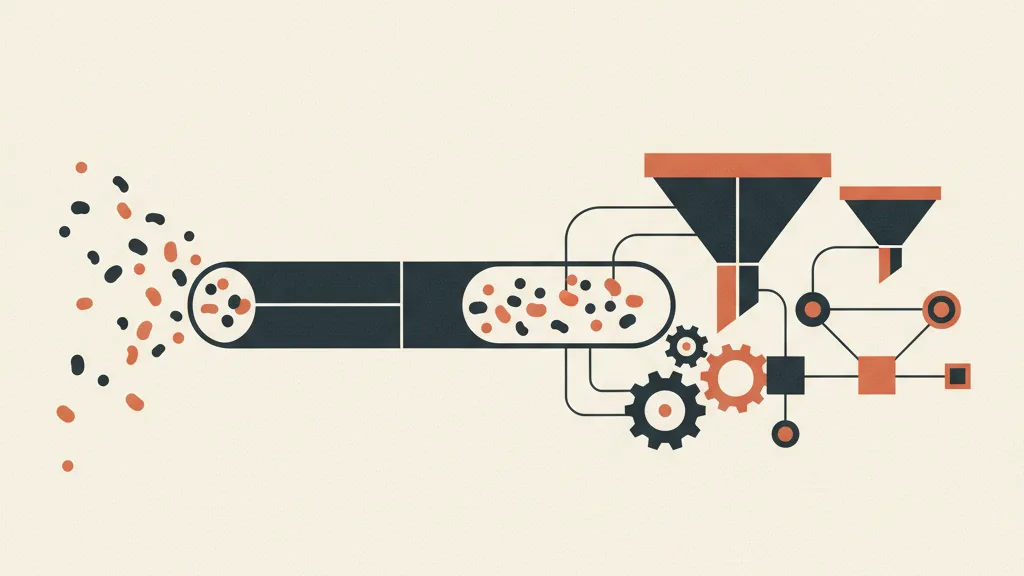
What "turnkey" actually means for customer acquisition
Turnkey should mean one precise thing: you get a working, managed setup, not a list of tools you have to configure and duct-tape together yourself. The real difference is who's actually accountable for making the pieces fit.
A system that earns that label covers the whole chain, not just the tip of it:
- Attraction: the channels that bring in qualified traffic (ads, content, outbound, referrals) tuned to your ideal customer profile, not to everyone.
- Capture: landing pages or forms designed to get the right people to fill them out and discourage the curious.
- Qualification: the filter that separates people with budget, urgency, and decision-making power from those who are just browsing.
- Nurturing: automated sequences (email, WhatsApp, SMS) that keep a lead warm until they're ready to talk.
- Conversion and hand-off: appointments booked on the calendar, deals opened, follow-ups that fire on their own.
- Measurement: dashboards that tell you, per channel, what a lead costs and what a customer costs.
If a provider only hands you the first two points and calls the whole thing "turnkey", you're buying half a box. The real value sits downstream: in how the contact gets worked after it comes in. If you want the full picture of what a setup like this looks like, we covered it in our piece on the customer acquisition system, the logical starting point before getting into the "turnkey" part.
The components of an automated system that actually works
Let's take it apart. An automated acquisition system isn't a single piece of software: it's a set of components that pass information to each other without friction. The keyword is integration. The moment a piece of data has to be copied by hand from one tool to another is the moment the system stops being automated.
1. The traffic engine
This is where the lead-generating channels live. There's no single "best channel": it depends on your industry, average customer value, and decision timelines. For a B2B company with high-ticket deals, LinkedIn and cold email often outperform cold ads; for local services, Google Ads and Meta pay off more. The point isn't guessing the channel: it's measuring it. We compared different approaches on this in inbound vs outbound marketing in B2B, useful for figuring out which mix is worth testing first.
2. The capture point
Landing page, form, chatbot, or voice assistant: this is where the contact leaves their details. A good capture point does two jobs at once: it converts the people who are in-target and it filters out the ones who aren't. One extra question on the form (revenue, role, urgency) lowers the number of leads but sharply raises their quality. If you'd rather not bulk up the form, an AI chatbot that qualifies leads and books appointments does the same job conversationally.
3. The CRM: the brain of the system
This is where it's won or lost. The CRM is where every contact gets logged, classified, assigned, and followed up. Without a CRM, the "automated system" is a pipe dumping leads into a bucket with a hole in it: they arrive, but nobody knows what state they're in, who's working them, or which ones have already been lost. We'll come back to this shortly, because it's exactly where most off-the-shelf "turnkey" systems fall apart.
4. Nurturing and follow-up automations
Most contacts don't buy on first touch. Automated follow-up (a sequence of messages that fires on its own based on what the lead does) is what recovers the sales that would otherwise evaporate. In nearly every company we look at, this is exactly where the biggest leak is: leads come in, but after the first "I'll get back to you" nobody calls them again. We wrote a practical guide on plugging this leak in automating sales follow-up with AI.
5. The measurement layer
A system without numbers is an act of faith. You need to know, per channel, the cost per lead, the qualification rate, the customer acquisition cost, and lifetime value. If these metrics aren't second nature to you yet, we broke them down one by one in KPIs and unit economics of acquisition. Without these metrics, you're not running a system, you're hoping.
Why a custom CRM is the real differentiator
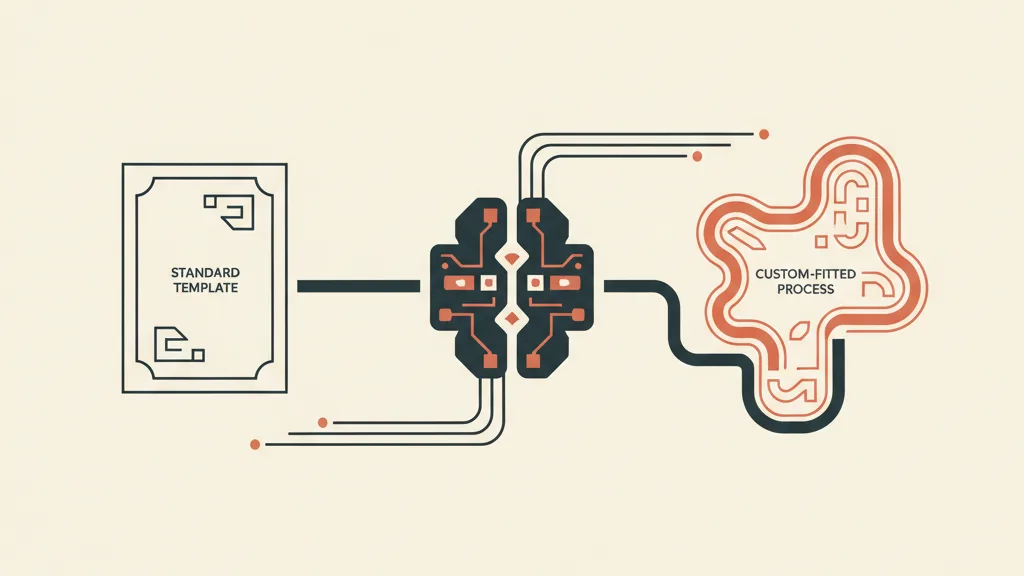
Here's where off-the-shelf "turnkey" systems all start to look alike, and all fail the same way. They almost always bolt on a standard CRM, straight off the shelf, with its own default fields and its own way of thinking. It works fine for a generic American startup. It doesn't work for your firm, your agency, your actual sales process.
The problem with a standard CRM is that it forces you to bend your way of working to fit its own. If your process includes a site visit, a quote, a revision, and a signature, but the CRM only understands "lead, opportunity, customer", those intermediate steps become free-text notes nobody reads. The system loses the part that matters: the real status of every deal.
A custom CRM starts from the opposite direction. It models the exact stages of your funnel, the fields your team actually needs, the automations tied to your process. When your acquisition funnel and your CRM speak the same language, contacts flow through without bouncing and no lead gets orphaned. It's the difference between a system that collects data and one that puts it to work, and we covered it in detail in the difference between a funnel and a CRM.
Be careful not to confuse "custom" with "built from scratch at a high price". Custom means modeled on your process, not necessarily coded line by line. Often the right choice is a solid platform configured in depth; sometimes you genuinely need a dedicated app. We laid out the rule for deciding in custom vs. standard CRM: which one to choose.
What actually changes with a custom CRM
| Aspect | System with a standard CRM | System with a custom CRM |
|---|---|---|
| Funnel stages | Generic, dictated by the tool | Modeled on your real process |
| Qualification | Manual, at the sales rep's judgment | Automatic, scored on the criteria that matter to you |
| Follow-up | Left to the team's memory (so, spotty) | Triggered by the system, every time |
| Reporting | Standard metrics, often useless | The indicators you choose, per channel |
| Lost leads | Frequent, invisible | Tracked and recoverable |
Want to know if you need a full turnkey system with a custom CRM, or if configuring what you already have properly is enough? Tell us how you sell today and we'll tell you where to start, with a free analysis.
How it's built, step by step
"Turnkey" for you should mean little work. For whoever builds it, it means a well-ordered path. Here are the typical phases of a system built properly.
- Analysis of your current sales process. Before any software, you look at how you sell today: who does what, where contacts get stuck, which steps are at risk. Skipping this phase is the number-one reason systems end up unused.
- Defining the ideal customer and qualification criteria. Who you want to attract and who you want to filter out. This drives the channels, the forms, and the scoring rules.
- Funnel design. The path from first contact to booked appointment, with every stage mapped out. If you want to see the underlying logic, we explained it in how to build a customer acquisition funnel.
- Custom CRM configuration. The stages, the fields, the automations. This is the heart of the project and the part that needs the most attention.
- Connecting the traffic channels. Ads, outbound, or content feeding the funnel, wired into the system so every lead arrives already tracked.
- Nurturing and follow-up automations. The sequences that keep contacts warm and recover the ones who don't answer right away.
- Testing, tuning, measuring. The first few weeks are spent reading the numbers and adjusting: qualification thresholds, message copy, budget allocation.
The result is a setup that runs on its own for the repetitive part and leaves your team only the human part: talking to leads who are already warm and already qualified.
Realistic timelines and costs
Be wary of anyone promising a complete system "live in 48 hours". What goes live in two days is a campaign, not a system. A proper setup with a custom CRM, funnel, and automations has timelines and costs that depend on how complex your process is, but a few benchmarks help you get your bearings.
- Build time: 3 to 8 weeks for the technical part, plus a few more weeks of tuning on real data. We detailed the timeline for the CRM alone in how long it takes to implement a CRM.
- Upfront investment: varies a lot depending on how custom the CRM is. For concrete reference ranges, see the cost of building a custom CRM and, for the full system, what a customer acquisition system costs.
- Recurring costs: ad budget (separate), tool licenses, and ongoing management. On top of that come maintenance and optimization, which aren't optional.
The right way to read these numbers isn't "how much am I spending" but "what does a customer cost me relative to what they're worth". A pricier system that lowers your acquisition cost and raises your close rate pays for itself fast. A cheap system that delivers poor leads costs a lot more, it's just that the bill shows up as time wasted by your sales team.
Mistakes to avoid when choosing a provider
This market is dominated by providers selling the same standardized package over and over. Here are the warning signs to watch for before you sign anything.
- The system stops at the form. If the provider doesn't talk about CRM, qualification, and follow-up after lead generation, they're selling you half a box.
- No analysis of your process. If they pitch you the solution before understanding how you sell, you're buying a template.
- Numbers promised without data. "I guarantee X leads a month" without having seen your market is marketing, not consulting.
- A standard CRM sold as custom. Ask directly whether the funnel stages and fields are modeled on your process or are still the factory defaults.
- No access to your own data. The system needs to be yours. If your leads and metrics stay hostage to the provider, you're locked in hand and foot.
A serious partner starts with analysis, shows you the numbers before the promises, and builds on your process, not on their catalog. If you're weighing who to trust, we gathered the criteria for choosing well in our guide to B2B customer acquisition agencies.
In summary
A turnkey automated customer acquisition system that actually works isn't a campaign with a form: it's a complete chain running from attraction all the way to taking ownership of the contact, with a custom CRM at the center acting as the brain. The "automated" part takes the repetitive work off your plate; the "custom" part makes sure no lead gets lost and every euro spent is measurable. The 48-hour shortcut doesn't exist: what does exist is a setup built on your process, which after a few weeks of tuning works the boring part for you and leaves your team only the conversations that matter.
Frequently asked questions
What does "turnkey" actually mean for a customer acquisition system?
It means you get a complete, working setup, not scattered tools you have to configure yourself. It covers the whole chain: attracting contacts, capture, qualification, nurturing, conversion, and measurement. If a provider calls only the campaigns-and-forms part "turnkey", they're handing you half a box.
Does an automated system work without my sales rep?
No, and anyone who promises that is misleading you. The system automates the repetitive part: attraction, filtering, follow-up, reminders. But the actual deal-closing stays human. The upside is your rep only talks to contacts who are already qualified and already warm, not to cold browsers.
Why do I need a custom CRM instead of a standard one?
A standard CRM forces you to bend your sales process to fit its predefined stages, and the steps that actually matter become notes nobody reads. A custom CRM models the real stages of your funnel and the fields your team needs, so no lead gets orphaned and every deal has a clear status.
How long does it take to launch a system like this?
3 to 8 weeks for the technical build, plus a few more weeks of tuning on real data. Anyone promising a complete system live in 48 hours is switching on a campaign, not building a system. The initial tuning phase is what separates a setup that runs well from one that burns budget.
How much does a turnkey customer acquisition system cost?
It depends on how custom the CRM is and how complex your process is. The upfront investment covers design, CRM, funnel, and automations; ad budget, licenses, and ongoing management are separate. The right question isn't how much you spend but what a customer costs you relative to what they're worth over time.
How do I tell if a provider is selling a real system or just campaigns?
Look at what happens after the form. If they don't talk about CRM, qualification, and automated follow-up, they're selling you half the chain. Other red flags: no analysis of your process before the proposal, guaranteed numbers with no data on your market, and leads that stay hostage to the provider instead of being yours.
If you want an acquisition system built around your process, with a custom CRM that doesn't let a single lead slip through, let's talk: request a quote and we'll show you the numbers before the promises.