AI Chatbot to Qualify Leads and Book Appointments Automatically
8 min read · AstraLoop Studio
Most chatbots you run into do exactly one thing: collect a name, an email, and a phone number, then dump it all into an inbox nobody really reads. It's a contact form in disguise. An AI chatbot that qualifies leads and books appointments is something else entirely. It holds a conversation, figures out whether the contact is a real prospect or just window-shopping, and for the good ones opens a slot on the calendar right there. Everything else gets discarded or queued, without wasting a salesperson's time.
The problem is that almost everyone stops at the chatbot. The part that actually matters, and that nobody takes seriously, is what happens next: where that information ends up, how it's used, who sees it, and how fast. That's the CRM connected to the chatbot. Without that, you've bought a toy that writes well.
In this article I'll walk through how this mechanism actually works, what separates a chatbot that qualifies from one that just replies, what numbers to expect, and how to build a system that holds up over time.

What "qualifying" a lead with a chatbot actually means
Qualifying means answering one simple question: is this contact worth a salesperson's time, yes or no? And if yes, is it hot or does it need nurturing? A contact form can't tell you that. A well-built chatbot finds out by asking the right questions in the right order, the same way a good human setter would.
The qualifying variables change from industry to industry, but the framework is almost always the same. You need four pieces of information:
- Real need: does this person have a problem you solve, or are they just browsing?
- Timing: do they need it now, in three months, or "eventually"?
- Fit: do they match your ideal customer profile in size, budget, region, type?
- Authority: is the person writing the decision-maker, or do they need to check with someone else?
A conversational chatbot picks up on these signals without feeling like an interrogation. It doesn't fire off a list of questions: it weaves them into the dialogue, reacts to the answers, and probes further when needed. That's the difference between a multi-step form and an actual conversation. If you want the full picture on the criteria, we wrote a dedicated guide on how to qualify leads and on the difference between MQLs and SQLs.
Classic chatbot, AI agent, or voice assistant?
Be careful not to mix up the technologies, because the market blurs them on purpose. A flow-based chatbot (the old "press 1 for..." logic) breaks down the moment a question falls outside the script. A real AI agent understands natural language, reasons about context, and knows how to depart from the script when the conversation calls for it. For text-based qualification, you need the second one, not the first.
If your main channel is the phone, the logic is identical but the tool changes: that's a voice AI agent connected to the CRM. On WhatsApp, the channel is text-based but has its own dynamics, which we cover in the article on the AI agent for lead qualification on WhatsApp. The qualifying logic stays the same. Only the surface the lead interacts with changes.
From qualification to appointment: closing the loop
Qualifying without booking is only half the job. The real value shows up when the chatbot, the moment it recognizes a qualified, hot lead, immediately offers a slot: "I've checked and you fit the cases we handle. Would Tuesday at 3pm or Wednesday at 11am work better?". At that point it reads the actual calendar (Google Calendar, Calendly, the CRM's own scheduler), locks the slot, sends the confirmation, and sets the reminders.
The moment this happens is decisive. Someone who has just explained their problem is at peak intent. Make them wait for a callback "within 48 hours" and that momentum deflates. The data on lead response times has been unforgiving for years: responding within 5 minutes instead of within an hour drastically increases the odds of engaging the contact. A chatbot responds in 5 seconds, any time of day, holidays included.
This is why the piece nobody bothers with, the link between chat and calendar, is exactly what drives ROI. It's not the chatbot's conversational skill that moves revenue. It's the fact that the appointment lands on the calendar before the lead changes their mind or goes to a competitor.
What about no-shows?
Booking is the easy part; getting people to actually show up is harder. A good system doesn't stop at the confirmation: it sends automatic reminders via email or WhatsApp 24 hours and 1 hour before the appointment, with the option to reschedule on their own. It's the same principle we cover in the article on how to reduce no-shows with automatic reminders: cutting down ghost appointments is often worth more than booking more of them in the first place.
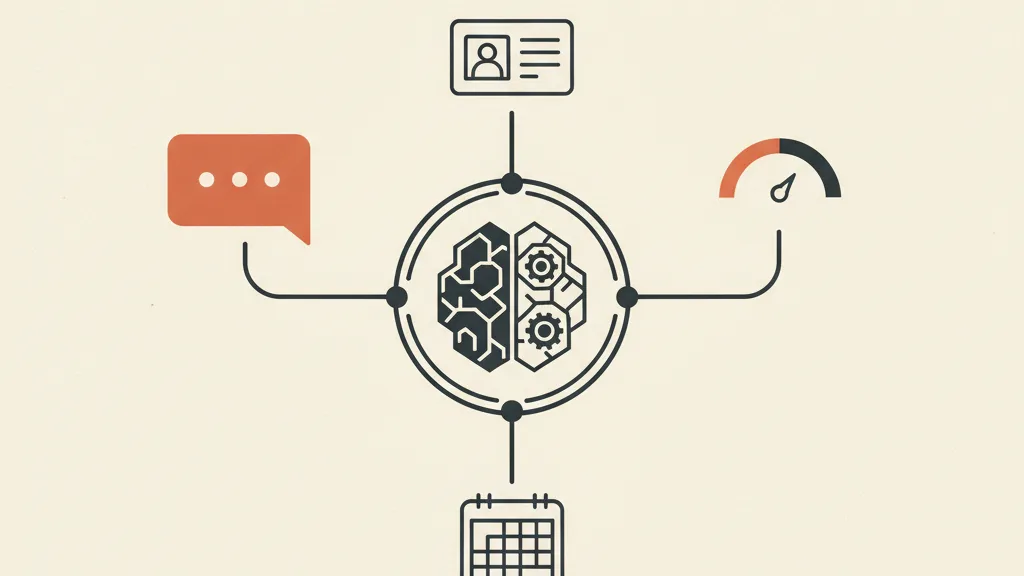
Why the chatbot alone isn't enough: the CRM is the brain
Here's the point almost every article on this topic skips. An AI chatbot, however sharp, is just a conversation surface. The information it gathers needs to land somewhere it makes sense and triggers an action. That "somewhere" is the CRM.
Picture the difference. In scenario A, the chatbot qualifies beautifully and sends an email with the transcript. The salesperson reads it (maybe), copies the data by hand (maybe), follows up (whenever they remember). In scenario B, the chatbot writes straight into the CRM: it creates the contact record, assigns a lead score based on the answers, applies a tag, triggers the right follow-up sequence, notifies the right salesperson, and puts the appointment on the calendar. Zero copy-paste, zero leads slipping through the cracks.
Scenario B only works if the CRM and the chatbot speak the same language. And that's exactly where generic "turnkey" systems fall short: a standard CRM has its own fields, its own way of thinking about data, its own automation limits. It forces your process into their schema. A custom-built CRM does the opposite: it shapes the fields, the scoring, and the automations around how you actually qualify and sell.
What the integration needs to handle
| Function | Chatbot alone | Chatbot + custom CRM |
|---|---|---|
| Data collection | Yes | Yes |
| Contact record created automatically | No / manual | Yes, in real time |
| Lead scoring on answers | No | Yes, with your own rules |
| Routing to the right salesperson | No | Yes (by region, product, workload) |
| Appointment on the calendar | Sometimes | Yes, with confirmation and reminders |
| Automatic follow-up on lukewarm leads | No | Yes, dedicated sequence |
| Conversion reporting by source | No | Yes |
The right-hand column is the one that moves the numbers. And every one of those rows assumes a CRM configured around your process, not a standard one bent into shape by force. If the "custom versus standard" question applies to you, we've unpacked it in custom CRM vs. standard CRM: which one to choose.
Realistic numbers: what to expect
Be wary of anyone promising "300% more leads". The numbers that actually matter, on conversational qualification work, point elsewhere:
- Response time: from hours or days down to a few seconds, 24/7. It's the most concrete, most measurable advantage.
- Share of qualified leads out of the total: the chatbot filters out the curious, so the salesperson works fewer but denser contacts. Fewer wasted calls.
- Booking rate: offering the slot at the moment of peak intent raises the number of appointments actually set, compared to the classic "we'll call you back".
- Cost per qualified appointment: goes down, because you strip out the man-hours spent on manual qualification. It's the metric that actually matters, more than plain cost per lead.
A chatbot doesn't increase traffic: that comes from your lead generation. The chatbot works on the conversion rate from visitor to qualified lead, and from qualified lead to appointment. It's a multiplier on what's already coming in, not a demand generator out of thin air. Confusing the two is the fastest way to end up disappointed.
Want a chatbot that actually qualifies your leads and writes them into your CRM, not one that just collects emails? Request a free analysis of your acquisition process.
How it's built, step by step
A serious project isn't "let's install a chatbot plugin". It's building a piece of your acquisition system. There are six steps:
- Define the qualifying criteria. Before writing a single line, decide what makes a lead "good" for you. These are the questions and thresholds the bot will use. Skip this and the chatbot just chats.
- Design the conversational flow. Which questions, in what order, with what branches. A real AI agent handles the detours, but the base script still needs to be well designed.
- Connect the CRM. Map every piece of collected information to a field, define the scoring rules, the routing rules, and what triggers each automation.
- Integrate the calendar. Sync the real schedules, handle availability, time zones, buffers between appointments, and reminders.
- Define the human handoff. When should the bot pass the ball to a person? A complex case, an out-of-scope request, a high-value lead. A well-designed handoff to a human operator is what keeps you out of awkward conversations.
- Test, measure, refine. The first few weeks are for spotting where the bot trips up and fine-tuning questions and thresholds on real data.
Notice the chatbot is just one of the six steps. The other five are process, data, and integration. That's why we treat it as part of an integrated CRM and funnel system, not as a standalone add-on.
GDPR: a detail you can't skip
A chatbot collects personal data, so it falls under GDPR. You need a privacy notice accessible from the chat, a proper legal basis for processing (typically consent or the execution of pre-contractual measures), and care over where the data is stored. It's not an obstacle, it's basic hygiene: plan for it at the design stage, don't patch it in afterward. For a solid setup, it's worth defining roles and processing purposes upfront, in line with the guidance from Italy's data protection authority (Garante Privacy).
Common mistakes that sink the project
- Chatbot with no CRM behind it. The most common one. Nice bot, data dying in an inbox. You waste 80 percent of the value.
- Vague qualifying criteria. If you haven't decided what makes a lead good, the bot can't filter it. It just collects.
- A flow that's too rigid. A fixed decision tree of questions frustrates the user. You need an agent that reasons, not a questionnaire in disguise.
- No handoff. A bot that loops on a request it doesn't understand does more damage than a contact form.
- Zero measurement. If you're not tracking conversion by source and booking rate, you don't know if it's working and you can't improve it.
All of these mistakes share one root cause: buying a tool instead of designing a process. The chatbot is the visible tip. Underneath it needs the infrastructure that makes it actually useful.
In short
An AI chatbot to qualify leads and book appointments is powerful, but only if you don't treat it as a widget bolted onto your site. The conversation is the surface, the CRM is the brain, the calendar is the hand that closes the deal. When the three pieces work together, you get fewer junk leads, more appointments booked at the right moment, and salespeople talking only to contacts worth their time. When the CRM connection is missing, you've spent money on a chatbot that writes well and delivers little.
If you're weighing whether to build this piece of your acquisition system, the starting point isn't the bot: it's understanding how you want to qualify and what needs to happen next. Everything else gets designed from there.
Frequently asked questions
What's the difference between an AI chatbot and a regular contact form?
A form collects static data and leaves it in an inbox. An AI chatbot holds a conversation, understands the answers, decides whether the contact is qualified, and for the good ones immediately offers a calendar slot while writing the data straight into the CRM. It filters instead of just collecting.
Can the chatbot book calendar appointments on its own?
Yes. Connected to Google Calendar, Calendly, or the CRM's own scheduler, it reads real availability, locks the slot, sends the confirmation, and sets automatic reminders. The appointment lands on the calendar at the moment the lead is hottest, with no delay.
Do you absolutely need a CRM for the chatbot to work?
Technically no, but without a CRM you lose most of the value. The data collected would end up in an email with no scoring, no automatic routing to a salesperson, and no follow-up. The CRM is what turns the conversation into a process that generates revenue.
Does an AI chatbot increase the number of leads?
No, it doesn't generate demand: that comes from your lead generation. The chatbot improves conversion from visitor to qualified lead and from lead to appointment. It's a multiplier on what's already coming in, not a source of traffic.
How does it handle requests the bot doesn't understand?
Through a well-designed human handoff: when it hits a complex case, an out-of-scope request, or a high-value lead, it passes the conversation to a person cleanly, without looping. Defining when and how that handoff happens is part of the project.
Is the chatbot GDPR compliant?
It has to be designed to be. You need a privacy notice accessible from the chat, a proper legal basis for processing, and care over where the data is stored, in line with the guidance from Italy's data protection authority (Garante Privacy). It needs to be planned at the design stage, not patched in later.
Talk to us: we'll look at how you qualify leads today and show you how to connect chatbot, custom CRM, and calendar into one system. The analysis is free.