YouTube Ads for lead generation: how it works and when to use it
9 min read · AstraLoop Studio
There's a stubborn belief among people who manage ad budgets: YouTube is for "getting noticed," not for bringing in customers. You run the video, views go up, you feel visible, but the leads come from Search. In 2026 that thinking leaves money on the table. Inside the Google Ads ecosystem, YouTube has become a channel capable of generating demand and turning it into qualified contacts, not just warming up an audience that converts somewhere else.
The shift has a precise name: Demand Gen. Google stopped treating YouTube as a separate silo and merged it with Discover, Gmail, and the display network into a single campaign type built for acquisition. Video is no longer just where you get seen — it's where you intercept a need before the user even types it into Google. In this guide we'll look at how it really works, which formats to use for lead generation, how to measure it honestly, and when it's better to skip it altogether.

Why YouTube can generate demand (not just awareness)
Demand splits into two kinds: existing and latent. Search captures the first. When someone searches "accounting software for small firms," they've already realized they have a problem and are evaluating solutions. YouTube works on the second: the person who doesn't yet know your product exists, or hasn't yet pinned down the problem you solve. This is the territory of the so-called messy middle, that chaotic path of exploring and evaluating where the user bounces between content before deciding.
Video has a structural advantage on this terrain. It shows the product in action, explains a benefit in fifteen seconds, creates an emotional hook that a Search ad's text simply can't replicate. For products and services that need explaining (B2B SaaS, consulting, technical products, high-value services), this makes the difference. You're not asking the user to buy right away — you're creating the need that will later lead them to search for you, fill out a form, or download a resource.
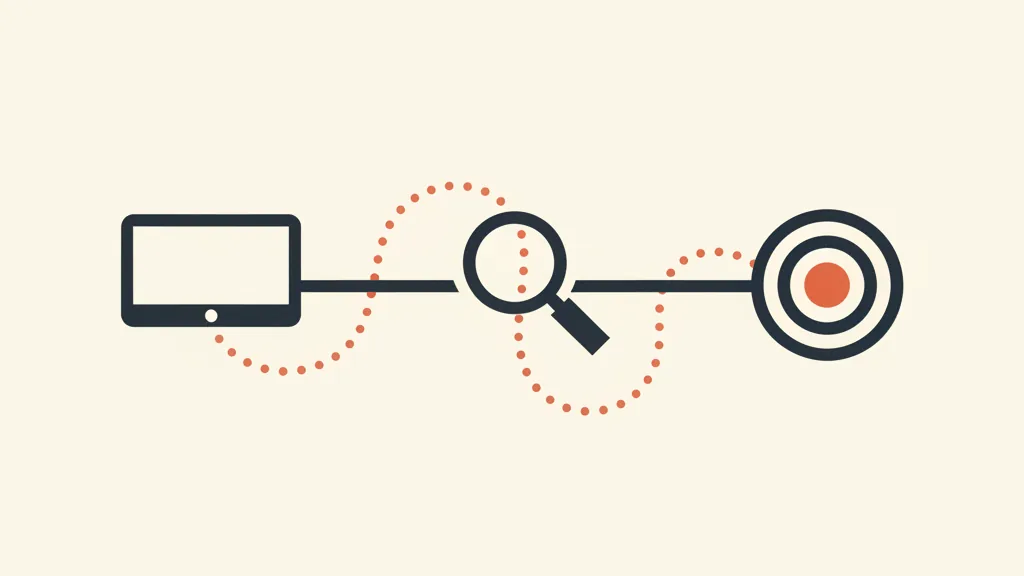
Here's the key point: demand generated on YouTube often converts into demand captured on Search. Look only at the last click and YouTube looks unproductive. Look at its contribution across the whole journey and the picture changes. We'll come back to this in the measurement section, because that's exactly where most campaigns get judged unfairly.
Where YouTube lives inside Google Ads: Demand Gen and Video action
In 2026 you essentially have two routes for video lead generation, both inside the Google Ads platform.
Demand Gen
This is the campaign type built for visual acquisition. It combines YouTube inventory (Feed, Shorts, in-stream), Discover, and Gmail. The logic isn't "reach as many people as possible" but "find people with likely intent and drive them to an action." It supports conversion goals, lets you use your first-party data to build lookalike audiences, and optimizes for the result, not the view. It's the channel that replaced the old Discovery campaigns and absorbed much of what you used to do with separate video campaigns. If you want the full picture, we have a dedicated guide to Demand Gen that goes deep on setup and creative.
Video action (Video views and video conversions)
Action-oriented video campaigns show skippable ads with clear calls to action (button, sitelink, form) and optimize for conversions. They're more "pure video" than Demand Gen and stay useful when you want control over the format and high volumes of actionable reach. Google is progressively pushing everything toward Demand Gen, but the action logic remains the core mechanism: video plus call to action plus optimization on the lead.
A third, often overlooked route is Performance Max, which can also serve ads on YouTube. But for controlled lead generation, Demand Gen remains the more transparent choice, because it tells you where you're appearing and leaves you room on the creative side.
The formats that actually work for lead generation
Not every YouTube format is equal when the goal is a contact. Here are the ones that really matter.
| Format | How it works | When to use it for leads |
|---|---|---|
| Skippable in-stream | Plays before or during the video, skippable after 5 seconds. CTA and button visible. | The standard for action. The first 5 seconds have to hook, so you only pay for those who stay. |
| In-feed | Appears in results and on the home feed as a suggestion. The user chooses to click. | Higher intent: whoever clicks is already curious. Great for services that need explaining. |
| Shorts | Vertical, short, mobile-native. Huge volume, low cost. | Fast hook on latent demand. Needs native creative, not repurposed spots. |
| Bumper (6s) | Non-skippable, very short. Doesn't drive direct leads. | Message reinforcement, not generation. Use it in support, never alone. |
A practical detail: lead form units right under the video do exist, but on YouTube they tend to bring in colder contacts than a click through to a dedicated landing page. The general rule is the same across every channel: the easier it is to fill in, the higher the volume but the lower the quality. If you sell high-value services, it's often better to send the user to a landing page built to convert and filter intent there, instead of scooping up emails in bulk from the native form.
Step-by-step setup: building a campaign that brings in leads
Here's the skeleton of a lead-focused Demand Gen campaign, no frills.
- Define the right conversion. Don't optimize for clicks or views. Set the conversion to the event that matters: form submitted, qualified lead, call booked. If your conversion tracking isn't set up properly, everything else is just noise.
- Feed the algorithm with first-party data. Upload your customer lists, past leads, anyone who's converted. From this, Google builds lookalike audiences far more precise than interest targeting. This is the real multiplier: a solid first-party data strategy is what separates a campaign that fires blindly from one that finds the right people.
- Build creative for action. Hook in the first 5 seconds, problem stated plainly, concrete benefit, clear call to action. No ten-second corporate intro — nobody watches it. And you need multiple variants to give the algorithm room to work.
- Choose the bidding strategy. For leads, use Maximize conversions or target CPA. Start without a strict CPA to let the system gather data, then tighten it. The logic is the same as smart bidding on other channels.
- Send traffic to a destination that converts. A landing page consistent with the video, a short form, zero friction. The video creates the intent, the landing page closes it.
- Exclude what you don't want. Irrelevant placements, kids' content, off-target topics. A minimum of housekeeping keeps you from burning budget on useless impressions.
The most common bottleneck isn't the campaign, it's what happens after the lead arrives. If the contact sits in a spreadsheet for two days before anyone calls back, you've wasted the campaign's money. Companies that get ROI from video have automated sales follow-up that engages the lead within minutes, qualifies it, and routes it. The channel brings the contact, the system turns it into an appointment.
Want to know whether YouTube genuinely earns a place in your acquisition mix, and how to measure it against revenue instead of views? Request an analysis of your campaigns: we'll tell you where you're leaving leads on the table.
Measuring YouTube without kidding yourself (or underrating it)
This is where the whole game is decided. YouTube gets judged unfairly because it gets measured wrong. The problem is attribution: if you credit only the last click, Search takes all the glory and video looks useless. But if it was the video that generated the demand the user then satisfied by searching for you on Google, that lead belongs to YouTube too.
Three things to keep in mind on measurement.
- Don't stop at last click. Look at view-through conversions — people who watched the video, didn't click right away, but converted within the window. And compare different attribution models, as we explain in our guide to attribution models. A data-driven model redistributes credit across the journey instead of rewarding only the final touch.
- Measure incrementality, not just cost per lead. The real question isn't "how much does a YouTube lead cost me" but "how many extra leads do I get by turning on YouTube, all else equal." An incrementality test (or a simple geo on/off) answers that better than any standard report.
- Close the loop with your CRM. Cost per lead isn't enough: a lead that never buys is a cost, not a result. By feeding offline conversions from your CRM back into Google Ads, the algorithm learns to optimize not for form volume but for leads that become customers. That's the step that separates a campaign that "generates contacts" from one that generates revenue.
As for the numbers to watch, the KPIs that matter for video action are cost per conversion, post-view conversion rate, lead quality (how many progress to MQL or SQL), and, ultimately, cost per qualified lead — not per raw lead.
When to use YouTube for leads (and when not to)
It isn't a universal channel. Here's when it genuinely makes sense.
Use it when:
- Your product or service needs explaining or demonstrating (SaaS, consulting, technical products, complex services).
- You've saturated existing demand on Search and want to generate new demand to keep growing.
- You have solid first-party data to feed the algorithm.
- You have (or can produce) decent video creative — without good video, YouTube doesn't work.
- The buying cycle is long enough to justify building demand upstream.
Think twice when:
- Your budget is very small and there's still Search demand to capture: grab that first with lead generation on Google Ads Search, then scale into video.
- You have no capacity to produce video, because badly repurposed spots perform worse than nothing.
- You're selling something on razor-thin margins, where every euro of CAC counts and there's no room to build demand.
- You don't have a follow-up system: video leads tend to sit higher in the funnel and need nurturing, not an immediate sales call.
The smartest way to think about it isn't "Search versus YouTube" but "Search and YouTube together." Video generates and warms the demand, Search captures it at the moment of intent, remarketing recovers whoever didn't convert the first time around. It's a system, not a standalone channel. Treat YouTube as an island and it looks unfair; integrate it into the journey and it becomes a demand-generation machine.
The full picture
YouTube inside Google Ads is no longer just the awareness channel that exists for its own sake. With Demand Gen and action-oriented video campaigns, it's a demand-generation tool that, measured with a clear head and integrated with the rest of your acquisition system, brings in real leads, not just views. The key comes down to three things: creative that hooks, tracking that sees past the last click, and a downstream system that turns the contact into a customer. Miss one of these and the channel will feel like a cost. Get all three right, and it becomes one of the most effective ways to grow demand once Search alone isn't enough.
For the full strategic picture across the whole platform, our 2026 Google Ads strategy guide lays out how to make Search, video, and Performance Max work as a single acquisition engine.
Frequently asked questions
Is YouTube Ads only for awareness, or can it bring in leads?
It can bring in real leads. With Demand Gen and Video action campaigns inside Google Ads, YouTube optimizes for conversions (forms, calls, sign-ups) and not just views. It generates latent demand that then turns into qualified contacts.
What's the difference between Demand Gen and regular video campaigns?
Demand Gen combines YouTube inventory, Discover, and Gmail into a single campaign built for acquisition, using your first-party data to find lookalike audiences. Video action campaigns are more "pure video" and give you more control over the format. Google is pushing everything toward Demand Gen.
How do I measure leads generated by YouTube if they convert elsewhere?
Don't stop at last click: look at view-through conversions, use a data-driven attribution model, and above all run incrementality tests to see how many extra leads you get by turning the channel on. Connecting offline conversions from your CRM closes the loop on real quality.
How much budget do I need to start with YouTube Ads for lead generation?
There's no fixed threshold, but you need enough budget for the algorithm to gather conversion data — typically a few dozen conversions a month. If your budget is very small, it's better to capture existing demand on Search first, then scale into video.
What kind of video works best for generating leads?
Video that hooks in the first 5 seconds, states a problem plainly, shows a concrete benefit, and closes with a clear call to action. Skip long corporate intros. For Shorts you need native vertical creative, not spots repurposed from a horizontal format.
Is a lead form inside YouTube better than sending the user to a landing page?
It depends on the goal. The native form increases volume but brings in colder contacts. For high-value services, it's better to send the user to a dedicated landing page: it filters intent better and produces more qualified leads, even if fewer in number.
If you want to turn demand generated on YouTube into real appointments, with clean tracking and automated follow-up, talk to us: we build the system that connects the channel, the lead, and the CRM.