Dynamic remarketing on Google Ads: how to win back visitors who didn't convert
8 min read · AstraLoop Studio
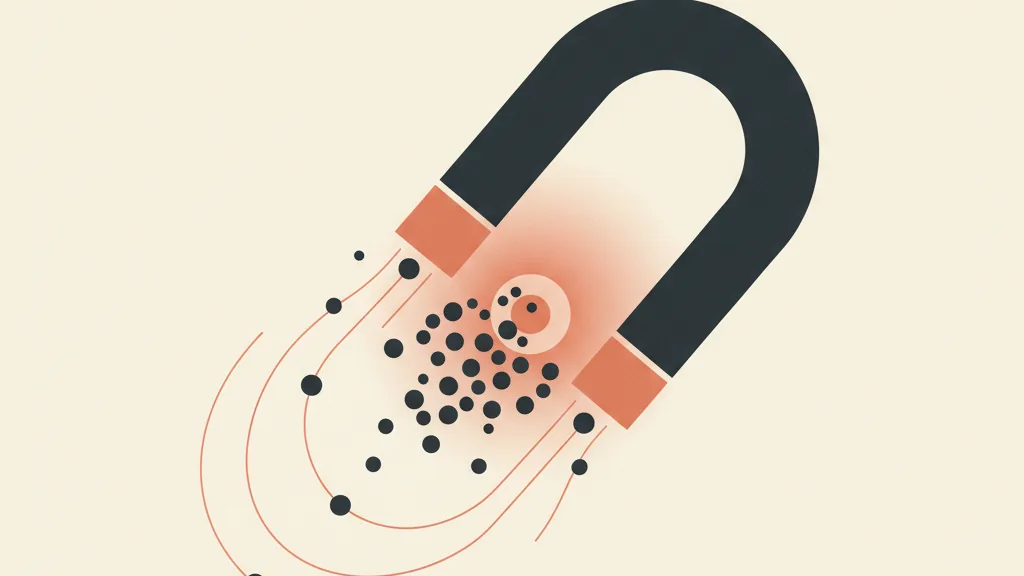
Let's do some quick math. Out of 100 people landing on your page or product listing, how many leave a contact or buy on the first visit? In most industries, it's 2-4%. The other 96 walk away. Not because your product is wrong for them, but because the timing was off: they got distracted, needed to compare options, had a meeting to run to. Those are your warm leads, the largest and most neglected slice of your ad budget.
Dynamic remarketing on Google Ads exists for exactly this: putting an ad in front of people who've already seen your site, built around the specific product or service they were actually looking at, instead of a generic banner. It's not magic, it's a system. And in 2026 the system that works is different from the one that worked three years ago, because third-party cookies are on their way out and the data that matters is your own. Let's look at how to actually set this up, no shortcuts, no fluff.
Dynamic remarketing vs standard remarketing: what actually changes
Standard remarketing shows the same ad to everyone who's visited the site. Useful, but blunt. Dynamic remarketing instead auto-populates the ad with the exact elements the user actually saw: the product listing, the service, the price, the image. If someone looked at a pair of shoes in a specific model, that's the model they see in the ad, not a random brand banner.
The practical difference is huge. A dynamic ad is relevant by definition, so it gets higher CTR and conversion rates for the same spend. The mechanism rests on two pillars:
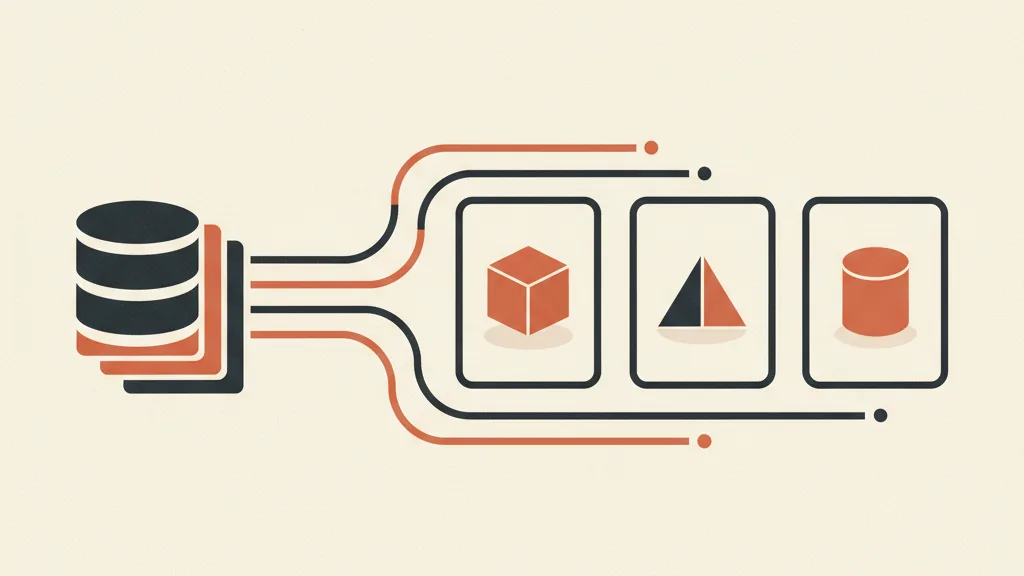
- The product feed: a structured list of what you sell (ID, title, price, image, URL). For ecommerce it connects to Google Merchant Center; for services you use a custom dynamic business feed.
- The remarketing tag with dynamic parameters: a snippet that, besides flagging who visited the site, records what they saw (the product or service ID) and which stage of the funnel they were at (view, add to cart, checkout started).
When the two talk to each other, Google matches the ID the user saw against the feed and assembles the right ad. If you have a 300-item catalog, you don't build 300 ads: you build one dynamic ad and the system does the rest. If you work in services (consulting, training, B2B), the feed holds your offers or packages and the logic is identical.
Why in 2026 remarketing starts with your own data, not cookies
This is where the real shift is. Until recently, remarketing lived almost entirely on third-party cookies and passively collected audiences. That world is closing: browsers blocking cookies, Consent Mode v2 mandatory to use consenting users' data, people increasingly privacy-aware. The result is that pixel-only lists are shrinking and getting less reliable.
The answer isn't mourning lost cookies, it's shifting the center of gravity to first-party data: what people hand you voluntarily. Email, phone numbers, on-site behavior, CRM data. This is yours, it's reliable, and it's the foundation of remarketing that holds up over time. In Google Ads it translates into two concrete levers:
- Customer Match: you upload email and phone lists from your CRM (hashed, so anonymized) and Google matches them against logged-in user accounts. That lets you remarket even to people no longer trackable via cookies, as long as they've left a contact and given consent.
- Consent Mode v2 and Enhanced Conversions: the first tells Google whether the user gave consent or not, letting you model missing conversions in a way that's GDPR-compliant; the second enriches conversion signals with hashed first-party data, improving list accuracy and optimization.
In practice, the richer and more organized your first-party data asset, the better dynamic remarketing works. That's why a well-maintained CRM isn't an operational detail, it's the fuel behind your acquisition.
How to set up dynamic remarketing step by step
Let's walk through the concrete sequence. It's not a five-minute job, but it's not a months-long project either: with one clean week of work you're up and running.
1. Prepare the feed
For ecommerce, connect your catalog to Google Merchant Center and make sure the attributes are complete: ID, title, price, availability, image, link. A messy feed (broken images, stale prices, inconsistent IDs) is the number one reason dynamic ads fail to launch. If you sell services, build a custom dynamic business feed with your packages.
2. Install the tag with dynamic parameters
The remarketing tag needs to be configured to pass the correct dynamic parameters on every page: which product or service (ID) and which event (view, cart, checkout). Best managed through Google Tag Manager, ideally in server-side mode to survive browser-level blocking. If the tag isn't passing the right IDs, your remarketing stays standard, not dynamic.
3. Build your audiences (the lists)
This is where you win or lose. Don't use a single "all visitors" list. Segment by intent and funnel stage:
- High intent: people who started checkout or filled out half a form without finishing. These are the hottest, they deserve your best budget and an unlock offer.
- Medium intent: people who added to cart or visited the service page multiple times.
- Low intent: generic page visitors. Useful for soft pressure, not for pushing discounts.
- CRM lists (Customer Match): database leads who never bought, dormant customers, people who downloaded a lead magnet but never followed through.
Watch the membership duration: 540 days is the maximum, but for a short buying-cycle product a 30-90 day window makes far more sense. Chasing someone who looked at a pair of socks once for a year and a half is just burned budget.
4. Set up exclusions
A golden rule that gets forgotten often: exclude anyone who already converted. If you don't, you keep paying to show the offer to people who already bought. Build a "buyers" list and use it as an exclusion across all your acquisition remarketing campaigns. This is one of the most common budget wastes on Google Ads.
5. Choose networks and bids
Dynamic remarketing runs on the Display Network and on Demand Gen. With smart bidding (Target CPA or Maximize Conversions) you leave bid optimization to Google, but you need to feed it clean signals: if tracked conversions are off, the algorithm optimizes toward the wrong target.
The hidden treasure: warm leads already in your CRM
So far we've talked about people who visit your site. But the most profitable vein is elsewhere, in the contacts you've already collected and that never closed: unfinished quotes, expired free trials, people who replied to a cold email and then vanished, customers who haven't ordered in a year.
Reactivating a contact you already have costs a fraction of acquiring a new one. And the numbers back it up: the cost of reactivating a customer versus acquiring one is markedly lower, because the relationship (and the consent) already exist. With Customer Match, those CRM lists become activatable audiences on Google Ads. But paid remarketing on its own is incomplete: the paid channel warms things up, then you need a system that keeps the conversation going by email, WhatsApp, or phone. This is where automation makes the difference between a click and a customer.
A well-built flow combines the Google remarketing audience with an automated follow-up sequence and, where it makes sense, AI-assisted outbound outreach. The ad brings the lead back to the site, the nurturing system carries them to conversion. That's the difference between throwing traffic away and building a real dormant database reactivation engine.
Got a database full of warm leads and quotes that never closed? Request an analysis: we'll show you how to connect dynamic remarketing and automated reactivation to win back the contacts you'd written off.
Mistakes that kill dynamic remarketing
| Mistake | What happens | What to do instead |
|---|---|---|
| Single "all visitors" list | Low-relevance ads, diluted budget | Segment by intent and funnel stage |
| Not excluding converted users | You pay to show offers to people who already bought | Buyers list as a permanent exclusion |
| Dirty or stale feed | Ads with old prices or broken images, or campaign stalls | Automatic sync and attribute checks |
| Frequency too high | Ad fatigue, brand perceived as intrusive | Frequency cap and creative rotation |
| Ignoring Consent Mode v2 | Lists shrink, non-compliant data | Configure consent and Enhanced Conversions |
| Ads only, zero follow-up | Clicks that never turn into sales | Connect remarketing with automated nurturing |
Another delicate point is frequency. Remarketing works through repetition, but past a certain threshold it becomes annoying: the same person seeing your ad ten times a day doesn't convert, they get irritated. Set a reasonable frequency cap (say, 3-5 impressions a day) and rotate your creatives, so you avoid ad fatigue and keep the message fresh.
How to measure whether it's working
The risk with remarketing is taking credit that isn't yours. The people on your list already knew you, and some would have converted anyway. That's why raw attributed conversions aren't enough. You need to think in terms of incrementality: how many additional conversions does remarketing actually generate compared to not running it? A holdout test on part of the audience tells you the truth better than any report.
KPIs to watch: CTR (this is where relevance shows), conversion rate of the remarketing campaign, cost per conversion, and ROAS or CPA compared to prospecting campaigns. Solid conversion tracking is essential: with cookies fading out, Enhanced Conversions and offline conversions from your CRM give back the slice of sales you'd otherwise miss (for example, deals closed over the phone after the click).
Dynamic remarketing isn't a standalone channel, it's the link that closes the loop between the traffic you pay for and the contacts you already own. Set up properly, with first-party lists and a reactivation system behind it, it recovers a chunk of customers you'd written off. And that chunk is exactly what moves the needle on margins, because it costs less than any cold acquisition.
If you want the bigger picture, start with the strategic guide to Google Ads for 2026 and connect remarketing to your overall customer acquisition system. The single channel matters little; it's the system tying them together that grows revenue.
Frequently asked questions
What's the difference between dynamic and static remarketing on Google Ads?
Static remarketing shows the same ad to every visitor. Dynamic remarketing auto-populates the ad with the specific product or service the user viewed, matching the product feed against the remarketing tag. Result: far more relevant ads, with higher CTR and conversion rates.
Do I need an ecommerce store to run dynamic remarketing?
No. Ecommerce stores use Google Merchant Center, but service businesses can use a custom dynamic business feed with packages, consulting offers, or deals. The matching logic between feed and tag is identical in both cases.
Does remarketing still work without third-party cookies?
Yes, but it needs to shift to first-party data. With Customer Match you upload hashed email and phone lists from your CRM and Google matches them to logged-in users. Combined with Consent Mode v2 and Enhanced Conversions, this keeps remarketing effective and compliant even as cookies fade out.
How do I avoid showing ads to people who already bought?
Build a list of buyers or already-converted customers and set it as an exclusion across all your acquisition remarketing campaigns. It's one of the most common budget wastes: without exclusion, you pay to re-pitch an offer to someone who already purchased.
How long should I keep chasing a visitor?
It depends on the buying cycle. The technical maximum is 540 days, but for short-cycle products a 30-90 day window is more effective. Chasing marginal interest for too long burns budget and fuels ad fatigue.
How do I measure whether remarketing is driving real sales, not just attributed ones?
Think in terms of incrementality: run a holdout test, pausing remarketing for part of the audience, to see how many additional conversions it actually generates. Many people on the list would have converted anyway, so raw attribution overstates the real contribution.
Want to turn leads who didn't convert into real customers? Talk to us: we'll build the remarketing and reactivation system tailored to your acquisition.