Nano Banana 2 for Ad Creatives: What It Can Actually Do
10 min read · AstraLoop Studio
Nano Banana 2 is the name people use for Google's new image model, officially Gemini 3.1 Flash Image, released in February 2026. It's the successor to the original "Nano Banana" (Gemini 2.5 Flash Image, August 2025), which had already made noise for one specific reason: it could write text inside images without producing the usual gibberish. Version 2 raises the bar on exactly that, which is why it's worth discussing from an advertising angle rather than just as "pretty pictures."
If you produce creatives for Meta or an e-commerce store, the problem has never been generating a nice photo. The problem is generating a photo that's usable in a live campaign: with the right headline, readable, consistent with the actual product, and reproducible in ten variants without redoing everything by hand. Below is what Nano Banana 2 genuinely does well, where it still trips up, and how to fold it into a serious production workflow instead of treating it as a toy.
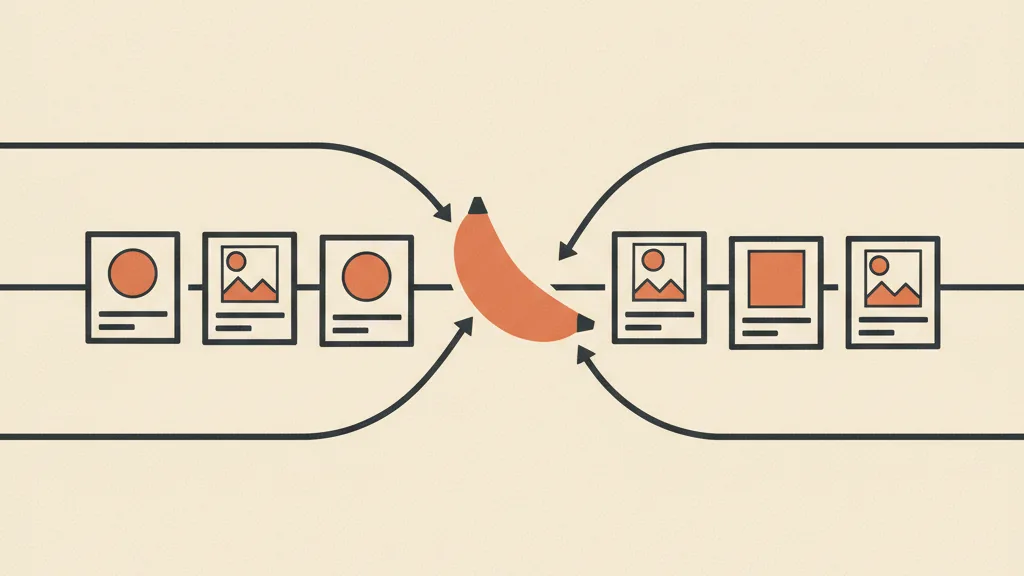
What Nano Banana 2 actually is (and why the name confuses people)
Let's clear up the naming, because that's where the confusion starts. "Nano Banana" is a nickname born in the community that Google has effectively adopted too: it refers to the Flash family of Gemini image models. The official designation of the model we're talking about is Gemini 3.1 Flash Image. When someone says "Nano Banana 2," that's what they mean.
The key word is Flash: it's the line built to be fast and cheap, not the heavier "pro" model. In practical terms: it costs a few cents per image and responds in seconds. If you need to churn out dozens of creatives a week, that combination matters more than the absolute quality of any single render. You don't need a masterpiece — you need testable volume at close to zero marginal cost.
Compared to the previous generation, the three concrete leaps are: far more reliable text inside the image, better consistency when you reuse the same subject or product across multiple images, and sturdier handling of multi-image composition (merging a cut-out product with a background, for example, while keeping the lighting believable).
Readable text: the real reason this matters
Historically, image models were unusable for text-heavy creatives. Ask for "SALE -40%" and you'd get "SLAE -04%" with letters fused together. So you added the headline yourself afterward, in Photoshop or Canva, wiping out the speed advantage. The Nano Banana line flipped that around, and version 2 does it even better.
Here's what to realistically expect from in-image text:
- Short phrases come out well: a 2-5 word headline ("Free shipping," "New collection," "Up to -50%") comes out readable and well-placed in the large majority of attempts.
- Prices and formatting: if you specify it, the model respects the format you ask for. Always spell out the exact format you want in the prompt rather than leaving it to guess.
- Accented and special characters: handled far better than before, but still the most fragile point. On long accented words, output quality drops.
Where it still falls short: long paragraphs (a dense block of text is still a coin flip), very specific fonts you want replicated pixel-for-pixel, and keeping the exact same line of copy identical across twenty variants. That still needs a review pass. The practical rule: use Nano Banana 2 for creatives where the text is part of the scene (a sign, a label, a storefront, a t-shirt print), and keep "layout" text (legal claims, disclaimers, price lists) as an overlay added during editing.
This, incidentally, is why in-image text is now the number one criterion for choosing an image model for marketing. If you're evaluating the whole category, we've compared the options in our guide to AI image generation tools for marketing.
Product mockups: from bare photo to sellable scene
The second strong use case is the mockup. The typical dropshipping or e-commerce situation: you have three supplier photos, white background, flat lighting, zero context. From there you need creatives that look like a real brand.
With Nano Banana 2 you can start from the actual product photo and ask for it to be dropped into a scene: a serum bottle on a marble shelf in morning light, a sneaker on urban asphalt, a bag in a lifestyle set. The advantage of version 2 is consistency: the product stays recognizable and isn't "reinvented" on every generation, which happened often in the previous version and made mockups unusable because the model would draw a different product than the one you actually sell.
Three details that separate a usable mockup from a throwaway one:
- Always start from the real image, not a text description. "Generate an anti-aging serum" gives you an invented product; "put this bottle in this scene" keeps your actual product.
- Palette coherence: explicitly ask for lighting and background to harmonize with the product's colors. A pastel package on an electric-purple background clashes and hurts performance.
- Check the functional details: logos, labels, the shape of caps and seams. The model tends to "round them off." On a branded product, this is the first thing to verify before shipping a campaign.
If your focus is e-commerce, this ties into a broader conversation about asset and listing production: it's worth reading how AI applies to e-commerce use cases and how to optimize the product page downstream, because the creative doesn't exist in isolation from the page that receives it.
Batch variants: where the real operational gain lies
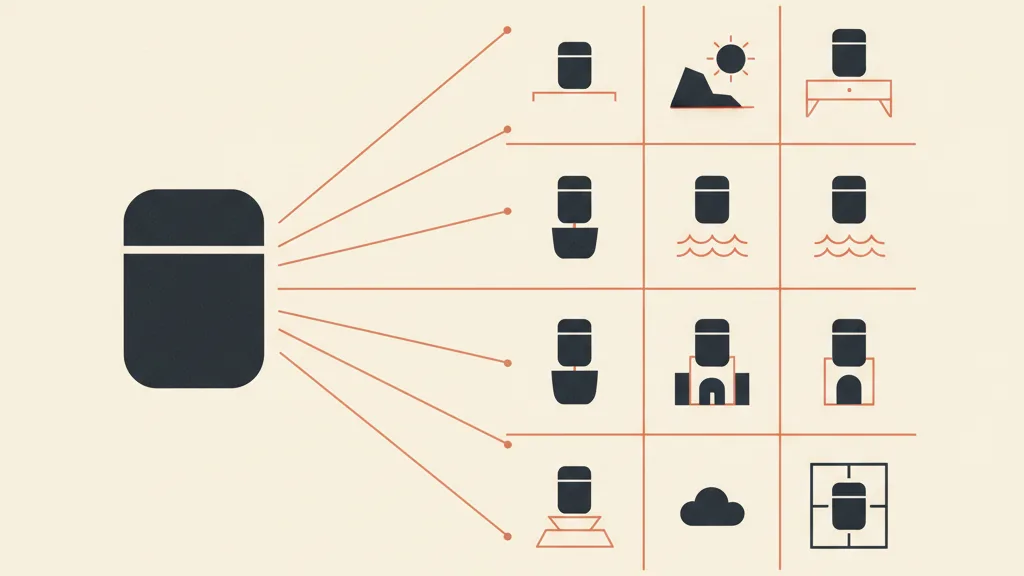
Here's the point almost everyone underrates. Nano Banana 2's value isn't the single spectacular image. It's the ability to produce consistent variants at near-zero marginal cost. And in performance advertising, variants are everything: creative testing runs on quantity.
Concrete examples of series you can generate from the same base:
- The same creative with 6 different headlines for an A/B test on messaging.
- The same product in 4 settings (home, office, outdoors, gym) to test which context converts.
- The same layout adapted to a 1:1 square format and a vertical story format, without rebuilding the scene from scratch.
- A seasonal series (sale, Christmas, Valentine's Day) that reuses the setup and only changes mood and claim.
This is exactly the fuel a structured creative-testing method needs: before, you couldn't afford 15 variants because each one cost designer time; now the bottleneck shifts from producing to deciding what to test. That's a much healthier problem to have.
Be careful, though, not to confuse volume with strategy. Generating 50 random images isn't a campaign. Variants only make sense inside a hypothesis ("does the functional benefit convert better than the price angle?", "does the lifestyle background beat the neutral one?"). Without a hypothesis, the model just helps you burn budget faster. If you're starting from scratch on the method, our complete guide to ad creativity lays out the upstream reasoning.
Want to turn Nano Banana 2 into a real creative production line, not a one-off experiment? Tell us what you sell and we'll show you how to set up pipelines, prompt templates, and testing tailored to your business.
The real limits: where Nano Banana 2 doesn't get there (yet)
It would be dishonest to sell this as a solution to everything. Here are the concrete limits you hit in real production, no sugarcoating:
- Long, dense text: as noted, beyond short phrases it becomes unreliable. Don't generate disclaimers, tables, or price lists inside the image.
- Recurring human faces: if you need the same testimonial across 10 different scenes, face consistency has improved but isn't perfect yet. For UGC with real people, the model helps but doesn't replace them.
- Fine technical product details: small components, text on a real label, model numbers. Always needs a visual check.
- Hands, reflections, mirrored text: the classic weak points of image models remain, and still need checking.
- Strict brand consistency: if you have a tight brand guideline (exact font, precise Pantone, logo lockup), the model gets you close, but pixel-perfect compliance only comes from editing.
The correct takeaway: Nano Banana 2 doesn't eliminate the designer, it shifts their work. Less time building scenes from scratch, more time directing, correcting, and selecting. It's a productivity multiplier, not a "do everything" button.
How to fold it into a serious production workflow
A model, on its own, is a demo. The value shows up when you embed it in a repeatable process. Here's a workflow that works for anyone producing creatives at volume:
- Structured input: real product photos plus metadata (category, palette, use occasion). The cleaner the context, the better the output.
- Prompts as templates, not improvisation: build reusable prompts per format ("lifestyle mockup," "price collage," "versus"), with the fixed rules baked in (localized copy, correct price formatting, color harmony). That way quality doesn't depend on the mood of the moment.
- Batch generation: N variants per format, not one at a time.
- Quick human review: a glance to discard the obvious rejects (broken text, warped logo). It takes seconds per image, not minutes.
- Editing pass only where needed: legal text layer, logo touch-ups, export into campaign formats.
Notice what changes: the model is one piece, not the whole thing. The real lever is automating creative production with AI, where Nano Banana 2 is the generation engine, but the value sits in the pipeline that feeds and controls it. It's the same principle behind why a good CRM isn't the software — it's the process built around it.
This connects directly to a bigger shift underway on Meta: with the Andromeda era, creative is effectively becoming the new targeting lever, and that requires a lot of consistent production to feed the system. If you haven't kept up, we explain what changes with Andromeda for creative and how to set up creative design for this scenario. Nano Banana 2 is, in practice, one of the tools that makes that volume sustainable.
Nano Banana 2 vs alternatives: when it makes sense
It's not the only model on the market. The right choice depends on what you're optimizing for.
| Priority | Sensible choice | Why |
|---|---|---|
| Readable in-scene text + cheap volume | Nano Banana 2 (Gemini 3.1 Flash Image) | Best text/cost/speed ratio for batch creatives |
| Maximum fidelity on a single hero image | Premium "pro" models | Higher quality but much higher cost per image |
| Absolute lowest cost, text secondary | Earlier budget Flash versions | Fractions of a cent when text isn't the point |
| Consistent UGC with real people | Hybrid approach (AI + real shoot) | Face consistency isn't fully solved by any model yet |
Bottom line: for everyday performance production, where you need lots of text-driven creatives on a tight budget, Nano Banana 2 is currently one of the most rational choices. For a single high-budget brand hero image, a premium model can be worth the spend. Most small and mid-sized businesses fall into the first case, not the second. If you want to go deeper into generative models applied to marketing, see our overview of Gemini use cases for marketing.
The practical rule to take home
Nano Banana 2 does three things well that used to be a problem: short readable in-image text, consistent product mockups starting from real photos, and batch variants at near-zero cost. It does badly the same things every image model does badly: long text, fine technical details, pixel-perfect brand consistency, repeated human faces.
The smart move isn't asking "does this model replace my designer?" but "how do I embed it in a process that produces testable, consistent volume?" The model is an ingredient. The competitive edge is the recipe: clean inputs, prompt templates, batch generation, quick review, and a testing method that gives all those variants a purpose. Everything else is just producing the same mistakes faster.
Frequently asked questions
Are Nano Banana 2 and Gemini 3.1 Flash Image the same thing?
Yes. "Nano Banana 2" is the nickname the community and Google use for the image model officially called Gemini 3.1 Flash Image, released in February 2026. It's the successor to the original Nano Banana (Gemini 2.5 Flash Image).
Does Nano Banana 2 write readable text in other languages?
On short phrases (2-5 words), yes, reliably, and it handles accented characters and localized price formatting well if you specify it in the prompt. On long paragraphs or very specific fonts it remains unreliable: that text is better added as a layer in editing.
Can I use it to create mockups of my actual product?
Yes, and it's one of its strongest points. Starting from the real product photo (not a description), it drops it into lifestyle scenes while keeping it recognizable. Always check logos, labels, and functional details before shipping a campaign, since it tends to round them off.
How much does it cost to generate an image with Nano Banana 2?
It's part of the Flash line, built for low cost and speed: a few cents per image. The real advantage isn't the single render but the ability to produce many variants at near-zero marginal cost, ideal for creative testing.
Does Nano Banana 2 replace a designer or an agency?
No, it shifts the work. It cuts down the time spent building scenes from scratch, but you still need creative direction, quality control (hands, text, logos), and detail editing. It works as a productivity multiplier inside a process, not as a "do everything" button.
What limits does it have compared to premium image models?
Long, dense text, pixel-perfect brand consistency (exact fonts and Pantones), repeated human faces across scenes, and fine technical details. For a single ultra-high-fidelity hero image, a "pro" model can be worth the spend; for everyday performance volume, Nano Banana 2 remains more rational.
If you produce creatives at volume and want an AI workflow that generates consistent variants without redoing everything by hand, let's talk: we'll analyze your case and tell you what's actually worth automating.