Meta Lead Ads Forms: How to Collect Leads That Actually Convert
9 min read · AstraLoop Studio
Meta's Lead Ads forms (the Instant Forms that open inside Facebook or Instagram when someone taps your ad) are the fastest shortcut to filling a CRM with contacts. No page-load wait, fields already pre-filled with profile data, one tap and the lead is in. The problem is that this very speed is exactly why so many of those contacts turn out to be worthless: someone who fills in a form without a second thought isn't necessarily someone who actually wants to buy from you.
So the right question isn't "native forms or a landing page". It's: "how do I collect leads my sales team can actually close?". In this article we'll look at when the Instant Form makes sense, when you're better off sending traffic to your own page, how to raise lead quality with pre-qualification questions, and why following up within five minutes (ideally automatically) matters more than everything else combined.
How Meta's Lead Ads forms work
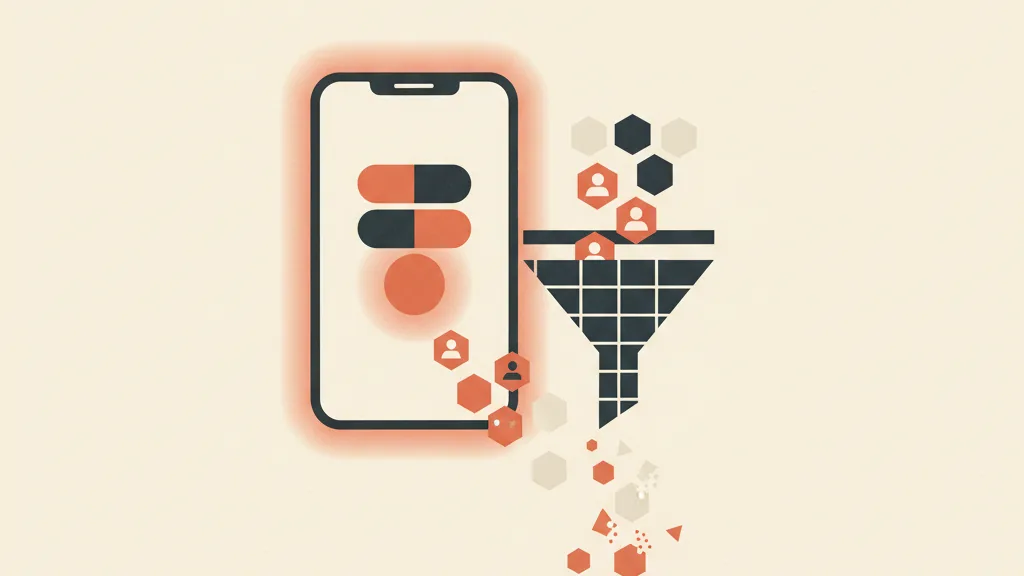
When you launch a campaign with the "Leads" objective and choose the native form, the user never leaves the platform. They tap the ad, a form opens inside Facebook or Instagram, the personal fields (name, email, phone) are already filled in with whatever Meta knows about their profile, they confirm, and they're done. From there the lead can end up in three places: Meta's Lead Center (to be downloaded manually as a CSV), pushed in real time to your CRM via integration, or routed into a WhatsApp chat.
The upside is obvious: near-zero friction means a high completion rate and a low cost per lead. In many industries an Instant Form costs 40-60% less per lead than a classic landing page. The downside is the flip side of the same coin: if filling in a form costs just one tap, even people with zero serious intent will fill it in. You end up with inflated volumes and a disappointing lead-to-customer conversion rate.
The two Instant Form variants: more volume or more intent
Meta lets you choose between two configurations, and it's a strategic choice, not a technical detail.
- More Volume: the form pre-fills everything and the user submits with no review step. Maximum volume, minimum friction. Suited to prospecting campaigns on cold audiences, where you need to gather signal and generate quantity.
- Higher Intent: adds a review step before submission, where the user checks their details and confirms. It reduces accidental submissions and, according to 2026 industry data, improves the lead-to-appointment rate by 15-25%, at the cost of a 10-20% higher CPL.
The practical rule: in B2B and in any high-ticket sale, start from "Higher Intent" almost every time. In high-volume B2C, where you then filter downstream with automation, "More Volume" can make sense. If you're unsure, a clean approach is to start with "More Volume" to set your cost benchmarks, then test "Higher Intent" and measure how much quality improves.
Instant Form or landing page: when to use which
There's no absolute winner. It depends on three things: how complex your product is, how much information you need before talking to the lead, and how structured your follow-up process is. Here's a quick comparison.
| Criterion | Native form (Instant Form) | Landing page |
|---|---|---|
| Friction | Minimal (pre-filled fields) | High (user types everything) |
| Cost per lead | Low | Higher (often +40-60%) |
| Average lead quality | Variable, often lower | Higher (greater intent) |
| Room to persuade | Little (the ad has to do it all) | A lot (copy, proof, testimonials, video) |
| Data you can collect | Basic info plus a few custom questions | Unlimited, conditional fields |
| Tracking and pixel | Limited (inside Meta) | Full (pixel, CAPI, UTM) |
| Launch speed | Immediate | Requires building the page |
Use the Instant Form when: the offer is simple and understandable in three seconds (a free consultation, a quote, a lead magnet), you need fast volume for testing, or your audience is mostly mobile and every second of load time costs you conversions. It's also great for warming up new campaigns and quickly finding out whether an offer has a market.
Use a landing page when: the product needs explaining and justifying (high-value services, complex B2B), you want to qualify heavily before letting the contact into the funnel, or you need clean server-side tracking to optimize campaigns on real conversion data. If you're wondering how to build a page that actually converts, we covered it in a dedicated guide to landing pages for lead generation.
One last note: it's not a once-and-for-all choice. Many companies test both options in parallel on the same audience and compare not CPL, but cost per qualified lead, which is the only metric that really matters.
How to raise the quality of Lead Ads forms
If you decide to use Instant Forms, the work isn't done once they're switched on. The difference between a form that brings in junk and one that brings in closeable leads comes down to three concrete levers.
1. Pre-qualification questions
This is the most powerful lever. Adding one or two custom questions to the form filters out people who aren't a fit before they even reach the CRM. The right questions depend on your business, but the most effective ones revolve around a handful of themes.
- Budget or spending range ("What's your approximate budget?") to screen out people who can't afford you.
- Timing ("When would you like to get started?") to separate urgency from mere curiosity.
- Role or company size in B2B, to find out whether you're talking to a decision-maker.
- Current situation or problem ("What's the main challenge you want to solve?"), which also gives you material to personalize the first contact.
Watch the dosage: every extra field lowers the completion rate, typically by 10-20% per field. The rule is one or two qualifying questions, three at most. Beyond that, the form falls apart. The goal isn't to maximize the number of leads, but to maximize the right leads. A form that brings in 30 contacts with 12 qualified beats one that brings in 100 with only 15. If you want to really understand the difference between a raw lead and one ready for sales, read how to qualify leads in a structured way and the distinction between MQLs and SQLs.
2. Multiple-choice questions, not free text
Whenever you can, offer preset options instead of free-text boxes. It's faster for the user (less friction) and the data you receive is structured, so it's immediately usable for automatic lead scoring. A "What's your budget?" question with three clickable ranges is worth ten times an empty box where the user types whatever comes to mind.
3. Consistency between the ad and the offer
A lot of junk leads originate upstream, in the creative itself. If the ad promises a "free guide" but the form asks to book a call, the mismatch produces confused contacts. The creative needs to state clearly what happens after the click and what someone needs to have to be the right customer. An ad that speaks to everyone attracts everyone; one that speaks to your ideal customer attracts them and repels the rest, which is exactly what you want. Our pillar piece on Facebook lead generation that converts goes deeper into the overall strategy.
If your Lead Ads forms bring in contacts that then go nowhere, the problem is almost always what happens after submission. Request an analysis of your funnel: let's find together where you're losing qualified leads.
The decisive factor: follow-up within 5 minutes
You can have the perfect form and the best qualification questions in the world, but if the contact then sits in the Lead Center for two days before anyone calls back, you've thrown your money away. This is where most companies lose the game, often without even noticing.
The data is well known, yet it keeps getting ignored: according to research cited by Harvard Business Review, companies that respond within 5 minutes are up to 100 times more likely to connect with a lead than those who wait 30 minutes. The reason is psychological: when the user fills in the form, they've just seen your ad, your product is still fresh in their mind, intent is hot. Thirty minutes later they've already moved on. A day later they don't even remember leaving you their details.
The problem is that, with a human team, responding within five minutes every single time, day and night, is simply impossible. Leads come in the evening, on weekends, while the salesperson is in a meeting. And this is exactly where automation stops being a "nice to have" and becomes the core of the system.
WhatsApp and AI: follow-up that never sleeps
The setup that works best in 2026 connects the Lead Ads form directly to an automated flow. Meta sends a webhook notification to your endpoint within seconds of the form being submitted; everything kicks off from there. The ideal channel for the first contact is WhatsApp, where open rates top 90% against 20-30% for email.
The typical sequence looks like this.
- The lead fills in the Instant Form.
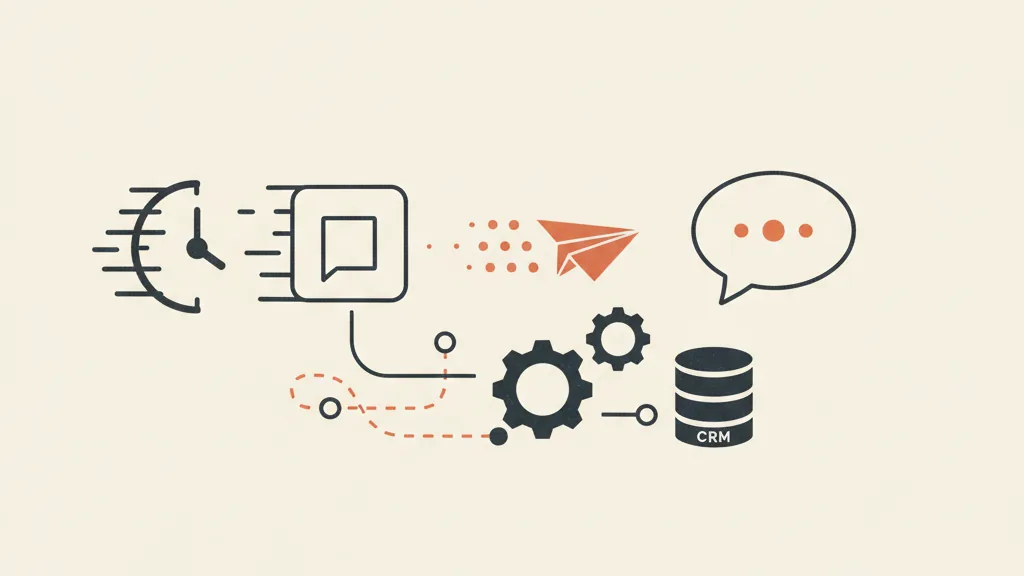
- Meta's webhook sends the contact to the CRM in real time (no manually downloaded CSVs).
- Within seconds, an automatic, personalized WhatsApp message goes out, thanking them, confirming the request, and asking the first engagement question.
- A conversational AI agent handles the reply: qualifies the lead further with two or three questions, answers early objections, and, if the lead is hot, directly proposes a slot in the calendar.
- Only qualified leads with an appointment already booked reach the human salesperson.
The result is twofold: response time drops from hours to seconds, and the sales team stops wasting time on unqualified contacts and only talks to people who've already shown real intent. If this topic interests you, we've covered how an AI agent for lead qualification on WhatsApp works and, more broadly, AI-driven sales follow-up automation.
Why putting the CRM at the center changes everything
Downloading leads as a CSV from Meta's Lead Center is the surest way to lose contacts. The form needs to be integrated with a CRM that receives leads in real time, assigns them, kicks off sequences, and tracks every interaction through to close. That way you can also send offline conversion data back to Meta (when a lead becomes a customer), so the algorithm learns to bring you not just contacts, but contacts who buy. That's the subject of offline conversions between Meta and your CRM, one of the most underrated levers in the post-privacy era. If your CRM today is an Excel sheet or a system that doesn't talk to your campaigns, it's worth considering a CRM built to measure for your SME, designed around your acquisition funnel.
A system, not a form
The Lead Ads form is a tool, not a strategy. On its own it brings you contacts; embedded in a system, it brings you customers. The three levers that make the difference are always the same: qualify on the way in with the right questions, respond immediately with automation, and track through to the sale with a connected CRM that feeds insight back into your campaigns.
If you're spending on Meta campaigns and feel like leads come in and then vanish into thin air, the problem is almost never the creative or the form, but what happens (or doesn't happen) in the five minutes after submission. That's the part no one sees in the reports, but it's what decides the ROI. For a bird's-eye view of how to build all of this, see how to build a full customer acquisition funnel, from click to sale.
Frequently asked questions
Are Meta's Lead Ads forms better than a landing page?
It depends on the offer. Native forms have a lower cost per lead and are ideal for simple offers, fast volume, and mobile traffic. Landing pages bring more qualified leads and let you persuade and track better, but cost more per contact. The metric that matters isn't CPL but cost per qualified lead: test both options and compare that.
How many questions can I add to a Lead Ads form without losing leads?
Each extra field lowers the completion rate by roughly 10-20%. The practical rule is one or two pre-qualification questions, three at most. It's better to have a few targeted multiple-choice questions (budget, timing, role) than many free-text boxes. The goal is filtering out non-fits, not maximizing the raw number of contacts.
What's the difference between 'More Volume' and 'Higher Intent' Instant Forms?
'More Volume' pre-fills everything and submits with no review: maximum volume, minimum friction, ideal for cold prospecting. 'Higher Intent' adds a data-confirmation step: it reduces accidental submissions and improves the lead-to-appointment rate by 15-25%, but raises CPL by 10-20%. For B2B and high-value sales, start from 'Higher Intent' almost every time.
Why is following up within 5 minutes so important?
Because when the user fills in the form, their intent is hot: they've just seen your product. According to research cited by Harvard Business Review, responding within 5 minutes makes you up to 100 times more likely to connect with the lead compared to waiting 30 minutes. After a few hours the user has moved on and often doesn't even remember contacting you.
How do I connect Lead Ads forms to WhatsApp and my CRM?
Meta sends a webhook notification within seconds of the form being submitted. From there the contact enters your CRM in real time (no manually downloaded CSVs), and an automatic WhatsApp message can go out immediately. An AI agent can handle the initial qualification and propose an appointment, so only warm, already-qualified leads reach the sales team.
My Lead Ads forms bring in low-quality contacts. How do I fix it?
Work on three levers: add one or two multiple-choice pre-qualification questions to filter out non-fits, make sure the ad and the offer are fully consistent so you attract the right customer, and set up immediate automatic follow-up via WhatsApp. Quality gets built beforehand (with qualification) and immediately after (with response speed).
Want a system that qualifies and follows up with your Meta leads within seconds via WhatsApp, without your sales team lifting a finger? Talk to us and we'll build the flow tailored to your business.