5 Common Meta Ads Mistakes That Burn Budget (and How to Fix Them)
8 min read · AstraLoop Studio
When we open a Meta Ads account that "isn't working," 90% of the time the problem isn't the platform, and it isn't the budget either. It's setup and management mistakes that repeat themselves identically, account after account, quietly burning money. None of these mistakes crash the campaign outright. They simply make it less efficient, and you pay the difference every single day.
The annoying part is that almost all of them are avoidable at zero cost. You don't need a bigger budget or expensive tools: you need to stop doing four or five wrong things. In this article we go through them one by one, explaining why each is a problem and the practical fix to apply right away. If you want a broader strategic view, our Meta Ads strategy guide works as a general map. Here, we go deep into the waste.
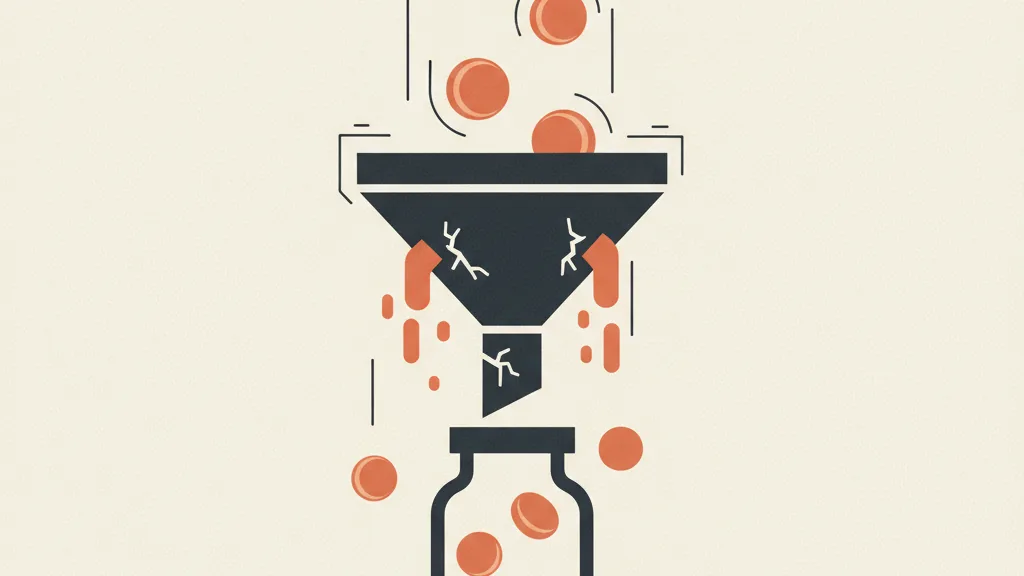
Mistake 1: using the "traffic" objective when you want sales
This is the most common mistake, and also the most expensive. You want sales or quote requests, but the campaign is set to the "traffic" (or "engagement") objective because it costs less per click and the numbers look good. Too bad you're buying the wrong thing.
Meta's algorithm optimizes for exactly the event you ask it for. Ask for traffic, and it brings you the people most likely to click, not the people most likely to buy. These are two different audiences. The typical result: high CTR, low cost per click, plenty of site visits, and almost no real conversions. An account that looks healthy in the surface-level reports and bleeds money in the ones that actually matter.
How to spot it
- Great CTR (above 2%) but a conversion rate on the floor.
- Rock-bottom cost per click that makes you feel like a genius, but sky-high cost per lead.
- Reports that show "link clicks" as the headline metric instead of purchases or leads.
The fix
Set the objective to the conversion you actually need (purchase, lead, contact). For it to work, the algorithm needs reliable conversion signals: make sure the Pixel and the Conversions API are configured and that events arrive clean. Without server-side conversion data, Meta is optimizing blind today. If you want to know which numbers to actually watch, we've put together the Meta Ads KPIs that matter: cost per click isn't among the top ones.
Mistake 2: touching the campaign every day during the learning phase
Every new campaign (or substantial edit) enters a "learning phase": Meta gathers data to figure out who to show the ads to. It needs a minimum volume of conversion events, roughly 50 per week per ad set, before optimization can settle down.
The mistake is having no patience. You change the budget, tweak the targeting, turn it off and on, retouch the creative. Every substantial edit resets the learning phase and zeroes the counter. The ad set stays stuck in "learning" forever, never settles, and you pay the price of chronic inefficiency.

What resets learning (and what doesn't)
| Action | Does it reset learning? |
|---|---|
| Budget change beyond 20-30% | Usually yes |
| Targeting or audience edit | Yes |
| Objective or optimization event change | Yes |
| Replacing or heavily editing the creative | Yes |
| Small budget tweaks (within 10-15%) | Usually not |
| Adding a new ad while leaving the others | Only the new one enters learning |
The fix
Define the structure and let it work for at least 4-7 days before judging it. Make changes in batches, not every day: gather a few days of data, decide, apply a set of changes together, and wait again. If an ad set isn't collecting the roughly 50 weekly events, the problem lies upstream (budget too low, conversion too rare, audience too narrow): consolidate ad sets and budget instead of fragmenting. Fewer ad sets with more signal beat ten ad sets that all learn halfway.
Mistake 3: leaving the same creative running for months
Creative is the number one performance lever on Meta, especially now that targeting is increasingly automated with Advantage+. As the algorithm decides more and more who to show the ads to, what you still control is what to show them. And yet the recurring mistake is leaving the same three images running for months.
The problem is called creative fatigue. The longer a creative runs, the more the audience has already seen it, frequency climbs, CTR drops, and cost per result slowly creeps up. It's not a sudden collapse: it's a slow erosion you don't notice until you compare this month's numbers to two months ago.
How to spot it
- Rising frequency (above 2.5-3 on the same audience) with falling CTR.
- Cost per lead or per purchase creeping up slowly at the same budget.
- No new creative added to the campaign in the last 4-6 weeks.
The fix
Build a continuous creative testing pipeline, not a sporadic event. You don't need to shoot expensive videos every week: new angles, new hooks, different formats (static, carousel, UGC, short video) are enough. If you don't know where to start, we've put together examples of hooks that stop the scroll and a method to test creative in a structured way instead of going by gut feeling. The goal is to always have a few fresh variants ready to step in when the winning one starts to fatigue. And this is where AI helps a lot: producing creative variants with AI lowers the cost per test and lets you keep the pace without draining the production budget.
Want to know which of these five mistakes is burning budget in your account? Request an audit of your Meta campaigns: we'll tell you what to fix first.
Mistake 4: judging performance with the wrong metric
This is the mistake that keeps the other four alive. If you look at cost per click and CTR, a badly set-up account looks healthy. If you look at return on spend and real acquisition cost, the truth comes out. Most accounts that "we don't understand why they're not performing" are simply measuring the wrong things.
Low cost per click and high CTR don't pay the bills. What matters is how much you spend to acquire a customer and how much that customer is worth over time. An 8-euro lead that never closes is more expensive than a 25-euro lead that becomes a customer. Without connecting ad spend to the real value generated, you're optimizing the wrong metric with great precision.
The fix
Shift your attention to the metrics that actually matter: cost of acquisition, ROAS, and, where possible, return on total marketing spend. It's worth understanding the difference between ROAS and MER, because the ROAS of a single campaign often lies about the bigger picture. And above all: figure out first how much you can afford to spend to acquire a customer. Thinking in terms of acquisition unit economics (CAC, CPL, LTV) tells you whether a campaign is sustainable far better than any CTR. Before scaling, a quick Meta account audit lines all this up in half a day.
Mistake 5: zero follow-up on leads (the most expensive leak of all)
This is the mistake we see most often in lead generation campaigns, and it's also the most painful because it doesn't even happen "inside the account." You spend to generate contact requests, and then the leads fall into a void: no one calls back fast enough, there's no follow-up sequence, contacts sit in an Excel sheet no one looks at. You paid Meta for the lead and then let it die.
The numbers here are unforgiving. The odds of qualifying a lead drop sharply after the first few minutes from the request: responding within 5 minutes makes a huge difference compared to responding after an hour, and after 24 hours most leads have gone cold or are already talking to a competitor. If your Meta Ads generate leads that wait two days for a reply, the problem isn't your cost per lead: it's that you're throwing away the leads you already paid for.
The fix
Paid traffic is only the first half of the job. The second half is what happens after the lead arrives. You need a system that intercepts the contact the moment it comes in and immediately triggers a response, ideally automated for the first touch. This is where automation and AI make a real, concrete difference: an AI agent that qualifies leads on WhatsApp responds in seconds, filters out junk contacts, and passes only the ready ones to sales. Even a simple sales follow-up automation connected to your CRM and sales funnel recovers a huge share of the leads you're currently losing to pure slowness. Meta Ads fill the top of the funnel. If the bottom doesn't hold, you're paying for a bucket with a hole in it.
Putting the five mistakes together
Look back at your own account through this lens. In practice, these mistakes rarely show up alone: whoever optimizes for traffic usually also watches the wrong metrics, and whoever skips follow-up usually doesn't even have a system to figure out which leads are worth pursuing.
| Mistake | Warning sign | One-line fix |
|---|---|---|
| Traffic objective instead of conversions | High CTR, conversions on the floor | Optimize for the real conversion + Conversions API |
| Too many edits during learning | Ad sets stuck in "learning" | Batch your changes, then let it run 4-7 days |
| Stale creative for months | Frequency up, CTR down | Continuous flow of new angles and formats |
| Wrong judgment metric | Great clicks, business stalled | Think in CAC, ROAS and LTV, not CPC |
| Zero follow-up on leads | Paid leads never called back | Immediate automated reply linked to the CRM |
The good news is that none of these fixes requires more budget. It only requires stopping the wrong behavior and closing the loop between advertising, measurement, and contact management. Meta Ads aren't a magic tool or a broken one: they're an amplifier. If the system downstream is solid, it amplifies the results. If it's leaking, it amplifies the waste.
If you want the full picture, from campaign structure to lead management, start with the Meta Ads strategy guide and the lead generation mistakes to avoid: they're the two pieces that complete what you just read.
Frequently asked questions
Is the traffic or conversions objective better for Meta Ads?
If you want sales or leads, always go with conversions. The traffic objective brings you people most likely to click, not to buy: you get a high CTR and low conversions. Use traffic only for genuine site-visit goals, never as a shortcut to pay less per click.
How many events do you need to exit Meta's learning phase?
As a reference point, roughly 50 conversion events per week per ad set. Below that threshold, optimization stays unstable. If you're not reaching it, the problem lies upstream: budget too low, conversion too rare, or audience too fragmented. Consolidate ad sets instead of multiplying them.
How often should you change creative in Meta Ads?
There's no fixed interval: it depends on frequency and the numbers. The concrete signal is rising frequency (above 2.5-3 on the same audience) paired with falling CTR. A continuous flow of fresh variants ready to step in beats a change scheduled by calendar.
Why do my Meta Ads get lots of clicks but few sales?
In most cases you're optimizing for the wrong metric (traffic or clicks instead of conversion), or conversion tracking is incomplete and the algorithm is working blind. Check the campaign objective, Pixel, Conversions API, and shift your judgment to CAC and ROAS instead of CPC.
Does responding to a Meta lead immediately actually make a difference?
Enormous. The odds of qualifying a lead drop sharply after the first few minutes: replying within 5 minutes clearly beats replying after an hour, and after 24 hours most leads have already gone cold. An immediate automated reply, even via WhatsApp with an AI agent, recovers leads you'd otherwise lose to slowness.
Should I increase the budget if my Meta Ads aren't performing?
Almost never as the first move. Raising the budget on a badly set-up campaign only amplifies the waste. First fix the objective, the learning phase, the creative, the judgment metrics, and the follow-up. Only once the unit economics are healthy and sustainable does it make sense to scale the budget.
Meta Ads bring in the leads, but the return is won on measurement and follow-up. Talk to us: we'll build the system that turns paid clicks into customers.