Product Feed and Google Merchant Center: How to Set It Up to Sell More
12 min read · AstraLoop Studio
If you sell products online, there's a file that matters more than your landing page, more than your copy, more than your bidding strategy: the product feed on Google Merchant Center. It's the database that describes every item in your catalog to Google, and everything flows from there: Shopping, free listings, dynamic remarketing, and, as of 2026, the new AI-driven campaigns like AI Max and the commercial results inside AI Mode.
The problem is that almost nobody treats it the way it deserves. Most merchants generate the feed once, connect it to a plugin, check there are no blocking errors, and never touch it again. Then they complain that Shopping campaigns "aren't getting traction" or that ROAS won't budge. In the vast majority of cases the bottleneck isn't budget, and it isn't bidding strategy either — it's the quality of the data you're feeding the algorithm. A badly written title costs you impressions you'll never even see in the dashboard, because Google simply never shows you for those queries.
In this guide we'll look at how to build a feed that actually sells: which attributes truly matter, how to write titles and descriptions Google understands, what changed in the spec in 2026, and why data consistency now matters twice as much, now that Gemini reads your feed to generate tailored answers for every single search.
What the product feed is, and why it's not a technical detail
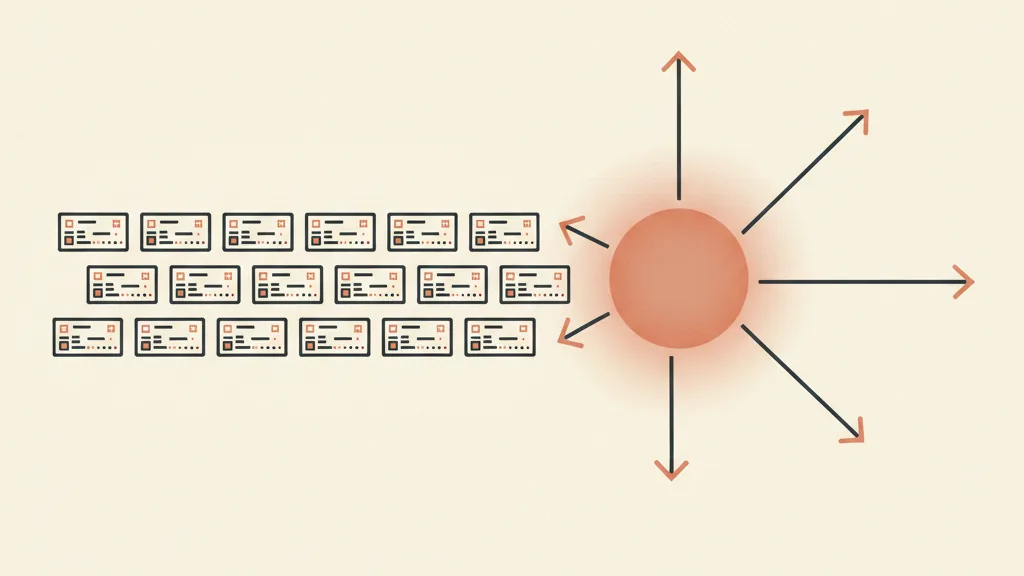
The feed is a structured list of your products, with a set of standard attributes for each one: ID, title, description, link, image, price, availability, and dozens of optional fields. Google Merchant Center is the platform where this feed lives and gets validated. You can upload it in several ways: a file (Google Sheet, XML, TXT), direct sync from Shopify or other platforms, or crawling rules that read structured data straight from your site.
There's one key thing to understand: Google doesn't look at your site to run Shopping — it looks at your feed. If the title in the feed reads "Product 4471 Black" but your product page says "Black leather sneaker with rubber sole," Google will use the first version to decide when to show you. The feed is the source of truth for the algorithm. Everything you invest in a well-written product page helps the conversion rate once a user lands there, but it's the feed that decides whether the user gets there at all.
That changes how you should think about it. Optimizing the feed isn't "filling in the required fields so you don't get warnings." It's doing SEO on your product data, with the twist that here the text is read by Google's matching algorithms and, increasingly, by the generative models composing the answers.
The attributes that actually matter
Google's spec includes many fields, but they don't all carry the same weight. Here are the ones worth putting your energy into, ranked by real impact on sales.
Title: the single most important field
The title is the attribute that weighs most heavily on relevance. Google reads it to understand what the product is and which searches to show it for. You get up to 150 characters, but the visible window is roughly 70: the first 70 are what the user sees and what the algorithm weighs most. So build them with logic, not by stuffing in whatever fits.
The structure that works follows an order by category. For apparel, for example, the typical order is: brand, product type, key attributes (gender, color, material, size). For electronics it's different: brand, model, technical spec, then everything else. The idea is to put the terms people actually type first.
| Weak title | Optimized title |
|---|---|
| White t-shirt | Levi's Men's T-Shirt Cotton White Crew Neck Size M |
| Office chair | Ergonomic Office Chair with Adjustable Lumbar Support Black |
| Face cream 50ml | Hydrating Face Cream Hyaluronic Acid Dry Skin 50ml |
Notice what changes: the optimized title includes the search terms people use when they're close to buying ("ergonomic," "lumbar support," "hyaluronic acid," "dry skin"). They're the same words you'd use in a well-written product page, just condensed here. Avoid all caps, exclamation marks, promotions ("50% OFF"), and promotional copy in general: Google penalizes them or rejects the product outright.
Description: the context the title can't hold
The description is the title's long-tail extension. Google reads it to understand the product beyond what the title says, and some formats display it. You get up to 5,000 characters, but the first 160-500 carry disproportionate weight. Write the description as if the first sentence were the only one the customer will read.
Start from the product's function, its key spec, or the ingredient that sets it apart, then the category. Not the brand's backstory. "Waterproof 30-liter laptop backpack with padded compartment for notebooks up to 17 inches and built-in USB port" beats "The perfect companion for your everyday adventures" every single time. The second sentence tells Google nothing useful for matching.
Identifiers: GTIN, MPN, brand
The GTIN (the product barcode, EAN in Europe) is one of the strongest matching signals you have. Google uses it to group your offer into product clusters where multiple sellers compete on the same item. A wrong, missing, or made-up GTIN cuts you out of those competitive clusters, and in 2026, with AI Mode aggregating listings from multiple retailers, this matters even more. If you sell branded products, put in the correct GTIN. If you manufacture your own items without a GTIN, set identifier_exists to "no" correctly and fill in brand and MPN.
Image link: the first thing a user sees
The main image must show the product on a white or neutral background, with no watermark, no promotional text overlaid, no logos on top of the product. Google rejects images that break these rules. On resolution, the 2026 spec raised the bar (more on that shortly): aim for high resolution, ideally 1500x1500 pixels or more.
Price, availability, category
Price and availability must match exactly what's on your site, or the product gets rejected or disapproved. google_product_category helps Google classify you: use it, and use it precisely. product_type (your own internal taxonomy) is useful for organizing campaigns and structuring product groups in Performance Max and Shopping.

What changed in the spec in 2026
Google's product data spec was updated in 2026 with a few changes worth knowing, especially if you run an ecommerce operation with richer logistics and media. Source: official Google Merchant Center documentation.
- April 14, 2026, new shipping attributes:
handling_cutoff_time(the deadline by which an order is processed same-day) andminimum_order_value(minimum spend threshold per product) arrived, along with sub-attributes tied to loyalty programs. - April 14, 2026, new video attribute:
video_linkwas introduced, an optional field for submitting a product video URL. Technical validation started on this date. - June 30, 2026, videos become eligible to show: from this date, videos submitted via
video_linkcan be served, subject to policy and quality validation. Videos that fail the checks get suppressed, but the product remains eligible. - 500x500 image requirement: warnings for images under 500x500 pixels started in 2026, with actual enforcement set for January 31, 2027. Google still recommends 1500x1500 or more to stay competitive. If you have old low-res photos, now's the time to replace them.
No revolution on the core required fields, but the message is clear: Google is pushing toward richer feeds, with quality media and precise logistics data, because these are the signals feeding the new commercial surfaces.
The feed now powers AI: AI Max and AI Mode
Here's the point that shifts priorities for 2026. Until yesterday, the feed served Shopping and free listings. Today it's the raw material for two AI-driven systems, and that raises the value of every well-written attribute.
AI Max for Search
AI Max is Google's suite of AI features for Search campaigns (Search Themes, URL expansion, auto-generated copy). The news unveiled at Google Marketing Live 2026 (May 20) is that Gemini reads your Merchant Center feed and writes, per individual search rather than per campaign, a tailored explanation of why that product answers what the user asked. Google is rolling it out to standard Search over the following months, so it isn't available everywhere yet.
What this means in practice: if your feed is rich and precise, Gemini has good material to build convincing explanations from. If your feed is thin, the model has little to draw on and your AI-generated creative comes out generic. Feed quality becomes the quality of the copy the AI writes on your behalf. We go deeper into how this works in our dedicated AI Max guide.
AI Mode and the Shopping Graph
AI Mode is the conversational shopping experience where Google synthesizes product recommendations from the Shopping Graph, which by early 2026 indexes tens of billions of products. To show up in AI Mode you need two things: an active Merchant Center feed with free listings enabled, and Schema.org Product markup on your product pages. The Shopping Graph feeds on both. We've written a dedicated piece on AI Mode covering how the Search ecosystem is shifting.
Three things matter especially for AI Mode:
- Feed-to-site consistency: if the Schema.org markup on the page contradicts the feed (different price, different availability, different rating), Google downgrades both sources. Feed and structured data need to draw from the same source of truth in your catalog.
- Feed freshness: AI Mode favors live data. The Shopping Graph updates billions of listings every hour. A feed that only refreshes overnight leaves you with wrong data all day if you change prices or go out of stock.
- Correct GTIN: as noted, it's the signal that gets you into (or keeps you out of) the product clusters where AI Mode aggregates multiple sellers.
The takeaway is simple: in 2026, just "being on Merchant Center" isn't enough. You need a complete feed, consistent with your site, updated often — because it's now the input for systems deciding what to show and how to describe it.
Have a Merchant Center catalog that's underperforming? Request a feed audit: we'll show you where you're losing visibility and how to fix it before the 2026 AI changes widen the gap.
How to set up and maintain a feed that holds up over time
Building a good feed once is half the job. The other half is keeping it clean as the catalog changes. Here's the operational approach that works.
1. Choose the right upload method
If you're on Shopify, WooCommerce, or similar platforms, direct sync or a dedicated feed app is almost always the best choice: data flows automatically and updates frequently. A Google Sheet works fine for small or static catalogs. A manual XML file is the most fragile option: forget one update and you're in disapproval territory.
2. Use feed rules to fix things without touching your backend
Merchant Center allows transformation rules: you can prepend the brand to every title, map categories, replace values, fill in missing fields. It's how you optimize titles in bulk without rewriting every listing in your backend system. One caveat: document the rules, or in six months nobody will remember why a field behaves the way it does.
3. Treat diagnostics like a dashboard, not an alarm
Merchant Center's diagnostics section flags errors (blocking), warnings (non-blocking but impactful), and suggestions. Don't treat it like a red-or-green light you only check in an emergency. Warnings in particular are often opportunities: a product with no GTIN, a title that's too short, an under-resolution image — all of these cost you visibility without ever showing up as an error. This same continuous-measurement logic is what we apply to ecommerce tracking and store KPI monitoring.
4. Enrich the high-value optional fields
Beyond the required fields, enrichment makes the difference. Color, material, size, gender, age group are attributes that help matching on specific searches and power filters. Custom labels (custom_label_0 through custom_label_4) are gold for campaign structure: you can tag products by margin, seasonality, best seller status, or turnover speed, then build differentiated bidding strategies around them. This ties directly into how you set up Performance Max campaigns and Shopping for ecommerce.
5. Align the feed with your site's structured data
Put Schema.org Product markup on every product page and make sure price, availability, and rating match the feed. It's not double work — it's the same data source exposed in two formats. Consistency is what keeps your reputation with Google high and gets you into AI Mode. If you have a system that manages your catalog centrally, with a custom ecommerce CRM or an integrated backend, this consistency becomes automatic instead of a manual check.
The most common mistakes we see
In practice, the same problems keep showing up on almost every account we analyze:
- Titles generated straight from the backend, with no optimization: the product title in the feed is whatever the warehouse team entered, not something built for matching. It's the single costliest mistake.
- Missing or fabricated GTINs: they cut you out of competitive clusters, and in 2026 they hurt you in AI Mode too.
- Low-resolution images or images with overlaid text: with the 2026 spec raising the bar, plenty of old photos will need replacing.
- A static feed on a dynamic catalog: mismatched prices and availability lead to disapprovals and, worse, to showing wrong offers.
- No structure via custom labels: without product segmentation, bidding treats your high-margin best seller the same as leftover stock. And dynamic remarketing shows random products instead of your most profitable ones.
The feed isn't a file you set up once and forget. It's an asset that, kept in good shape, improves everything built on top of it: Shopping, Performance Max, remarketing, free listings, and the new AI surfaces. Investing in it is one of the few things in Google Ads that pays compound returns: every improvement to your product data improves every campaign that uses it, automatically.
Where to start
If you already have a catalog live and want to know how much you're leaving on the table, here's the priority order: titles first (immediate impact on visibility), then identifiers (correct GTINs), then images (to be ready for the 2026 threshold), then enrichment with attributes and custom labels. In parallel, align your site's structured data and set up an upload process that refreshes the feed frequently. To place all of this in the wider context of your campaigns, our 2026 Google Ads strategic guide connects feed, AI Max, and bidding into a single approach.
Frequently asked questions
What is the product feed on Google Merchant Center?
It's a structured list of your products with standard attributes (title, description, price, availability, image, GTIN, and more) that Google uses for Shopping, free listings, remarketing, and, as of 2026, to power AI Max and AI Mode. It's the source of truth Google relies on to decide when to show your products.
What's the most important attribute in the feed?
The title. It's the field that weighs most on relevance: Google reads it to understand what the product is and which searches to show it for. Typical structure: brand, product type, key attributes like color, material, gender, and size. The first 70 characters matter most.
Do you need a GTIN in the product feed?
Yes, if the product has one. The GTIN (EAN in Europe) is one of the strongest matching signals and gets you into product clusters where multiple sellers compete. If you manufacture items without a GTIN, set identifier_exists to no and fill in brand and MPN. A fabricated GTIN will hurt you.
How does the feed power AI Max and AI Mode in 2026?
With AI Max, Gemini reads the feed and writes a tailored explanation for each search of why the product matches the query (unveiled at Google Marketing Live 2026). With AI Mode, the feed plus Schema.org markup feed the Shopping Graph the AI draws its recommendations from. You need an active feed with free listings enabled.
What changed in the feed spec in 2026?
As of April 14, 2026, new shipping attributes arrived (handling_cutoff_time, minimum_order_value) along with the video_link field for product videos, which become eligible to show as of June 30, 2026. Warnings for images under 500x500 pixels started in 2026, with enforcement set for January 31, 2027. Source: official Google Merchant Center documentation.
Why do the feed and the site's structured data need to match?
Because if the Schema.org markup on the product page contradicts the feed (different price, availability, or rating), Google downgrades both sources. Feed and structured data need to draw from the same source of truth in your catalog. Consistency is what gets you into AI Mode and keeps your standing with Google high.
Want a feed that's clean, consistent with your site, and ready for AI Max and AI Mode? Let's talk: we'll analyze your catalog and build the system that keeps your product data optimized and updated automatically.