Google AI Max for Search Campaigns: What It Is, How It Works, and When to Use It
10 min read · AstraLoop Studio
If you manage Search campaigns, at some point in 2026 you'll have noticed a new toggle in your account called AI Max. Google presents it as a switch that, once flipped, pushes your campaign to find more conversions by leveraging its AI models. The messaging is enthusiastic, the case studies it shows you are excellent, and the pressure to "give it a try" is real. But here's the actual point: AI Max isn't just an option anymore. With legacy Dynamic Search Ads (DSA) being retired and automatic activation rolling out from September 2026 across a growing share of accounts, the question is no longer "should I try it?" but "how do I control it?"
In this article I'll walk you through what AI Max is, how it works under the hood, what actually changes for anyone doing lead generation on Google Ads, and which levers you still have to avoid losing control. It's the same angle we bring to every project: Google's automation needs to be understood and steered, not passively accepted.

What Google AI Max is
AI Max is a bundle of generative-AI-powered features that you switch on at the Search campaign level. It's not a new campaign type (the way Performance Max or Demand Gen are): it's a boost layered on top of your existing Search campaigns. When you activate it, you give Google permission to dynamically expand and rewrite three things you used to control more rigidly.
- Query matching. Beyond your own keywords, AI Max picks up relevant searches you never entered, using a semantic understanding of intent (similar to the logic behind Performance Max's search themes).
- Text creative. It automatically generates headlines and descriptions by pulling from your landing page, your site, and the assets you've already uploaded, adapting the message to each individual query.
- Destination URLs. It can route the user to whichever page on your site best matches the search, even if it differs from the final URL you set.
In practice, AI Max takes the "dynamic" piece that used to live inside Dynamic Search Ads and merges it with smart bidding and responsive creative, all inside a normal Search campaign. It's the natural next step on the path Google has been walking for years: less granular manual control, more signals and goals that you feed into the system.
Why it's arriving now: the end of legacy DSAs
The push behind AI Max is tied to a structural decision: Google is phasing out Dynamic Search Ads in their legacy form. DSAs were the tool that, since 2011, let Google generate ads by crawling your site, no keywords required. Useful, but "blind": hard to control on the generated content and often a source of low-quality traffic. With AI Max, Google folds that function into a more modern system and, in effect, makes it the only way to do targeting based on your site's URLs and content.
What does that mean in concrete terms? If you currently run legacy DSA campaigns that bring you leads, you need to plan their migration to AI Max within the windows Google indicates. And for accounts that don't activate it manually, Google has scheduled progressive automatic activations starting September 2026. Translation: if you don't decide, the system decides for you. That's the real reason it's worth understanding how it works now, not after the migration has already happened.
How AI Max works, step by step
Picture your Search campaign as a machine with three accelerators. Without AI Max, you press them by hand. With AI Max on, you hand them over to Google's autopilot, but with limits you can still set.
1. Intent expansion (search themes)
You give Google context (existing keywords, your landing page, optionally some descriptive "search themes") and the system infers which queries to serve. It no longer reasons in terms of exact or phrase match: it reasons in terms of intent. If you sell tax consulting in Milan, it might pick up "how to pay less tax as a sole trader" even if you never entered that phrase. This widens your reach, but it's also the point where, left unsupervised, junk traffic creeps in.
2. Dynamically generated creative
AI Max assembles headlines and descriptions on the fly, combining your assets with text pulled from your site and landing page. The upside is per-query personalization; the risk is losing consistency with the tone and claims you'd validated. That's why the quality of your starting assets (well-written headlines, clear benefits) matters more than ever: the AI amplifies what you give it, it doesn't invent it from nothing. If you want to tighten up your messaging before feeding it to the system, start with our piece on how to write Google Ads copy.
3. Dynamic URL routing
The system can send the user to the most relevant page on your site. Great if your site is well structured with dedicated landing pages; a problem if you have weak or outdated pages you'd rather not show. Here, control happens upstream: you tell AI Max which sections of your site it can use and which ones to exclude.
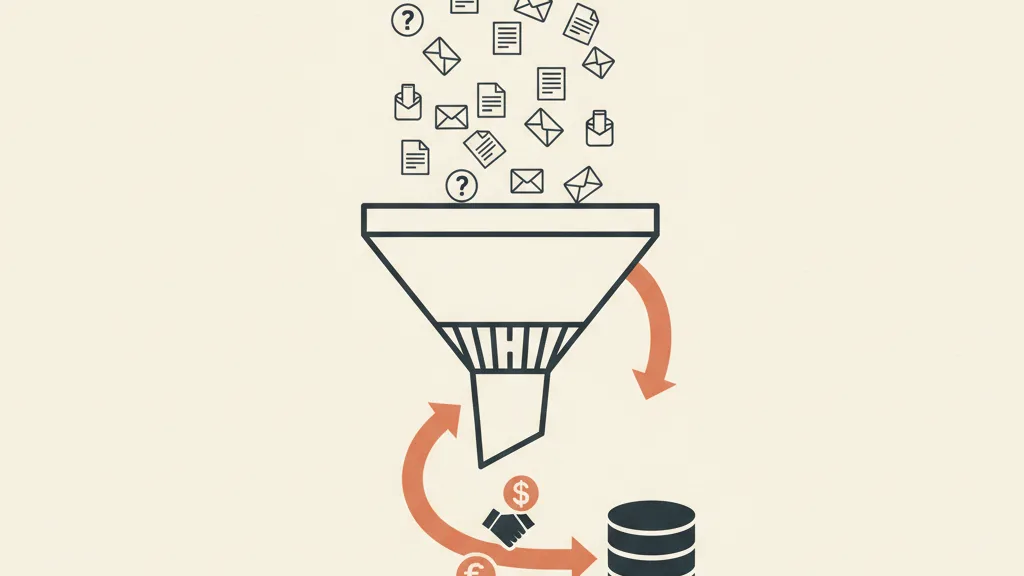
AI Max vs. traditional Search vs. Performance Max
To understand where AI Max fits, let's put it next to what you already know. The key difference from Performance Max is that AI Max stays inside the Search network and leaves you more visibility into search terms, while PMax is a more closed box covering all of Google's networks.
| Aspect | Traditional Search | AI Max (on Search) | Performance Max |
|---|---|---|---|
| Keyword control | High (exact/phrase/negative) | Medium (themes + negatives) | Low (search themes) |
| Networks covered | Search only | Search only | All (Search, Display, YouTube, Gmail, Maps) |
| Search terms transparency | High | Medium-high | Low |
| Creative | Yours, with RSA | Dynamically generated | Dynamically generated |
| Final URL control | Total | Partial (with exclusions) | Limited |
| Best for | Tightly managed, high-intent keywords | Expanding Search while keeping visibility | Broad coverage and volume |
The practical read is simple: AI Max is the middle ground. It gives you automated creative and expansion without making you give up the Search network and the search-term reporting that remains your best diagnostic tool. For anyone doing lead gen, that visibility is exactly what lets you tell good conversions apart from noise.
What changes for lead generation
This is where the real issue sits. An ecommerce store gets a clean-cut signal: sale or no sale, with a value attached. Lead generation works with a messier signal: a filled-out form isn't a customer yet. If you leave AI Max on the "maximize conversions" goal and your conversion is simply the form submission, the system will learn to bring you plenty of forms, not plenty of qualified leads. It's the classic way automation, left to its own devices, optimizes for the wrong metric.
There are three direct consequences worth watching.
- The risk of junk leads goes up. Intent expansion brings in new searches, some off-target. Left unsupervised, your apparent cost per lead drops, but your cost per qualified lead climbs. The fight against wasted inquiries becomes central: we cover it in detail in our guide on how to stop junk leads on Google Ads.
- Control shifts upstream. You're no longer optimizing much at the individual-keyword level, but at the level of conversion signal, exclusions, and the quality of the data you feed back to the system.
- You need to close the loop with your CRM. If you tell Google which leads actually become customers, the AI stops chasing forms and starts chasing revenue.
This last point is the most important, and, at the same time, the most overlooked.
The decisive lever: offline conversions from your CRM
The difference between an AI Max that burns your budget and one that brings you customers lives almost entirely here. Google can only optimize for whatever you tell it counts as a conversion. If you only send back the form submission, it optimizes for forms. If you also send back lead qualification, the booked appointment, and the closed sale (with its value), the AI recalibrates targeting toward the searches that generate real customers.
You do this by importing offline conversions from your CRM into Google Ads, using Enhanced Conversions for Leads or offline conversion uploads. It's the mechanism that turns automation from a blind bet into a system driven by your own proprietary data. It's no coincidence this sits at the heart of a strategy built on first-party data: the richer and cleaner your conversion data, the better the decisions the AI makes on your behalf.
Put plainly: activating AI Max without a connected CRM is like handing the car to a brilliant driver who's blindfolded. Their skill doesn't count for much if you don't tell them where the finish line is.
Want to know if AI Max is ready for your campaigns, or if you need to fix tracking and your CRM first? Request an account analysis: we'll show you where you're losing qualified leads and how to steer the automation.
How to stay in control: 6 concrete levers
AI Max takes away granular control, but hands some of it back at a higher level. Here are the levers still in your hands, ranked by impact.
- Define the right conversion. Not the form: the conversion that matters is the qualified lead or the booked appointment. Set differentiated conversion values wherever you can (a quote request is worth more than a generic contact).
- Connect your CRM and import offline conversions. This is lever number one. Without it, everything else is just damage control.
- Stay on top of negative keywords. Intent expansion widens the net: your list of negative keywords becomes your main tool for excluding off-target searches and competitor brands you don't want to show up for.
- Check the search terms report every week. AI Max keeps search-term visibility intact: use it. That's where you'll spot the new queries the system has activated, the good ones and the bad ones.
- Govern your URLs. Exclude weak sections of your site and make sure the landing pages the AI can route to are solid. A landing page built for lead generation is what turns a click into a contact.
- Take care of your creative assets. AI Max amplifies your assets. Clear headlines, concrete benefits, and social proof give the AI better raw material to combine. Don't delegate message quality to the generator.
When it's worth activating AI Max (and when to wait)
This isn't a switch to flip blindly, nor one to reject on principle. The decision depends on how mature your tracking setup is.
It's worth activating if: you have a decent volume of conversions (smart bidding needs data to learn), you've already connected your CRM or are about to, your site has decent landing pages to route traffic to, and you want to expand Search coverage beyond the keywords you manage manually. In this scenario, AI Max often finds incremental conversions you were missing.
Better to wait (or start cautiously) if: you only track form submissions without distinguishing lead quality, you have few monthly conversions, your site has weak pages you don't want exposed, or you operate in a niche where every off-target lead is expensive. In these cases, fix your tracking and CRM connection first, then activate AI Max in a test campaign with a limited budget, monitoring the cost per qualified lead rather than the apparent one.
Either way, remember the deadline: with legacy DSAs ending and automatic activations rolling out from September 2026, inertia isn't a strategy. If you don't set the parameters yourself, the system will launch with default settings, which are rarely optimized for quality lead generation. Better to show up prepared with an updated 2026 Google Ads strategy than to find yourself already inside AI Max without having steered it.
The AstraLoop take: automation needs a driver
The thread running through all of this is simple: Google is shifting where the value lies, from "knowing how to manage keywords" to "knowing how to feed the system the right data." AI Max isn't the enemy of a skilled advertiser, it's an amplifier for whoever has already put their acquisition machine in order. Those with solid tracking, a connected CRM, and strong landing pages move faster with AI Max. Those without them swerve harder.
That's why our work on Google Ads projects has shifted its center of gravity: less time nudging bids by hand, more time building the data loop that makes the AI trustworthy. Connecting campaigns to the CRM, defining what counts as a valuable lead, feeding closed-sale signals back to Google. That's where you win in 2026, not in the illusion that you can still control every single query. Google's automation is powerful: your competitive edge is steering it better than the competition, not pretending you can ignore it.
Frequently asked questions
Is Google AI Max mandatory?
Not in the strict sense, but with legacy Dynamic Search Ads ending and progressive automatic activations scheduled from September 2026, it's effectively becoming the standard path for dynamic Search targeting for a growing share of accounts. If you don't configure it yourself, the system can activate it with default settings. Better to show up prepared.
What's the difference between AI Max and Performance Max?
AI Max is an AI boost that stays inside the Search network and leaves you visibility into search terms. Performance Max is a separate campaign type that covers all of Google's networks (Search, Display, YouTube, Gmail, Maps) with much less transparency on search terms. AI Max is the middle ground between traditional Search and PMax.
Does AI Max bring in more junk leads?
It can, if you don't manage it. Intent expansion picks up new searches, some off-target. The fix is to define the qualified lead, not the plain form submission, as your conversion, connect your CRM to import offline conversions, and stay on top of negative keywords. With these safeguards, the AI learns to chase real customers.
What happens to my existing Dynamic Search Ads?
Legacy-form DSAs are being retired. Google folds that function into AI Max, which becomes the modern way to do targeting based on your site's URLs and content. If you have active DSA campaigns bringing you leads, plan your migration to AI Max within the windows Google indicates, so you don't end up with an unoptimized automatic activation.
Do I need to connect my CRM to use AI Max?
It's not technically mandatory, but for lead generation it's the decisive lever. Without offline conversions from your CRM, Google only optimizes for submitted forms, not for leads that become customers. By importing lead qualification and closed-sale data, the AI recalibrates targeting toward the searches that generate real revenue.
When is it better to wait before activating AI Max?
It's better to wait if you only track form submissions without distinguishing lead quality, if you have low monthly conversion volumes, or if your site has weak landing pages. In these cases, fix your tracking and CRM connection first, then activate AI Max in a test campaign with a limited budget, monitoring cost per qualified lead.
If you're considering the move to AI Max and want to get there with a system that brings in customers, not just forms, talk to us: we'll review your tracking and CRM connection before you activate any automation.