How to Manage Email Marketing at Your Company Without Losing Hours
9 min read · AstraLoop Studio
Let's be honest: email marketing isn't hard to understand, it's hard to manage consistently when you have ten other things to do. The problem is almost never "what to write." The problem is that between deciding the topic, writing the copy, laying it out, choosing who receives it, checking the links and scheduling the send, three hours disappear. And so the newsletter you were supposed to send "this week" slips by twenty days, then a month, then falls off the radar entirely.
If you're an owner, a marketing manager at a small business, or you run everything yourself, this is the real game. You don't need yet another guide on writing catchy subject lines: you need a management system that cuts hours while keeping the same number of sends. And today, with AI writing the drafts and automation handling the repetitive flows, that system is finally within reach of a one- or two-person team.
In this guide I'll walk you through the concrete workflow: how to structure the management, where to bring in automation, how to use AI for copy production (without the emails sounding fake) and how much time you can realistically get back. No theory, just the process.
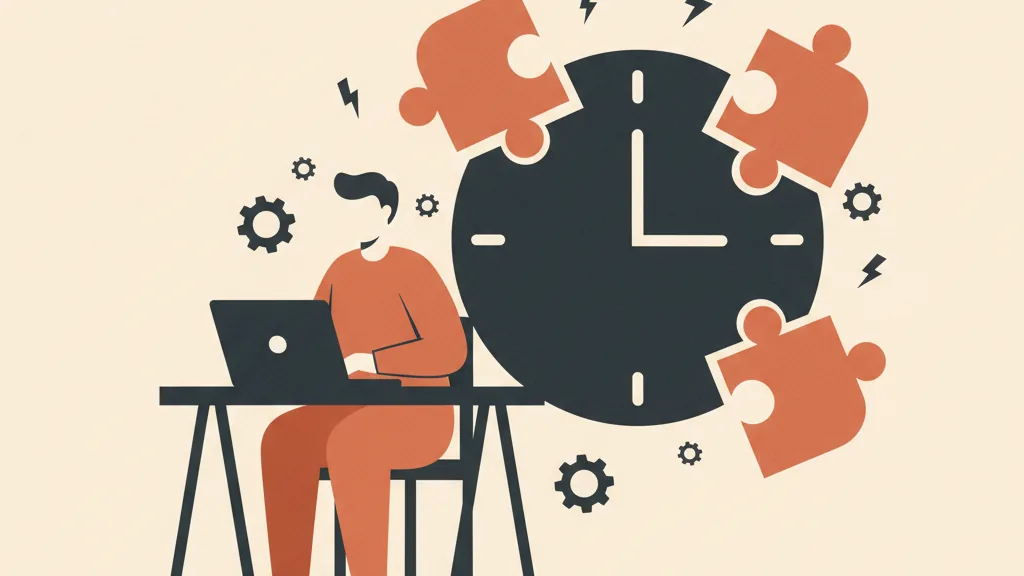
Why email marketing eats up so many hours (and it's not your fault)
The most telling data point of recent years is about production time itself. In 2024, 62% of teams reported needing two weeks or more to produce a single email. In 2025, with AI entering the writing process, that figure dropped to 6%. It's not magic: the first draft, the part that has you staring at a blinking cursor, can now be handled by a machine.
But writing is only one slice of the work. Break down a single campaign and the time spreads across different tasks:
- Deciding the topic and angle (10-20 minutes when your ideas are clear, much longer when starting from scratch)
- Writing the copy and subject line (45 minutes to two hours, the heaviest item)
- Laying it out in the template (15-30 minutes between copy-pasting, images and links)
- Choosing the recipient segment (5-30 minutes, depending on how organized your database is)
- Final checks: links, typos, mobile preview, spam test (10-20 minutes)
Here's the thing: only part of these tasks actually needs your brain. Deciding the angle and reviewing the copy to make sure the message is right: that's strategy, and it stays yours. Everything else (producing the first draft, laying out, applying segments, running technical checks) is repetitive work you can hand off to tools. Smart email marketing management starts exactly from that distinction.
The principle that changes everything: automate production, not decisions
There's one rule worth printing out: automate production, not responsibility. AI can write, summarize, generate variants and clean up copy. It shouldn't decide your positioning, invent data you don't have, approve claims about your products, or replace the knowledge you have of your own customers.
In practice: AI prepares the draft in thirty seconds, you read it in five minutes and fix it up. The time you save is real, but the control stays yours. That's the difference between a company that uses AI well and one that ends up sending generic emails, the kind a customer spots as "written by a robot" from a mile away. If you want to know how to keep the human tone even with AI in the mix, we covered it in how to make emails feel more human with AI personalization.
With that principle in mind, let's look at the full workflow.
The 5-step management workflow for small teams
This is the process that lets one person manage a serious email calendar without drowning. The core idea: you make the high-value calls, the tools handle execution.
Step 1. Plan in batches, not email by email
The first management mistake is treating every newsletter as its own separate event. Every time you start from zero, hunt down the template, remember how it's done. It's pure waste.
The fix is to plan in batches: once a month, sit down for thirty minutes and decide the topics for the next 4 emails. Don't write them, just decide the angle for each. Having a mini editorial calendar takes the "what do I send now?" question off your mind, and that's the exact question that causes paralysis. If you're not sure where to start building a coherent calendar, our guide to email marketing strategy gives you the overall structure to slot individual sends into.
Step 2. Let AI write the first draft
This is where you claw back most of the time. Instead of starting from a blank page, give the AI a structured prompt with: the topic decided in step 1, the email type (promotional, informational, win-back), your brand's tone, and a couple of key facts about the product or offer.
In return you get a full draft: subject line, body, call to action. It won't be perfect, and it doesn't need to be. It needs to give you a starting point to edit, and that completely changes the time economics. Editing an existing text is infinitely faster than writing one from scratch.
One detail that makes a real difference: the more context you give the AI about how you communicate, the better the drafts. Anyone serious about this trains a model on their own voice, so the drafts already come out consistent with the company style, as we explain in how to train AI on your brand voice. For the actual copy, take a look at our guide to email marketing copywriting: it'll tell you what to fix in the drafts.
Step 3. Review with a critical eye (the 5 minutes that matter)
This step is yours and can't be delegated. Reread the AI's draft and check three things:
- Accuracy: are there claims, numbers or promises the AI made up? Cut them or fix them. AI tends to "fill in," you cut.
- Voice: does it sound like how you actually talk to your customers, or does it sound generic? Add a concrete detail, a specific reference, something only you could have known.
- Action: is the call to action clear, and is there just one? An email with five calls to action doesn't convert, it confuses.
Five minutes well spent here are worth more than an hour of writing from scratch. And they're the guarantee that automation doesn't lower quality.
Step 4. Let segments update themselves
Choosing recipients is the other big time sink, especially if you export lists, filter by hand and re-import every single time. Healthy management uses dynamic segments: define the rules once (for example "customers active in the last 90 days" or "opened but didn't click") and the platform moves contacts in and out of segments automatically, based on their behavior.
Practical tip: don't try to segment everything at once. Start with 2-3 high-impact segments (typically active, inactive and new subscribers) and expand over time. If you want a concrete list of segments to start with, we put one together in email segments to create right away. Once set up, you never have to think about it again: it's work that runs itself on every send.
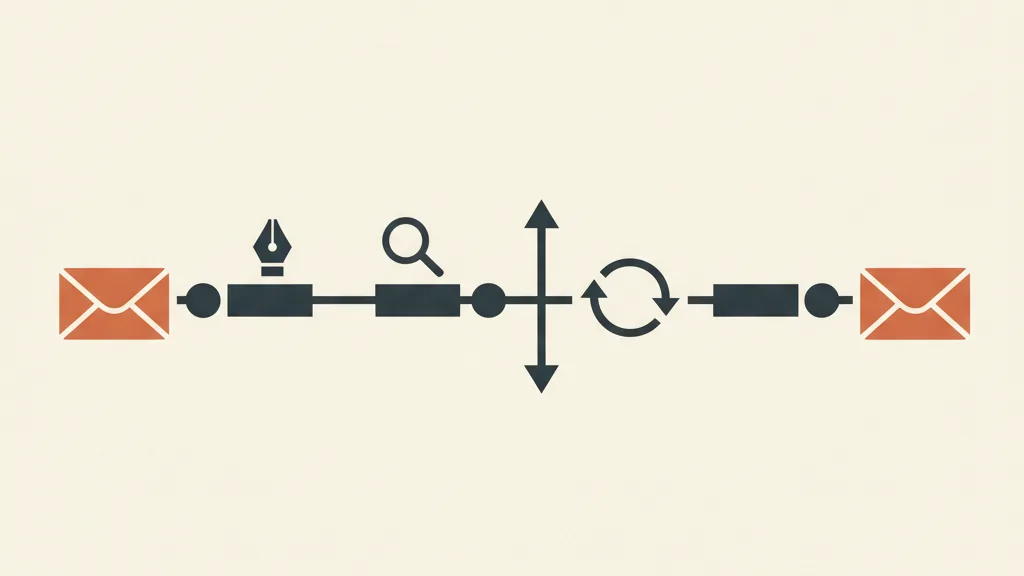
Step 5. Automate recurring flows once and for all
Some emails you shouldn't be writing every single time, because they're always the same and they trigger off a contact's action. These are automated flows, the most effective way to have email marketing work while you do other things:
- Welcome flow: the welcome sequence that starts when someone subscribes. Write it once, it runs for years. Find out how in how to build an email welcome flow.
- Win-back: automated emails to people who haven't opened in a while, so you don't lose dormant contacts.
- Sales follow-up: sequences that follow up with a contact after a quote or an inquiry, without you having to remember to write to them. AI adds a lot of value here, as we cover in automating sales follow-up with AI.
Every automated flow you set up is a set of emails you stop managing by hand, permanently. This is where the time savings become structural, not occasional.
Want an email marketing workflow that writes drafts with AI and runs the flows on its own, built around your team? Tell us how you work today and we'll show you where to reclaim hours.
How much time you actually save (the numbers)
Let's run the math on a single campaign, comparing "old-style" management with the workflow just described. The ranges are realistic for a small business sending a weekly or biweekly newsletter.
| Task | Manual management | With AI and automation |
|---|---|---|
| Deciding topic and angle | 15-25 min | 5-8 min (planned in batch) |
| Writing copy and subject line | 45-120 min | 10-15 min (AI draft + edit) |
| Layout | 15-30 min | 5-10 min (saved template) |
| Recipient selection | 10-30 min | 1-2 min (dynamic segments) |
| Checks and send | 10-20 min | 5-10 min |
| Total per email | 1h 35m - 3h 45m | 26 - 45 min |
On a monthly basis, with 4 sends, we're talking about going from 6-15 hours to about 2-3 hours. The freed-up time isn't "saved to sit idle": it's time you can reinvest in what automation can't do, namely thinking about the offer, looking at the data and improving. And above all, it's the difference between sending emails consistently and abandoning them after two months because "I don't have time."
The management mistakes that undo everything
The workflow works, but there are three traps I see come up often, and they drag email marketing straight back into chaos.
1. Treating AI as autopilot
Queuing up AI drafts without rereading them is the fastest way to burn your reputation. Sooner or later the AI writes a false claim, a wrong price, or a promise you can't keep, and you send it to your entire list. The five minutes of review in Step 3 aren't optional.
2. Ignoring deliverability
You can have the most efficient workflow in the world, but if your emails land in spam you've just automated sending to no one. Setting up proper domain authentication is the bare minimum: we explained what it is and how to set it up in SPF, DKIM and DMARC explained simply. It's a one-time job that protects everything else.
3. Keeping the database disconnected from everything else
If your email list lives in a silo separate from the CRM and the rest of sales, management stays full of manual back-and-forth. When the contact database talks to the CRM instead, segments feed themselves from sales data and automations become far more powerful. That's why, past a certain size, it's worth considering a custom CRM for small businesses that unifies contacts, behavior and communications in one place.
Where to start tomorrow morning
You don't need to redo everything in a day. The sequence to get started without freezing up is this:
- Block off 30 minutes and plan the topics for the next 4 emails. Just the topics.
- Write the first draft with AI for the nearest newsletter, then edit it. Time yourself: you'll see the difference immediately.
- Create 3 basic dynamic segments (active, inactive, new) and leave them alone from then on.
- Set up one automated flow: welcome is the most profitable, so every new subscriber enters a sequence without any effort from you.
Once you've done these four things, you've already turned email marketing from an occasional chore into a system that runs on its own. The rest (A/B testing, advanced personalization, orchestration with WhatsApp) you add once the base process is solid.
The truth is simple: email marketing doesn't eat up your hours because it's hard, but because you're managing every single step by hand. Shift the repetitive execution onto tools, keep only the decisions for yourself, and you get back most of that time. And it's the consistency that follows which makes email marketing pay off, not a single brilliant send once in a while.
Frequently asked questions
How much time does it take to manage email marketing with an AI workflow?
With a process that uses AI for drafts and dynamic segments, a single campaign goes from 1.5-3.5 hours down to about 25-45 minutes. On a monthly basis, with 4 sends, that's a drop from 6-15 hours to 2-3 hours. Most of the savings come from writing (you start from a draft to edit instead of a blank page) and from automatic recipient selection.
Can AI write emails for me without them sounding fake?
AI writes a strong first draft, but the human touch stays essential. The rule is: automate production, not decisions. AI gives you the starting point, you spend 5 minutes checking accuracy, voice and the clarity of the call to action. The more context you give it about your brand (better yet, by training a model on your voice), the less generic the emails sound.
How many segments should I start with to manage my list well?
Start with 2-3 high-impact segments, no more. Typically: active customers, inactive contacts, and new subscribers. Using dynamic segments, contacts move themselves based on behavior and you no longer have to update lists by hand. You'll expand segmentation over time as you gather data and learn what works.
Which emails are worth automating completely?
The recurring flows that trigger off a contact's action: the welcome flow (welcoming new subscribers), win-back sequences for people who haven't opened in a while, and sales follow-ups after a quote or an inquiry. You write them once and they work for years, without you having to remember to send them.
Do I need a CRM to manage email marketing well at a small business?
Not at first, a good email marketing platform is enough. But as your list grows and you want segments to feed off sales data, keeping the email database disconnected from the CRM creates manual back-and-forth and limits automation. Past a certain size, a CRM that unifies contacts, behavior and communications pays for the time it saves.
How do I keep automated emails from landing in spam?
First, set up domain authentication (SPF, DKIM and DMARC): it's a one-time job that protects the deliverability of every send that follows. Then keep the list clean by removing long-inactive contacts, avoid overly promotional subject lines, and never send to addresses that never actually subscribed. An efficient workflow doesn't help much if the emails never reach the inbox.
If you want to go from occasional newsletters to a system that runs itself without eating your afternoon, talk to us: we'll analyze your current process and design the right automation for your company.