What Are AI Agents? Agentic AI Explained for Businesses (With Examples)
11 min read · AstraLoop Studio
Until a couple of years ago, AI in business meant almost one thing: a chatbot that answers questions. Useful, but limited. Today, the conversation has shifted to AI agents (or "agentic AI"), and this isn't a marketing trend. It's a technical leap that changes what you can actually delegate to software. A chatbot gives you an answer. An agent carries out a task: it reads a document, queries your business system, makes a decision within set limits, and takes an action.
In this guide I'll explain what AI agents are in concrete terms, without unnecessary jargon, with real B2B examples covering CRM, ERP, and processes like sales, finance, and customer operations. If you're evaluating where artificial intelligence can genuinely help your company, this article is part of a broader path. You'll find the full picture in our complete guide to AI consulting for businesses, which connects every piece: governance, ROI, training, roadmap.
Before going into detail, let's set one thing straight. An AI agent is not "AI that thinks for itself and decides everything." It's a system that, given a goal, can break it down into steps, use external tools to carry them out, and check whether it has reached the result. The difference from a plain language model comes down to this: the ability to act, not just to respond.
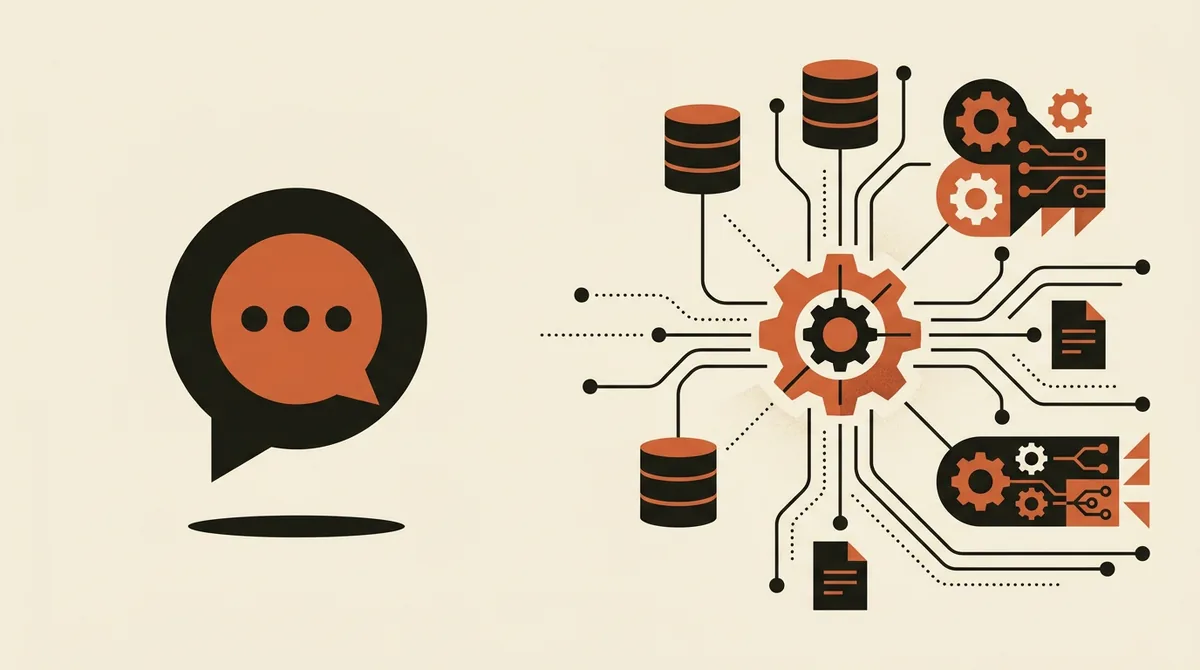
What AI agents are, in plain terms
An AI agent is a piece of software built around a language model (like GPT, Claude, Gemini) given three ingredients that a regular chatbot doesn't have:
- A goal, not just a question. Example: "prepare a response to this customer's quote request" instead of "how much does product X cost?".
- Tools to interact with the world: read a PDF, query a database, call the CRM's API, send an email, update a record.
- A reasoning loop: the agent plans the steps, executes them, observes the result, corrects course, and repeats until the goal is reached — or until it asks a human for help.
The key word is bounded autonomy. A good agent doesn't do just anything: it operates within limits you set — which systems it can access, what it's allowed to change on its own, and what needs approval. It's the difference between giving a junior team member a clear procedure and handing them the keys to the company bank account.
The autonomy scale: from chatbots to agents
To understand where agents fit, picture four steps of increasing autonomy:
| Level | What it does | Example |
|---|---|---|
| 1. Chatbot | Answers questions on fixed data | Automated FAQs on the website |
| 2. RAG-based assistant | Answers by reading your company documents | "Find the returns clause in the standard contract" |
| 3. Agent with tools | Reads, queries systems, and performs single actions | Creates a lead in the CRM from an incoming email |
| 4. Autonomous agent (multi-step) | Breaks down a goal, coordinates multiple actions and tools | Handles a ticket from opening to closing, escalating when needed |
Most Italian companies today sit between level 1 and level 2. The real value — and the real risk — kicks in at levels 3 and 4. That's why a gradual approach matters, as we explain in our guide on where to start with artificial intelligence in business.
Chatbot vs. AI agent: the difference that matters
The most common misconception is thinking an agent is "just a better chatbot." It's not a matter of skill, it's a matter of architecture. Let's look at the difference through a concrete case: a customer asks about their order status.
A chatbot answers with whatever it was taught: "You can check your order status in your account." Correct, but useless, because the customer already tried that.
An agent, instead, identifies the customer, queries the order management system via API, reads the actual shipping status from the courier, cross-checks it against the promised delivery date, realizes there's a two-day delay, drafts a reply with the new estimated date and, if configured to do so, autonomously issues a small refund or a discount code. It then logs everything in the CRM.
The table below sums up where the real gap lies:
| Aspect | Chatbot | AI Agent |
|---|---|---|
| Input | Question | Goal or task |
| Data access | Only what it was loaded with | Queries live systems (CRM, ERP, DB) |
| Output | Text | Concrete actions plus text |
| Steps | One (question and answer) | Many, in autonomous sequence |
| Error | Wrong answer | Wrong action (more delicate: requires oversight) |
That last row is crucial. If a chatbot gets it wrong, it gives an inaccurate answer. If an agent gets it wrong, it can create a faulty record, send an email to the wrong customer, or apply an unauthorized discount. That's why oversight — "guardrails" and human-in-the-loop — isn't a nerdy technical detail: it's the condition for putting an agent into production without getting burned.
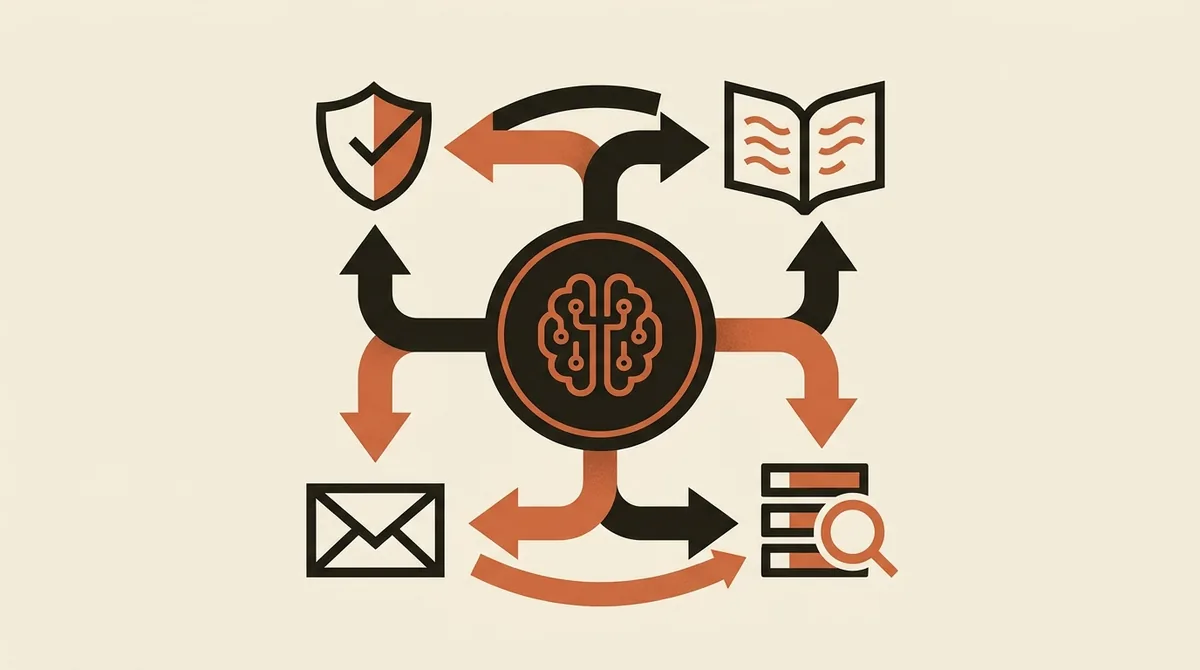
How an AI agent works: the four components
Under the hood, every serious agent has four parts. Knowing them helps you ask the right questions to whoever is pitching you a solution.
- The model (the "brain"): the LLM that reasons and decides the steps. This is almost never the factor that determines whether a project succeeds or fails.
- The tools (the "hands"): the integrations with your systems. This is where projects are won or lost. An agent is only as good as its connections to your CRM, ERP, and document management system.
- Memory: what the agent remembers between steps and between conversations. It's what keeps it from starting from scratch every time.
- Guardrails: the rules that define what it can do on its own, what needs approval, and when it should stop and hand off to a human.
A technical pattern you'll hear a lot is RAG (Retrieval-Augmented Generation): in practice, before answering, the agent retrieves information from your documents or databases and "reasons" on top of that, instead of making things up. It's the foundation for reliable agents working on company data, since it reduces hallucinations by grounding answers in real sources.
Concrete examples of AI agents in business (B2B)
Enough theory. Here's where agents are already delivering measurable results in small, medium, and larger Italian companies. These aren't futuristic scenarios — they're repetitive, high-volume processes with reasonably clear rules.
1. Sales: lead qualification and enrichment
An agent receives incoming leads (forms, emails, LinkedIn), enriches them with external data, checks whether they match the ideal customer profile, scores them, and writes them into the CRM already sorted by priority. The salesperson finds a ready-made list in the morning instead of 40 raw rows to sort through. For more on the sales side, we've dedicated a guide to AI agents for lead generation and one to how to qualify leads in a structured way.
2. Customer operations: end-to-end ticket handling
The agent reads the ticket, understands the request, queries the relevant systems (order, contract, shipping status), resolves standard cases on its own, and escalates only the complex ones to a human agent, already fully briefed with context. Typical result: 40-60% of tier-one tickets closed with no human involvement, with response times dropping from hours to minutes.
3. Finance and administration: accounts payable
An agent reads supplier invoices in PDF format (even with different layouts), extracts the data, cross-checks it against the purchase order and delivery note in the ERP, flags discrepancies, and prepares the entry. The staff member approves instead of typing. Here the value is twofold: hours freed up and fewer transcription errors. It's one of the strongest use cases for business process automation with AI.
4. Compliance and document management: research and verification
An agent that queries contracts, policies, and internal regulations can answer questions like "which of our supplier contracts expire in the next 60 days and include an automatic renewal clause?". It reads, cross-references, and returns the list with references — work that would otherwise take days by hand.
5. Reactivating the customer database
An agent analyzes inactive customers, segments them by past behavior, prepares personalized messages, schedules their delivery, and then measures the responses. We cover this in detail in our piece on reactivating dormant customers from your database.
The common thread across these examples: none of them replaces a person outright. Each one removes the repetitive, low-value part, leaving the decision, the relationship, and the non-standard cases to the human.
Want to find out which of your company's processes are genuinely ready for an AI agent, without wasting months on a pilot that never scales? Request a free analysis: we start from your processes, not from the technology.
The real risks (and why 85% of pilot projects fail)
Let's be honest, because this is the real sore point. Several industry analyses show that roughly 85% of generative AI pilot projects never make it into production when companies try to scale them. Not because the technology doesn't work, but for very practical reasons that almost nobody talks about.
- Messy data and integrations: an agent is only as good as the systems it connects to. Disorganized CRMs, ERPs with inconsistent fields, and unstructured documents sabotage the outcome before it even starts.
- No guardrails: an agent gets put into production without defining what it can do on its own. At the first mistaken action, leadership shuts the project down.
- The human factor: people don't trust it, don't understand what the agent is doing, and don't know when to step in. This — not the technology — is the number one reason projects fail.
- No measurable ROI: the project starts "to try out AI," without a KPI. Three months in, nobody can say whether it helped, and the budget gets cut.
What it takes to make it work: guardrails and human-in-the-loop
The recipe for bringing an agent into production without unnecessary risk isn't complicated, but it has to be followed:
- Explicit boundaries: put in writing which actions the agent performs autonomously (reading, proposing) and which require human approval (contacting the customer, moving money, changing sensitive data).
- Human-in-the-loop on critical points: a human approves high-impact decisions. As the agent proves reliable, you gradually widen its autonomy.
- Logging and monitoring: every action the agent takes is tracked and auditable. If something goes wrong, you need to be able to understand why — and find out before the customer does.
- A recovery plan: what happens when the agent gets something wrong? It needs to be able to stop, flag the issue, and hand off, without letting the error propagate.
This is also the right way to measure value: start from a process, set a KPI (hours freed up, response time, error rate), run a pilot on that process, and measure. The ROI formula is simple: hours freed up times hourly cost, plus any extra revenue, minus setup and maintenance costs. With well-chosen use cases, typical payback is between 4 and 12 months.
AI agents and the AI Act: what you need to know
If you deploy an AI system in your company — and an agent is one in every sense — you're subject to the AI Act (EU Regulation 2024/1689), Europe's AI legislation. Two points concern you right away, for informational purposes only, not legal advice.
First: AI literacy (Article 4). Every company using AI tools must ensure its staff has an adequate level of AI competence. This isn't optional, and it doesn't only apply to large corporations.
Second: risk-based classification. The AI Act sorts systems into categories (unacceptable risk, high, limited, minimal) with different obligations. Many corporate agents for marketing or customer care fall into the limited or minimal risk category, but some uses (for example in HR or credit) can be classified as high-risk. Penalties for the most serious violations reach up to €35 million or 7% of global annual turnover.
The practical consequence: before scaling up your agents, you need a map of your AI systems and their risk category. We've dedicated an operational guide to AI Act obligations for SMEs, with deadlines and requirements. Our advice here is to consult official sources (the text of the EU Regulation and guidance from authorities such as the Garante Privacy and the ACN) and, for legal matters, a qualified professional.
Where to start with AI agents
The wrong way to start is to buy "an agent platform" and go looking for a problem to solve. The right way is the opposite: start from the process.
- Map your processes: look for repetitive, high-volume, low-value-added ones. These are the ideal candidates. An initial audit also helps frame data and security concerns.
- Pick a quick win: a single process, with a clear KPI, where a mistake has limited impact. A pilot that works on one small case beats ten ambitions stuck on the drawing board.
- Define the guardrails before going live: autonomy, approvals, logging.
- Measure, then scale: only once the pilot proves ROI, extend it to other processes.
If you want an overview of the tools available, we've put together the best AI tools for businesses and a practical comparison on artificial intelligence for SMEs. One golden rule remains: AI agents aren't a technology project, they're a process and people project. The technology, today, is the easy part.
Frequently asked questions
What's the difference between a chatbot and an AI agent?
A chatbot answers questions using fixed information. An AI agent receives a goal, breaks it down into steps, queries live systems (CRM, ERP, documents), and takes concrete actions, like creating a record or sending an email, within defined limits. In short: the chatbot answers, the agent acts.
Are AI agents suitable for SMEs too, or only for large companies?
They're well suited to SMEs — often more so than to large companies. The best use cases (ticket handling, lead qualification, invoice reading) are repetitive processes found in any business. What matters isn't size, but starting from a single process with a clear KPI and clean integrations.
Can an AI agent make mistakes? What happens if it does?
Yes, it can make mistakes, which is exactly why oversight matters. A well-designed agent has guardrails (limits on what it can do alone), human-in-the-loop on critical decisions, and logging of every action. On risky tasks, it proposes and a human approves, so an error gets caught before it can spread.
What does it mean for an AI agent to query the CRM or ERP?
It means the agent connects to your systems through integrations (APIs) and reads or writes data in real time. For example, it retrieves an order's status from the management system, updates a contact in the CRM, or cross-checks an invoice against the order in the ERP, without anyone having to look up that data by hand.
Do AI agents fall under the AI Act?
Yes. An AI agent is an AI system in every sense, so it falls under EU Regulation 2024/1689 (the AI Act). In particular, you need to ensure your staff's AI literacy (Article 4) and classify your systems by risk category. For legal matters, it's best to work with a qualified professional and consult official sources.
Why do so many AI agent projects fail?
Not because of the technology's limits, but for practical reasons: messy data and integrations, no guardrails, lack of staff trust and training, and no ROI KPI defined from the start. Roughly 85% of pilots never reach production. You avoid this by starting small, with something measurable and well governed.
If you're weighing where to start with AI agents but don't want to end up among the 85% of projects that fail, let's talk: we'll map out your first concrete, measurable use case together.