Meta Ad Formats: 1:1, 4:5, or 9:16 — Which One Should You Actually Use
9 min read · AstraLoop Studio
The question about Meta ad formats always comes back at the same moment: your creative is ready, you go to upload it, and you freeze at the choice between 1:1, 4:5, and 9:16. The quick answer that circulates everywhere ("go vertical, it converts better") is only half true, and it can burn your budget. The right answer depends on where the ad ends up and what job it has to do.
We're not going to hand you a dimensions chart and call it a day. We'll walk through the actual decision logic: which format to produce, in what order, and why the reasoning has changed in 2026 with Advantage+ and broad placements. Whether you run campaigns yourself or work with an agency, this is the piece that saves you from the costliest, quietest mistake: a message cut off by an automatic crop.
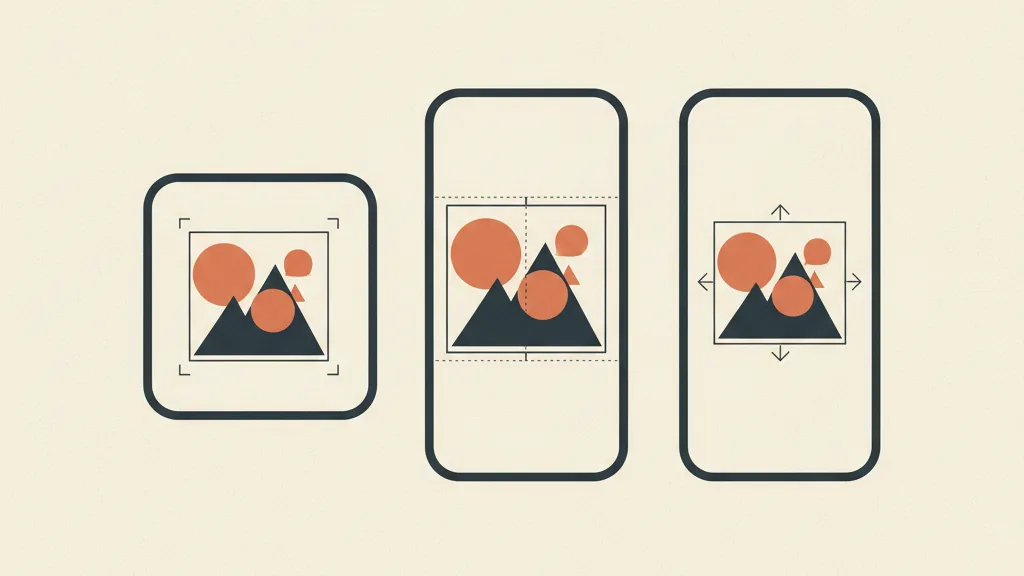
The three formats that actually matter
Meta accepts plenty of aspect ratios, but in practice you'll only ever use three. The rest are legacy holdovers or niche edge cases.
| Format | Aspect ratio | Where it dominates | What it's for |
|---|---|---|---|
| Square | 1:1 (1080×1080) | Facebook and Instagram feed, right column, some broad placements | The all-rounder. Holds up everywhere, excels nowhere. |
| Feed vertical | 4:5 (1080×1350) | Facebook and Instagram feed (mobile) | Takes up more of the screen in the feed. The modern default for feed placements. |
| Full vertical | 9:16 (1080×1920) | Stories, Reels, Instagram and Facebook | Immersive, full-screen. Native to vertical video formats. |
The starting rule is simple: 4:5 is now the base format for the feed, 9:16 is the base format for Reels and Stories, and 1:1 is the fallback that plugs the gaps. But "starting point" isn't "finish line" — the real decision-maker isn't you, it's the placement.
Why 4:5 replaced 1:1 in the feed
For years, 1:1 was king of the feed. Then Instagram and Facebook pushed toward mobile-first, and 4:5 picked up a mechanical edge: it takes up more vertical height on a phone screen. More visible pixels means more scroll-stopping power, for the same creative. It's not a matter of taste, it's screen geometry.
In 2026, 4:5 is the sensible default for any ad heading to the feed. If you can only produce one version for the feed, make it 4:5. 1:1 is still useful, just not as the first choice anymore.
The logic that changed: Advantage+ and broad placements
Here's the part almost no guide updates. A few years ago, you picked placements one by one and uploaded the right format for each. Today Meta pushes the opposite way: Advantage+ Placements ("broad placements") lets the algorithm decide where to show the ad across the whole network — feed, Reels, Stories, Marketplace, right column, Audience Network.
That flips the whole approach. You're no longer choosing "the format for the feed." You're supplying an asset set and letting the system place the right version in the right spot. If you only upload 1:1, Meta will still show it in Reels, cropped or letterboxed, and performance tanks. If you skip 9:16, you're cutting yourself off from the placement that today delivers the most volume at the lowest cost.
With broad placements, format is no longer a straight choice between three options. It's a checklist of assets you cover so you don't leave gaps. The fewer gaps you leave, the more room the algorithm has to optimize.
If you're not clear on how this automation works, it's worth first reading how Meta's Advantage+ works and how it fits into a Meta Ads strategy updated for 2026. It changes the whole approach to creative production, because you're no longer producing “an” ad, you're producing a package.
Placement customization: giving each placement its own version
Even inside Advantage+, you can upload different assets for different placements. It's the most underrated feature in Ads Manager. In practice you're telling the system: "use this 4:5 version for feed and Marketplace, use this other 9:16 version for Reels and Stories." That way you get the benefit of automated budget delivery without sacrificing visual quality on any surface.
The difference between an amateur account and a well-run one often comes down to exactly this: one uploads a single 1:1, the other uploads 4:5 + 9:16 with safe zones respected. Same budget, different results.

How to choose: the matrix by objective
If you want a mental shortcut, think in terms of objective before format. The format follows.
Conversion / sales objective (warm traffic and prospecting on feed)
Prioritize 4:5 for the feed, backed up by 1:1 as a safety net for minor placements. The feed is where purchase intent matures, and where 4:5 performs best. If you're running retargeting with sharp offers, a static or carousel 4:5 works very well.
Reach, awareness, and low-cost volume objective
Prioritize 9:16 for Reels and Stories, which today deliver huge impression volume at low CPMs. Native vertical video is unbeatable here. Content built for vertical scrolling, with a hook that stops the thumb in the first few seconds, makes the most of the cheapest placement on the network.
Testing new creative and scaling
Produce 4:5 + 9:16 for every concept and let Advantage+ find the winning combination. Testing means giving the algorithm enough material in the right formats. If you want a structured method, we've written a guide on how to test creative on Meta without burning your budget.
| Objective | Priority format | Second format | Key placement |
|---|---|---|---|
| Conversions / sales | 4:5 | 1:1 | FB + IG feed |
| Awareness / volume | 9:16 | 4:5 | Reels + Stories |
| Creative testing / scaling | 4:5 + 9:16 | 1:1 | Advantage+ broad |
| Catalog / e-commerce DPA | 1:1 | 4:5 | Feed + Marketplace |
A note on catalog: for dynamic product ads (DPA), 1:1 is often still the cleanest choice, because product cards are designed around that ratio and the crop is predictable. It's the one case where 1:1 goes back to first place.
The costliest mistake: a crop that cuts your message off
This is the reason this article exists. When you upload a format into a placement that wants a different one, Meta crops it automatically. And the crop doesn't know your copy: it cuts the price, eats the logo, breaks the call to action, or covers the testimonial's face with the Reels UI (profile name, icons, Follow button, caption).
The result is an ad that's technically live but broken as a message. You're still spending, but half your audience sees a mutilated version. And you won't spot it in the aggregate numbers: you'll just see a mediocre CTR and blame the creative, when the real culprit is the format.
The fix has two parts:
- Produce the native format for every surface. 4:5 for the feed, 9:16 for Reels and Stories. Don't leave it all to the automatic crop.
- Respect the safe zones. In 9:16, critical elements (text, price, CTA, logo) need to stay clear of the top and bottom edges, where the Reels interface covers the content. There's a dedicated guide to Meta ad format safe zones with the exact margins.
90% of “creative that isn't converting” problems on Reels aren't about the creative at all: it's important text landing under the interface. Before you rebuild the ad, check where the crop falls.
If you produce every format variant by hand, the time cost explodes. This is exactly the bottleneck AI solves today: from a single concept, the 1:1, 4:5, and 9:16 versions are generated automatically, safe zones respected, all consistent with each other. It's the kind of production that makes it sustainable to fill every placement without doubling your creative team's hours.
Want to produce every creative in 1:1, 4:5, and 9:16 without doubling your design team's hours? Request an audit: we'll show you how to automate the variants with AI, safe zones included.
Video or static? The format changes the content too
A common mistake is thinking of format as just a frame. In reality, vertical 9:16 isn't a “taller” 1:1 — it's a different language altogether. On Reels and Stories, audiences expect native, moving content, not a static image in a frame.
This has practical consequences for production:
- 9:16 → video, almost always. Static vertical works for retargeting Stories, but Reels need motion. It's worth studying the structure of a video ad that converts before you start filming.
- 4:5 → static or short video. The feed handles both still images and video well. It's the most content-flexible format.
- 1:1 → static and carousel. The 1:1 carousel is still a workhorse for multi-product ads and card-based storytelling.
And since a lot of Reels and Stories viewing happens with the sound off, subtitles on video ads aren't a nice-to-have: they're part of the format. A 9:16 without subtitles is only half an ad.
The creative is the new audience
Worth stating outright, because it's the underlying shift of 2026. With targeting increasingly handed over to the algorithm and broad placements everywhere, the lever left in your hands is the creative. It's the creative that “finds” the right audience, not the audience settings. We've written a dedicated piece on what changes with Andromeda, Meta's creative engine, and on how targeting in the AI era shifts weight from audiences to creative. Format is the first building block of that lever: get the container wrong, and even the best content never arrives.
How many versions to produce, in practice
The real operational question is: how many formats do you upload per concept? The answer depends on budget and ambition, but here's a sensible starting point.
- Bare minimum: 4:5 + 9:16. Covers feed and Reels/Stories, the two placements delivering the most volume today. With these two, Advantage+ already has room to work.
- Well-run setup: 4:5 + 9:16 + 1:1. Add 1:1 so you don't leave Marketplace, the right column, and some broad placements uncovered. It's the complete set.
- Serious scaling: more concepts, each in all three formats. Once you push budget, the limit isn't format, it's the number of distinct creative angles. You multiply the format, you vary the idea.
If you're wondering where manual production ends and automated production begins, this is exactly the threshold: at step three, hand-producing three formats for ten concepts a month becomes unsustainable. That's the point where an AI-assisted creative generation workflow stops being a luxury and becomes the way to keep up with the algorithm's appetite for creative.
Checklist before you publish
Before you hit publish, three quick checks that save you from the most common disasters:
- Do I have the native format for the placements that will actually matter? If I'm targeting Reels and only have 1:1, I stop and produce the 9:16.
- Does the important text fall inside the safe zone? Simulate the Reels/Stories view and check that price, CTA, and logo don't end up under the interface.
- Does the message hold up without sound and with cropping? If it depends on audio or on an element that could get cut off, it's fragile.
These checks are worth more than any micro-optimization of targeting. A format mistake wipes out all the work done upstream. And if you're wondering why even the right format sometimes isn't enough, the problem is often upstream in the creative itself: we cover it in the creative mistakes that kill ad performance.
In short
There's no such thing as “the best format” in the abstract. There's the right format for the placement and the objective. In 2026, with Advantage+ and broad placements, the winning move isn't picking between 1:1, 4:5, and 9:16 — it's covering all three with native versions, safe zones respected, so the algorithm always has the right asset to place.
Rule of thumb worth pinning to the wall: 4:5 for the feed, 9:16 for Reels and Stories, 1:1 to plug the gaps and for the catalog. Produce the package, not the single ad.
For the full picture on how to think about, produce, and test Meta creative, start with our complete guide to ad creative. And if you want to turn multi-format production from a bottleneck into an automatic process, you know where to find us.
If producing multiple formats for every ad has become your bottleneck, let's talk: we'll analyze your creative workflow and tell you what can be automated and what can't. Write to us at astraloopstudio@gmail.com.