AI That Answers the Phone: How It Works (Caller Side and Business Side)
10 min read · AstraLoop Studio
An AI that answers the phone works in two stages the caller never perceives as separate. During the call, it handles a real-time spoken conversation: it understands what you say, replies in a natural voice, takes a booking or resolves a request. Right after, it turns that call into structured data inside your systems — a CRM record, a calendar event, a notification on the phone of whoever needs to act. The first part is what impresses people. The second is what actually saves you time and stops you losing customers.
In this article I'll walk you through exactly what happens in both moments, without unnecessary jargon but without hiding the limits either. If you're weighing up whether it makes sense to put an artificial voice on your incoming calls, this is the piece that tells you what you're actually buying.

What happens on the caller's side during the call
The customer dials your number. It rings once, maybe twice. A voice answers. And here's the first thing that matters: in 2026, that voice is no longer the metallic IVR prompt from ten years ago. The technical difference has a name (audio-to-audio, or speech-to-speech), but in practice it's simple: the system hears your voice directly and generates a spoken reply directly, with no long touch-tone menus. Latency under 300 milliseconds, natural intonation, believable pauses.
The conversation, step by step
- Listening and understanding. The caller speaks the way they would to a person ("Hi, I'd like to book a table for Thursday evening, four of us"). The AI isn't waiting for exact keywords: it interprets the meaning of the sentence, even if it's half-said or spoken with a strong accent.
- Transparency disclosure. In the first few seconds, a well-built assistant states that it's an automated system. That's not a courtesy — it's a legal requirement, which we'll come back to shortly.
- Handling the request. The AI draws on a knowledge base (hours, price list, availability, your business rules) and responds. If a booking is needed, it checks the calendar in real time and offers open slots.
- Handling interruptions. If the caller cuts in mid-sentence ("no wait, let's make it Friday"), the AI stops and recalculates. This capability — known as barge-in — is what separates a natural conversation from a robotic monologue.
- Confirmation and closing. It recaps ("To confirm: table for four, Friday at 8:30pm, under the name Rossi") and wraps up. The caller has got what they needed with no waiting, often without even noticing they were talking to software.
The question you're probably asking is a fair one: what if the caller speaks in a strong regional accent, or is elderly and uncomfortable with artificial voices? It's the most concrete objection, and the one providers most often gloss over. The honest answer is that 2026-generation systems handle real spoken Italian well, including regional accents and inflections, but they're not infallible. We've dedicated a specific deep dive to how AI voice handles dialects and older callers, because pretending the problem doesn't exist is the surest way to disappoint a customer on the first try.
And when the AI doesn't know the answer?
No serious voice assistant promises to handle 100% of calls. What's interesting is what happens when a request falls outside its scope: a complex complaint, a specific technical question, an irritated caller. A well-designed system doesn't improvise. It transfers the call to a person, or it collects the details and opens a callback ticket. This step is called human handoff, and it's one of the most important criteria for evaluating a provider. An AI that makes up answers rather than admit its limits does more damage than an old-fashioned answering machine.
What happens on the business side after the call
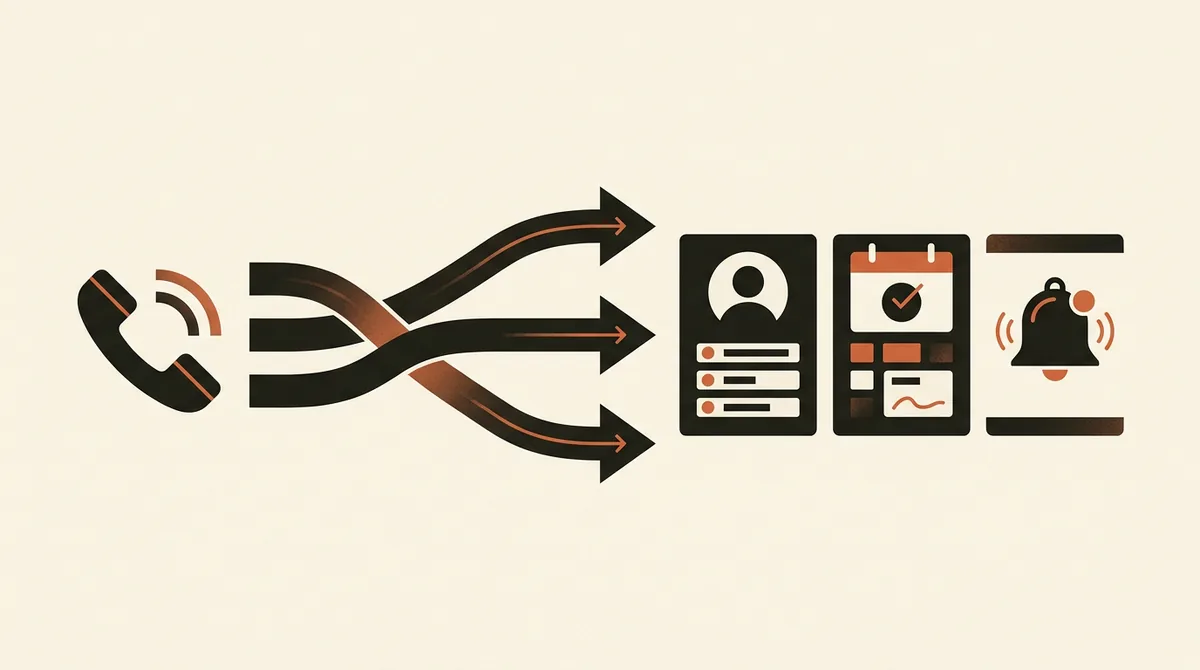
This is the part the caller never sees — and if you're the business owner, it's the part that actually matters to you. The call doesn't end when the customer hangs up: it ends when their data lands in the right place inside your systems. Here's the typical sequence, which happens within seconds.
1. Transcription and summary
The entire conversation is transcribed to text. On top of the transcript, the AI generates a plain-language summary: who called, what they wanted, what was decided, whether anything is still pending. You don't have to listen to three minutes of audio to find out what happened — you read two lines.
2. Structured data extraction
From the text, the AI pulls out usable fields: name, phone number, type of request, appointment date and time, product or service of interest, urgency. This is the step that turns "a phone call" into "a record" you can work with, filter, and count.
3. Writing to the CRM and your business software
This data doesn't stay stuck on an isolated dashboard. It's written straight into the tools you already use: HubSpot, Salesforce, your industry's management software, your calendar. If a new prospect calls, a contact record is created. If it's an existing customer, the call is attached to their existing record. This integration is the real source of value — not a nice-to-have add-on: without it, you just have a fancier switchboard. We cover this in detail in our guide on how to integrate an AI voice assistant with your CRM.
4. Booking and calendar blocking
If the call was to make an appointment, the slot is blocked in real time on Google Calendar, Microsoft 365, or your practice management calendar. No double bookings, no "we'll call you back to confirm." Often an SMS or WhatsApp confirmation goes out to the customer too, which meaningfully cuts down no-shows.
5. Notifying the right person
Whoever needs to act gets an immediate alert: an email, a message, a push notification. Sales knows there's a hot lead to call back. The manager knows a complaint has come in. Instead of staying stuck in the head of whoever picked up, the call becomes an assigned, trackable task.
Why this changes the math, not just the switchboard
Think about what happens today without AI. A call comes in while you're with a customer: you ignore it. One outside business hours: it goes to voicemail, and we all know how many people actually leave a message (very few). One that comes in while the line is busy: the caller rings your competitor instead. Every unhandled call is, quite literally, potential revenue walking away.
This isn't a philosophical point, it's an arithmetic one. If you run a local business — a clinic, a restaurant, a beauty salon, a repair shop — and try to put a euro value on every missed call, the numbers are striking. We did this math by sector in our analysis on what a missed call really costs a local business, and it's often the read that convinces an owner more than any demo. If instead you want to understand where the problem starts in your own organization, the reasons you're losing customers on the phone almost always come down to the same three or four causes.
An AI that answers around the clock, never takes a lunch break, never calls in sick, and can handle ten calls at once attacks exactly this leak. It's not "improving service" in the abstract — it's recovering revenue that was slipping away.
Want to know exactly how many calls you're really losing, and what an AI phone assistant would recover in your specific case? Request a free analysis: we'll look at your actual numbers, not a generic slide deck.
The difference versus the old-school answering system (IVR)
If you already have a switchboard with a voice menu ("press 1 for..."), you're right to wonder what actually changes. The difference comes down to one distinction: routing versus resolving. A traditional IVR sorts your call, then puts you in a queue for an agent. Conversational AI tries to close the request out right there, in the same call.
| Aspect | Traditional IVR | Conversational AI on the phone |
|---|---|---|
| Interaction | Touch-tone menus, rigid keywords | Free conversation, natural language |
| Goal | Route the call | Resolve the request |
| Self-resolution rate | Roughly 30-40% | Roughly 60-80% |
| Bookings | Hands off to an agent | Takes the appointment and blocks the calendar |
| Post-call data | None, or raw logs | Transcript, summary, CRM record |
| Customer experience | Waiting, "try again later" | Immediate answer, often resolved on the spot |
The jump in containment (the share of calls handled without human intervention) from the IVR's 30-40% to voice AI's 60-80% is the number that pays for the investment. If you're weighing up the upgrade, the full comparison is in voice AI versus traditional IVR.
The obligation you can't ignore: disclosing the AI
There's a regulatory point that too many Italian providers sweep under the rug, and it concerns exactly that moment in the first seconds of the call. The framework is shifting on two fronts.
- The EU Regulation 2024/1689 (AI Act) sets transparency requirements for systems that interact with people: the user must know they're dealing with artificial intelligence. The provisions are being phased in over time, with major milestones landing during 2026.
- In Italy, Law 132/2025 reinforces the principle: disclosing to the user that they're speaking with an automated system is not optional.
In practice, a properly designed voice assistant discloses this at the start of the conversation, clearly and with no sleight of hand. It's not an annoying constraint — it's what makes the system safe to use. We've laid out exactly what this means in practice in our article on the obligation to disclose AI on the phone under Law 132/2025, and the broader picture in AI Act 2026 obligations for SMEs. This is informational content, not legal advice — for your specific situation, it's always worth checking with a professional.
What about recorded calls? The GDPR angle
Transcription means processing personal data: voice, name, the content of the conversation. GDPR applies just as it would to any other data — so you need a clear privacy notice, a proper legal basis, limited retention, and security measures. The Italian Data Protection Authority (Garante Privacy) is the relevant supervisory body. A serious provider gives you a privacy notice, consent management, and control over retention periods, without you needing to become a compliance expert.
Where it works best: the right industries
AI on the phone doesn't help everyone equally. It pays off most where call volume is high and repetitive, and where the cost of a missed call is concrete:
- Medical and dental practices: round-the-clock booking, cancellation handling, fewer no-shows. A vertical where the impact is measurable immediately.
- Restaurants: after-hours bookings, table management, automatic confirmations. Calls tend to arrive exactly when the floor is busiest.
- Beauty salons, hairdressers, gyms: the most overlooked local segment, where half of all calls come in outside opening hours.
- Repair shops, car dealerships, professional practices: repetitive appointment requests and information queries that today eat up valuable front-desk time.
If you want the full picture of how all this fits together (technology, costs, integrations, use cases), our complete guide to the AI switchboard is the place to start. For a reading geared specifically toward small and medium businesses, there's our deep dive on AI switchboards for SMEs.
In short
An AI that answers the phone does two jobs. During the call, it understands the caller, converses naturally, discloses that it's an automated system, resolves or books the request, and hands off to a person when needed. After the call, it transcribes, summarizes, extracts the data, writes it to the CRM and calendar, and alerts whoever needs to act. The first job impresses the caller. The second, quieter one is what stops you losing calls — and therefore customers. Judge it for what it is: not a voice gimmick, but a system that closes the gap between "the phone rings" and "someone handles it."
Frequently asked questions
How does an AI understand what I'm saying on the phone?
It hears your voice directly (speech-to-speech technology) and interprets its meaning, rather than matching rigid keywords. Even if you speak mid-sentence or with a strong regional accent, it reconstructs your intent and replies in a natural voice, with latency under 300 milliseconds.
Does the caller realize they're talking to an AI?
The experience is often smooth enough that they don't notice right away, but by law they must be told. EU Regulation 2024/1689 (AI Act) and Italian Law 132/2025 require disclosure that it's an automated system: a well-built assistant states this in the first few seconds of the call.
What happens to the call data once the customer hangs up?
The conversation is transcribed and summarized, key data (name, request, appointment) is extracted and written to the CRM and calendar, and a notification goes out to whoever needs to act. All of this happens within seconds, with no manual work.
What if the AI doesn't know how to answer a question?
A serious system doesn't improvise: it transfers the call to a person (human handoff) or collects the details and opens a callback request. An AI that makes up answers rather than admit it doesn't know is a liability, not a feature.
How is this different from the answering system I already have?
A traditional menu-based IVR sorts your call and puts you in a queue: it resolves 30-40% of calls on its own. Conversational AI tries to close the request out within the same call, bookings included, reaching 60-80% self-resolution.
Do recorded calls comply with GDPR?
Yes, if handled correctly. Since it involves personal data, you need a clear privacy notice, a legal basis, limited retention, and security measures, with the Italian Data Protection Authority (Garante Privacy) as the relevant body. A serious provider supplies the privacy notice and control over retention periods.
If you want to see what an AI voice assistant tailored to your business would look like, integrated with your CRM and calendar and compliant with transparency requirements, let's talk: we'll show you a concrete case built on your own scenario.