Google Ads for Local Businesses and Services: How to Bring in Customers From Your Area
9 min read · AstraLoop Studio
If you run a practice, a shop, or a trade business, your customer pool isn't "the whole country." It's the people who can reach you in a 15 or 20 minute drive, or the ones searching for your service right in your city. Google Ads for local businesses exists for exactly this: getting found by people who need you right now and are searching close to home.
The problem is that most local campaigns are set up as if they were national. You pay for clicks coming from 200km away, ads show to people who will never walk through your door, and by the end of the month the budget is gone without a single useful call. That's not Google Ads' fault — it's a badly designed setup.
In this guide we'll cover how to configure Google Ads to bring in customers from your area: geotargeting done right, location extensions, forms to capture contacts, and the acquisition logic underneath it all. Practical, no-fluff, built for real businesses with a defined service radius.
Why local is a different game
Someone searching for a plumber, a dentist, or a pizzeria doesn't behave like an online shopper. The search is almost always high-intent and tied to the moment: "emergency locksmith Boston", "accountant near me", "tire shop open now". People typing these queries aren't casually browsing — they're about to act. They want the problem solved today, often within a few hours.
That changes three things compared to a typical e-commerce campaign:
- Distance is everything. A click from 50 miles away is worth zero, even if it costs the same as the perfect customer 2 miles from you.
- Volume is low, but quality is high. You're not chasing thousands of clicks. You're chasing the few right people in your area, every day.
- Conversion often happens offline. The customer calls, books, or walks into the shop. If you're not tracking those actions, you're flying blind.
Anyone who sets up local campaigns as if they were national gets exactly this wrong: optimizing for the cheapest click instead of the closest, most ready-to-buy customer. The result is budget burned on traffic that will never convert.
Geotargeting: the pillar almost everyone gets wrong
Geotargeting is the heart of a local campaign. Getting it wrong means throwing away half the budget before you've even written an ad. Two decisions really matter here.
1. Define the right area (not too wide, not too narrow)
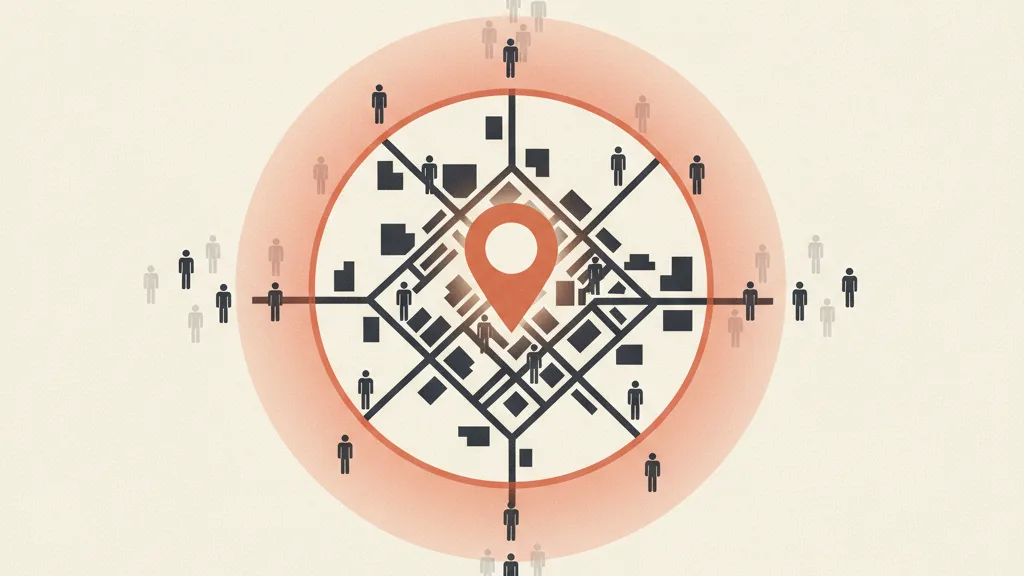
Google Ads lets you target by city, region, radius around a point, or zip code. For a business with a physical location, radius targeting around the address is almost always the most precise. A shop or practice with a local clientele usually performs well within a 3-10 mile radius, depending on urban density. In big cities a 3-5 mile radius is often enough; in smaller towns you need a wider radius, since people are used to traveling further.
The practical rule: start narrow on the area where you convert best, then widen only if you have budget headroom and results hold up. It's much easier to widen a circle than to claw back money already wasted.
2. Close the "presence or interest" loophole
This is the number-one local trap, and it almost always goes unnoticed. In the location settings, Google offers two options:
- Presence: shows ads only to people physically located in the chosen area.
- Presence or interest: also shows ads to people who are searching for information about your area while located elsewhere (this is the default).
The default "presence or interest" option is built for travel and tourism. For a locksmith in Boston, it means paying for clicks from someone searching "Boston locksmith" while they're actually in Miami for work and will never call. For the vast majority of local businesses, the correct setting is Presence. Flipping this single setting, in most accounts we audit, cuts wasted spend by 20-40% overnight.
3. Exclude the areas you don't serve
If your radius overlaps areas you don't actually serve (a neighboring town, a county you don't travel to), exclude them explicitly. Geographic exclusions stop you from paying for clicks from people you can never actually help. It's the geographic equivalent of negative keywords: you're telling Google not just where you want to show up, but where you don't want to spend.
Extensions (assets): how to dominate local ad space
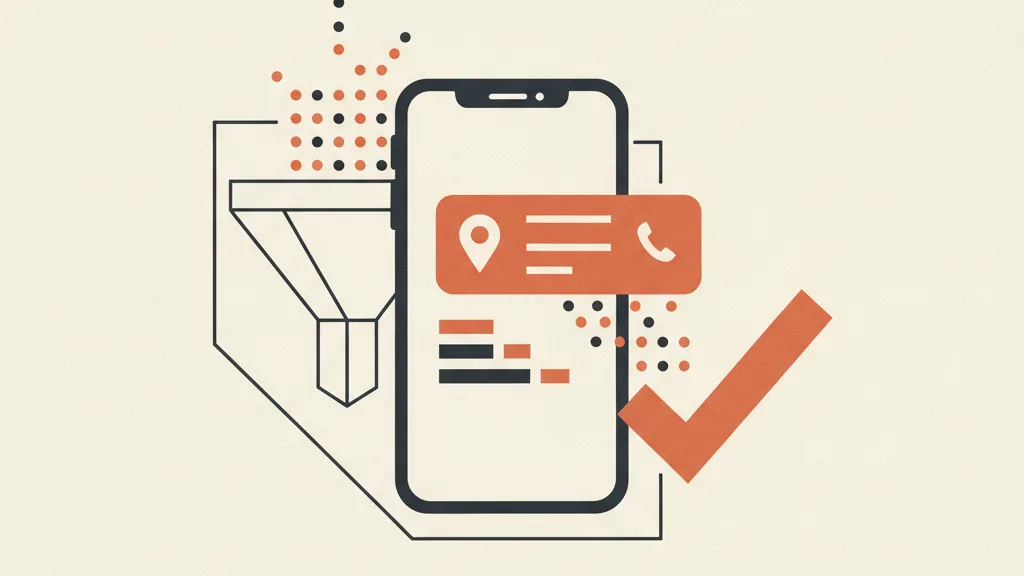
Assets (formerly called "extensions") are the extra pieces of information that make your ad bigger and more useful. For local, they're decisive: they take up more space, lift click-through rate, and give the customer exactly what they're looking for — an immediate way to contact you or reach you. Here are the ones that matter most for a local business.
Location asset: the most important one
The location asset links your campaign to your Google Business Profile and shows your address, the user's distance from you, and a "Directions" link right inside the ad. It's what turns a search into a physical visit. To enable it you need a verified Google Business Profile linked to your Google Ads account. Skip this step and you're leaving the main advantage of local advertising on the table. We cover the full range in our guide to Google Ads assets and extensions.
Call asset: the phone that rings
For urgent services (plumbers, electricians, auto body shops, practices that book appointments by phone) the call asset is gold. It shows your number and, on mobile, lets people call you with one tap. You can schedule it to run only during business hours, so you're not paying for click-to-call when nobody's there to answer. And here's a point few businesses manage well: if the phone rings out or hits voicemail, you paid for nothing. It's worth having a system that always answers, even after hours. More on that later.
Sitelinks, callouts and structured snippets
Add sitelinks to key pages (services, pricing, booking, contact), callouts highlighting your strengths ("Free quote", "Same-day service", "Parking available"), and structured snippets to list your services. They fill out the ad, build trust, and address micro-objections before the click even happens.
Lead forms and conversions: capturing the contact
Driving traffic is half the job. The other half is turning it into a usable contact. In local, you have two routes.
Lead form assets: the form inside the ad
Lead form assets let you collect the contact (name, phone, email, type of request) without the user ever leaving Google. They work well for services where the first step is a quote or callback request: windows and doors, renovations, consulting, home services. Less friction, more contacts — but watch the quality: a form that's too easy to fill also attracts window-shoppers. Adding a qualifying question (e.g. "What kind of work do you need?") filters a lot of that out.
Dedicated landing page: more control, more conversions
For higher-value services, sending traffic to a purpose-built landing page often performs better: you can present the offer, show reviews, explain the service area, and guide the visitor to act. A generic "about us" page converts a fraction of what a landing page built for that specific service and city can achieve. If you want to see how to build one, we've written a dedicated guide to lead generation landing pages that applies fully to local businesses.
Track the right conversions (including offline ones)
This is where the whole campaign succeeds or fails. In local, the conversion that matters is almost never "click on the website." It's a call, a quote request, a booked appointment. You need to set up Google Ads to count these actions:
- Call conversions (tracking calls from the ad and from the site).
- Form submissions and lead forms.
- Clicks on "Directions" or WhatsApp, as an intent proxy.
The next level is connecting Google Ads to your CRM or booking system, so you know not just how many leads come in, but how many turn into paying customers. A $20 lead that closes into a $3,000 job completely changes the math compared to one that never calls back. We go into detail in our guide to offline conversions connected to your CRM: it's what separates people who optimize for clicks from people who optimize for revenue.
Want to know if your Google Ads campaigns are really bringing in customers from your area, or if you're paying for out-of-area clicks? Request an audit: we'll tell you what to fix, no fluff.
Recommended setup for a local business
Putting the pieces together, here's a starting framework that works for most practices, shops and tradespeople. It's not dogma, but it's a sensible starting point.
| Element | Recommended setting |
|---|---|
| Campaign type | Search Network (start here — it's the most controllable option for local) |
| Geotargeting | Radius or city + Presence setting (not "presence or interest") |
| Keyword match type | Phrase and exact match to start; broad only once smart bidding is well trained |
| Priority assets | Location, call, sitelinks, callouts |
| Conversion goal | Calls + form submissions, not website traffic |
| Starting budget | Low and controlled: $15-25/day well spent beats $100 scattered around |
| Ad scheduling | Aligned with the hours you actually answer (phone/shop) |
A word on budget: in local, the risk isn't "spending too little," it's "spending badly." With a well-defined area and the right conversions tracked, even a few dollars a day is enough to tell whether the channel works for you. Then you scale into what's bringing real customers. For the full strategic picture of the channel in 2026, start with our Google Ads strategy guide.
Search Ads or Performance Max?
Google pushes automated campaigns (Performance Max), but for a local business starting from scratch we recommend beginning with the Search Network: you see the queries, you control the exclusions, you understand what converts. Performance Max is powerful, but it's a more closed box: without solid conversion data and a minimum budget, it risks wasting spend for a local business. Build the foundation on search first, then evaluate automation. On automated bidding strategies, it's worth reading our guide to smart bidding before handing everything over to the algorithms.
The part almost everyone overlooks: what happens after the click
You can have perfect geotargeting and all the right assets, but if the call goes unanswered, you paid for a customer and handed them straight to a competitor. In local, this is by far the most expensive leak.
Picture a Friday evening: someone searches "emergency plumber," clicks your ad, calls. It rings out. The next name on the list gets the job. You paid for the click for nothing. The same goes for a form filled out at 10pm and called back three days later, once the customer has already found someone else.
This is where automation and AI make a real difference:
- An assistant that always answers the phone, takes the details, and books the appointment even after hours, so no call from an ad ever goes unanswered.
- Automatic follow-up on form submissions within minutes, not days: in local, response speed is nearly everything.
- A CRM that tracks every lead from click to closed job, and tells you which campaigns bring real customers.
This is the logic we apply when we help a business turn Google Ads from "ad spend" into an acquisition system: traffic comes in, every contact gets captured and handled, nothing falls through the cracks. A CRM built for your business is often the missing piece between "generating leads" and "closing customers."
If you work in a specific service sector, much of this logic gets tailored further. As a concrete example, we've written a guide on how a law firm finds clients, and the same principles apply to dentists, accountants, agencies and tradespeople. For the more tactical side of channel optimization, our Google Ads lead generation guide rounds out the picture.
In short
Google Ads for local businesses works once you stop treating it like a miniature national campaign. A handful of things make the difference: precise geotargeting with the Presence setting, location and call assets active, conversions tracked on the actions that matter (calls and forms, not clicks), and a system that captures every contact instead of letting it slip away. The channel isn't expensive — it only becomes expensive when it's set up badly. With a well-defined radius and the right conversions in place, even a small-budget business can bring in customers from its area predictably.
Frequently asked questions
How much budget do I need for Google Ads as a local business?
Less than you'd think, if the area is well defined. For a local business, $15-25 a day is often enough to get started and see whether the channel converts. The risk isn't spending too little — it's spending on too wide a radius or on out-of-area clicks. Define the area, track the right conversions (calls and forms), and scale only into what brings real customers.
What's the most common mistake in local geotargeting?
Leaving the default 'presence or interest' setting instead of switching to 'Presence'. The first shows ads even to people searching for your area while located elsewhere (useful for tourism, harmful for a local business). Switching to 'Presence' cuts wasted spend by 20-40% in many accounts, without touching anything else.
Is Search Network or Performance Max better for a local business?
Start with Search Network. You see the real queries, control geographic exclusions and negative keywords, and understand what converts. Performance Max is more automated but is a more closed box: without solid conversion data and a minimum budget, it risks wasting spend for a local business. Build the foundation on search first, then evaluate automation.
How do I connect Google Ads to my Google Business Profile?
You enable the location asset from your Google Ads account and link it to a verified Google Business Profile. From that point, your ads can show your address, the user's distance from you, and a directions link. It's the main advantage of local advertising: without this connection, you lose the lever that turns a search into a physical visit.
Is it better to use lead forms inside the ad or a landing page?
It depends on the value of the service. Lead form assets reduce friction and bring in more contacts, great for quote or callback requests. For higher-value services, a dedicated landing page converts better because you can show the offer, reviews and service area. Either way, add a qualifying question to filter out window-shoppers.
Why track offline conversions in a local campaign?
Because in local, the conversion is almost never a click on the website — it's a phone call, a quote requested, an appointment booked. If you don't track these actions, you're optimizing blind. By connecting Google Ads to your CRM you know how many leads become paying customers, and you'll find that a $20 lead that closes into a job worth thousands is worth far more than the cheapest click.
If you want to turn Google Ads from ad spend into a system that brings in customers from your area (with calls that always get answered, automatic follow-ups, and a CRM that tracks every lead), let's talk. We'll show you how to set it up for your business.